Making connections simpler
04
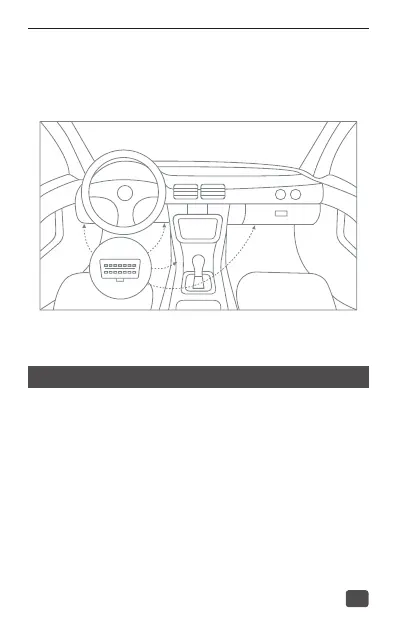
・Connecting the device to the vehicle:
Find OBDII Connector in your vehicle (the following gure shows most
of common OBD II connector locations).
Quick SMS conguration
To ensure the device gets online and operates correctly, you are advised to
check the APN and server settings. You can set the APN and the server via
SMS commands if necessarily.
・APN settings
It is recommended to contact your network operator to conrm the
APN information. Then you can use your phone to deliver the following
SMS command to the VL502:
APN, apnname#
For example: APN, internet#


 To Next Page