WT-868 Power Saving Function
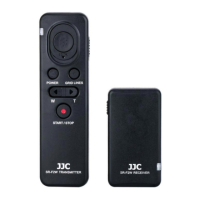
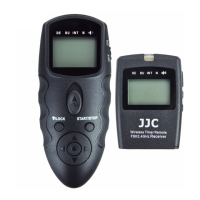
About receiver:
● When you turn on the power of the receiver,the background light of the control panel will last for 3s.
● When you press the channel +,- button to set channel,the background light of the control panel will
last for 3s.
● When the receiver is left without operation for 30s,it will automatically go into half dormancy position.
To reactivate it,just press the release button on the transmitter.
About transmitter:
● When you press the Light / Lock Button,the background light of the control panel will last for 3s.
● When the transmitter is left without operation for 3s,it will automatically go into full dormancy position.
About anti-interference
With the popularization of FSK 2.4GHz Wireless Remote Control System, more and more equipments
adopt this system. When the receiver can’t work normally or continuously. Please select another channel
and try again.
CH1 2.405GHz CH5 2.425GHz CH9 2.445GHz CH13 2.465GHz
CH2 2.410GHz CH6 2.430GHz CH10 2.450GHz CH14 2.470GHz
CH3 2.415GHz CH7 2.435GHz CH11 2.455GHz CH15 2.475GHz
CH4 2.420GHz CH8 2.440GHz CH12 2.460GHz CH16 2.480GHz


 To Next Page