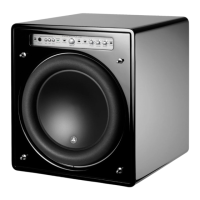
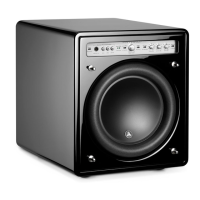
Page 33 | Fathom f112 & f113
TROUBLESHOOTING
No sound from subwoofer.
1. Verify that Fathom is plugged in, turned “ON” & that front panel lights are
“ON”. If the Fathom will not power up, check the circuit breaker that feeds its
outlet.
2. Test subwoofer using DEMO button on front panel – if sub emits demo
tones the subwoofer’s internal circuitry is ne and an input problem is likely.
Check the input cable connections at the Fathom and at the receiver/preamp/
processor.
3. Verify that your receiver’s subwoofer settings have not changed
4. If your other speakers play, but the Fathom does not, try changing the cable
that connects the Fathom to the system.
5. If the problem persists, call your dealer or JL Audio Technical Support for
assistance.
e bass level has changed.
1. Make sure your level settings (on the Fathom and in your receiver/preamp/
processor) have not changed.
2. If you are using the Fathom’s “Master Level” knob to set the subwoofer level,
conrm that the “Level Mode” switch is set to “Variable”.
3. Verify the position of the ELF Trim knob.
Hums or other unusual noises from your Fathom
1. See Input Mode discussion on page 20 of this manual, especially if any
upstream components, cables, etc., have recently changed.
2. Turn o the Fathom, disconnect all its input and output signal cables, turn the
Fathom back on. If the noise disappears, the noise is being caused elsewhere in
your system.
Bass sounds “muddy” or “too heavy”.
1. Try decreasing the 25 Hertz level using the “e.l.f. trim” control. Muddy bass
can sometimes be caused by too much low frequency output in a moderately
sized room.
2. Decrease the overall subwoofer level.
3. Verify your receiver’s subwoofer settings.
4. Try a dierent subwoofer or main listening seat location. Changing one or the
other can have a HUGE eect on how your system sounds. See the placement
discussion on pages 6-10 of this manual.
Your Fathom is clearly audible outside of your house.
1. Revisit the “Master Level” setting on your Fathom(s) or your home theater
receiver/preamp/processor.
2. Inquire with your JL Audio dealer about noise isolation strategies.
3. Move the Fathom away from windows.
Angry neighbors knocking at your door.
Invite them in and oer them a beverage.



 To Next Page
 Loading...