EasyManua.ls Logo

Johnson Controls Metasys FAC4911 - User Manual

Johnson Controls Metasys FAC4911
24 pages
Print Icon
To Next Page IconTo Next Page
Loading...
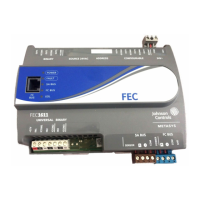
FAC4911 Advanced Application Field Equipment
Controller Installation Guide
Application
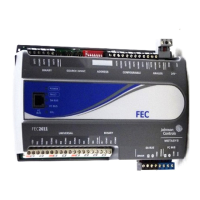
The FAC4911 Advanced Application Field Equipment
Controller is part of the Metasys
®
system Field
EquipmentController family. The FAC4911
equipment controllers run pre-engineered and user-
programmed applications, and provide the inputs
and outputs required to monitor and control a wide
variety of HVAC equipment.
FAC4911 controllers operate on BACnet
®
/IP
networks and integrate into Johnson Controls
®
and third-party systems. The controllers include
an integral real-time clock, which enables the
controllers to monitor and control schedules,
calendars, and trends, and operate for extended
periods of time as stand-alone controllers when
offline from the Metasys system network.
The Metasys system FAC family controllers and
network sensors communicate using the BACnet
protocol. The BACnet protocol is a standard for
ANSI, ASHRAE, and the International Standards
Organization (ISO) for building controls. FAC
equipment controllers are BTL-listed and certified as
BACnet Advanced Application Controllers (B-AACs).
North American emissions
compliance
United States
This equipment has been tested and found to
comply with the limits for a Class A digital device
pursuant to Part 15 of the FCC Rules. These limits
are designed to provide reasonable protection
against harmful interference when this equipment
is operated in a commercial environment. This
equipment generates, uses, and can radiate radio
frequency energy and, if not installed and used in
accordance with the instruction manual, may cause
harmful interference to radio communications.
Operation of this equipment in a residential area
may cause harmful interference, in which case the
users will be required to correct the interference at
their own expense.
Canada
This Class (A) digital apparatus meets all the
requirements of the Canadian Interference-Causing
Equipment Regulations.
Cet appareil numérique de la Classe (A) respecte
toutes les exigences du Règlement sur le matériel
brouilleur du Canada.
Installation
Observe the following guidelines when installing a
field controller:
To minimize vibration and shock damage,
transport the controller in the original container.
Verify that all parts shipped with the controller.
Do not drop the controller or subject it to physical
shock.
Parts included
One field Controller. (Power and SA bus terminal
blocks are removable)
One installation instructions sheet.
Materials and special tools needed
Three fasteners appropriate for the mounting
surface (M4 screws or #8 screws)
One 23 cm (9.125 in.) or longer piece of 35 mm
DIN rail and appropriate hardware for DIN rail
mount (only)
Small straight-blade screwdriver for securing
wires in the terminal blocks
*24101431086C*
Part No. 24-10143-1086 Rev. C
2019-10-18
(barcode for factory use only)
MS-FAC4911-0


Questions and Answers

Johnson Controls Metasys FAC4911 Specifications

General IconGeneral
BrandJohnson Controls
ModelMetasys FAC4911
CategoryController
LanguageEnglish

Summary

Application

North American Emissions Compliance

Compliance with FCC and Canadian regulations.

Installation Guidelines

Provides guidelines and steps for the proper installation of the field controller.

FAC4911 Physical Features

Figure 1: Physical Features Diagram

Diagram illustrating the controller's physical features and labeled components.

Table 1: Physical Features Description

Detailed description and references for each physical feature of the controller.

FAC4911 Model and Mounting Information

Table 2: Model and Point Type Counts

Details model information, communication protocols, and the number of available point types.

Mounting Guidelines

Guidelines for mounting the field controller in various scenarios, including DIN rail and wall.

Controller Mounting

Mounting Positions and Features

Illustrates controller mounting positions, features, and dimensions for installation planning.

DIN Rail and Wall Mounting Procedures

Step-by-step procedures for securely mounting the controller on a DIN rail or a wall.

Wiring and Network Topology

Safety Warnings for Wiring

Critical safety warnings for electric shock and property damage during wiring operations.

Network Topology Options

Describes different ways controllers can be connected to a building automation network.

Terminal Blocks and Bus Ports Overview

Identifies terminal block and bus port locations on the controller for wiring reference.

Terminal Block Wiring Details

SA Bus Terminal Block Wiring

Wiring diagram and details for connecting devices via the SA Bus terminal block.

SA Bus Port Functionality

Details the functionality of the SA Bus port for connections like commissioning tools and sensors.

Supply Power Terminal Block Wiring

Describes the 24 VAC supply power terminal block and its proper wiring connections.

I;O Terminal Specifications

Table 3: I;O Terminal Functions and Ratings

Details I/O terminal functions, ratings, requirements, and recommended cable types.

Cable and Wire Length Guidelines

Table 4: Cable Length Guidelines by Wire Size

Guidelines for cable length based on wire size, type, and load current for inputs/outputs.

Cable Length vs. Load Current Graph

Graph showing the relationship between maximum cable length and load current for wiring.

Communications Bus and Power Terminal Specs

Table 5: Bus and Power Terminal Details

Details communication bus and supply power terminal blocks, functions, ratings, and cables.

Termination Diagrams

Table 6: Input;Output Termination Details

Diagrams illustrating how to wire different types of field devices to controller terminals.

Setup and Controller Numbering

Setting the Controller Number

How to set the unique controller number using rotary switches for network identification.

Figure 7: Controller Number Rotary Switches

Illustration of the rotary switches used for setting the controller's network number.

Controller Cover and Jumpers

Removing the Controller Cover

Step-by-step instructions for safely removing and replacing the controller's housing cover.

UI Current Loop Jumpers Configuration

Details on configuring UI current loop fail-safe jumpers for analog inputs.

Table 7: UI Inputs and Jumper Labels

Lists UI inputs and their associated jumper labels for specific configuration settings.

Validation, Commissioning, and Troubleshooting

Input;Output Wiring Validation

How to validate controller wiring using default state and observing LED patterns.

Commissioning Field Controllers

Process of commissioning controllers using CCT software and associated commissioning tools.

Troubleshooting with LED Status

How to troubleshoot controller issues by observing and interpreting status LED indicators.

Accessories and Ordering Information

Table 9: Accessories Ordering Information

List of available accessories and their product codes for ordering purposes.

Technical Specifications

Table 10: FAC4911 Controller Specifications

Detailed technical specifications for the FAC4911 controller for BACnet IP Networks.

Product Warranty and Contact

Product Warranty Information

Details on the limited warranty coverage for the product and where to find more information.

Single Point of Contact Information

Contact information for customer support and technical assistance across different regions.

Related product manuals