EasyManua.ls Logo

Johnson Controls METASYS TEC1102 - User Manual

Johnson Controls METASYS TEC1102
24 pages
Print Icon
To Next Page IconTo Next Page
Loading...
Issue Date August 8, 2002
© 2002Johnson Controls, Inc.
1
Part No. 24-8980-2, Rev. A www.johnsoncontrols.com
Code No. LIT-6363155
T
ECHNICAL
B
ULLETIN
TEC1100 Series Thermostat
In this document, Building Automation System (BAS) is a generic term
that refers to the Metasys® Network (Network Control Module [NCM] or
N30 series), Companion, and Facilitator® supervisory systems. When you
refer to system specific applications, use the specific system names.
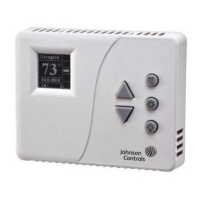
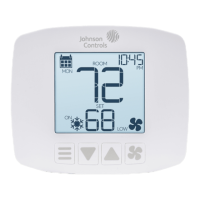
The TEC1100 Series includes three nonprogrammable models:
single-stage (TEC1101), heat pump (TEC1102), and multistage
(TEC1103). The applications include furnace, air conditioner, heat pump,
and rooftop units. The TEC1100 incorporates fuzzy logic for precise
control in a thermostat type package.
All TEC1100s have Metasys N2 communication capability. This
communication allows the user to view and adjust parameters from a
remote workstation. It also provides information, such as outdoor air
temperature, to the TEC1100 units on the bus. The thermostat is easy to
operate and normally displays room temperature and mode of operation
using Cooling ( ) or Heating ( ) icons. When there is a call for cooling,
the Snowflake icon ( ) blinks. Likewise, during a call for heating, the
Flame icon ( ) blinks. When the temperature is satisfied, neither icon
blinks. In the Auto mode, both icons ( ) appear continuously when
satisfied. Light-Emitting Diodes (LEDs) on the top of TEC1102/1103
models use Binary Inputs (BIs) to indicate a clogged filter and external
service. A unique temperature alarm (BI 2) indicates that the zone
temperature has not been satisfied in 45 minutes.
Introduction
Description


Questions and Answers

  • R
    Ronnie BartonAug 9, 2025
    What to do if Johnson Controls METASYS TEC1102 Thermostat TEC1100 does not come online?
    • S
      Stephanie KnightAug 9, 2025
      If your Johnson Controls Thermostat TEC1100 fails to come online, several factors could be responsible: * A duplicated address. The solution is to change each duplicate address to a unique number. * Too many devices on the N2 Bus. Keep in mind the maximum number of N2 devices allowed on the N2 Bus: 100 devices per NCM, 32 devices per N30, 32 devices per N31, 150 devices per the Companion/Facilitator system. * The TEC1100 isn't receiving power. Apply power to the TEC1100. * Broken N2 cable runs. Locate and correct the wiring. * Incorrect device type. The TEC1100 address must be VND device type.
  • J
    Jamie HowardAug 18, 2025
    Why does my Johnson Controls Thermostat TEC1100 cycle online and offline?
    • R
      Roy GomezAug 18, 2025
      If your Johnson Controls Thermostat TEC1100 is cycling online and offline, here's what might be happening: * Two or more controllers have the same address. To fix this, change each duplicate address to a unique number. * There are ‘Y’ or ‘T’ taps, or the repeater lost power or is wired incorrectly. For this, refer to the N2 Communications Bus Technical Bulletin (LIT-636018).
  • B
    Bradley HurstAug 28, 2025
    How to fix entire N2 Bus offline on Johnson Controls METASYS TEC1102?
    • E
      Evan LoveAug 28, 2025
      If the entire N2 Bus is offline on your Johnson Controls Thermostat, consider these potential causes: * EOL jumpers on MM-CVT101 or NCM are not installed. Install the EOL jumpers properly. * MM-CVT101 is not plugged into a Personal Computer (PC) or a 120 VAC source. Plug the MM-CVT101 into a PC or a 120 VAC source. * Wiring near the BAS is broken. Repair the wiring. * No point mapping entered. Define the BAS database.

Summary

Product Specifications and Accessories

Technical Specifications

Detailed technical data, compliance, and ratings.

Model-Specific Configurations

TEC1101 DIP Switch Settings

Configuration options using DIP switches for the TEC1101.

TEC1102 DIP Switch Settings

Configuration options using DIP switches for the TEC1102.

TEC1103 DIP Switch Settings

Configuration options using DIP switches for the TEC1103.

Network Connectivity and Operation

N2 Bus Objects

Detailed list of N2 bus points, types, and ranges.

Troubleshooting

Troubleshooting N2 Bus Issues

Common N2 bus problems and their solutions.

General Thermostat Troubleshooting

Diagnosing and resolving common thermostat symptoms.

Johnson Controls METASYS TEC1102 Specifications

General IconGeneral
BrandJohnson Controls
ModelMETASYS TEC1102
CategoryThermostat
LanguageEnglish

Related product manuals