TEC2604-4 and TEC2604-4+PIR BACnet® MS/TP Networked Multi-Stage Economizer Thermostat
Controllers Installation Instructions
6
•Use the MENU key to:
- access the Main User Menu or to exit the menu
(See the Main User Menu
section.)
- access the Installer Configuration Menu or to
exit the menu (See the Configuring the
TEC2604-4 or TEC2604-4+PIR Thermostat
Controller section.)
•Use the UP/DOWN arrow keys to change the
configuration parameters and to activate a setpoint
adjustment.
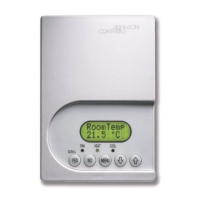
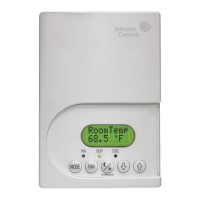
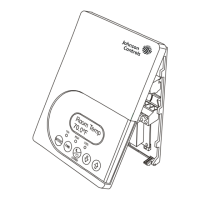
Backlit Liquid Crystal Display (LCD)
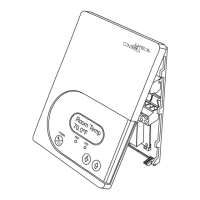
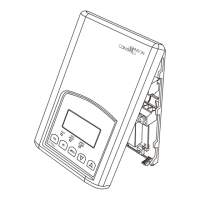
The TEC2604-4 and TEC2604-4+PIR Thermostat
Controllers include a 2-line, 8-character backlit display.
Low-level backlighting is present during normal
operation, and it brightens when any user interface key
is pressed. The backlight returns to low level when the
thermostat controller is left unattended for 45 seconds.
Light-Emitting Diodes (LEDs)
Three LEDs are included to indicate the fan status, call
for heat, or call for cooling:
• The fan LED is on when the fan is on.
• The heat LED is on when heating is on.
• The cool LED is on when cooling is on.
Integrated PIR Sensor –
TEC2604-4+PIR Thermostat Controller
The integrated PIR sensor allows for automatic
switching between fully adjustable Occupied and
Unoccupied temperature setpoints without user
interaction. This feature generates incremental energy
savings during scheduled occupied periods while the
space is unoccupied.
Programming Overview
Three menus are used to view, program, and configure
the TEC2604-4 and TEC2604-4+PIR Thermostat
Controllers: the Status Display Menu, the Main User
Menu, and the Installer Configuration Menu.
Status Display Menu
The Status Display Menu is displayed during normal
thermostat controller operation, and continuously
scrolls through the following parameters:
• Room Temperature
• System Mode
• Schedule Status
(Occupied/Unoccupied/Override [PIR Models])
• Outside Temperature – An outside air temperature
sensor must be installed and connected.
• Applicable Alarms – The backlight lights up as an
alarm condition is displayed.
Note: Press the YES key to temporarily stop this
menu from scrolling.
Note: An option is available within the Installer
Configuration Menu to lock out the scrolling display and
show only the Room Temperature parameter.
Main User Menu
The Main User Menu is used to access and change the
basic operating parameters of the thermostat controller.
During normal thermostat controller operation, press
the MENU key once to access the Main User Menu.
This menu is most commonly used by the zone
occupant, and includes the following parameters:
• Temperature Setpoints
• System Mode
• Fan Mode
The Main User Menu uses Auto Help. Auto Help is
displayed automatically in the main User Menu when
there is a pause in programming activity.
Installer Configuration Menu
Use the Installer Configuration Menu to set up the
thermostat controller for application-specific operation.
To access the menu, press and hold the MENU key for
approximately 8 seconds.
Occupancy Sensor Operation –
TEC2604-4+PIR Thermostat Controller
A TEC2604-4+PIR Thermostat Controller (or a
TEC2604-4 Thermostat Controller equipped with a PIR
accessory cover) provides advanced occupancy logic.
Note: The PIR strategy is an occupied strategy. If the
thermostat controller is programmed to be Unoccupied,
the PIR function does not have an effect on the
occupancy strategy.
The thermostat controller automatically switches the
occupancy level between Occupied and Unoccupied as
required, when local movement is sensed. In the
Occupied mode, if no movement is detected beyond
the Unocc TM parameter setting, the mode changes to
Unoccupied. Once movement is detected, the mode
changes back to Occupied.
Occupancy sensing is enabled only if a PIR cover is
installed. The PIR cover, when installed, is auto
detected.



 To Next Page