14 ©2016 Johnson Level & Tool - Rev. 3
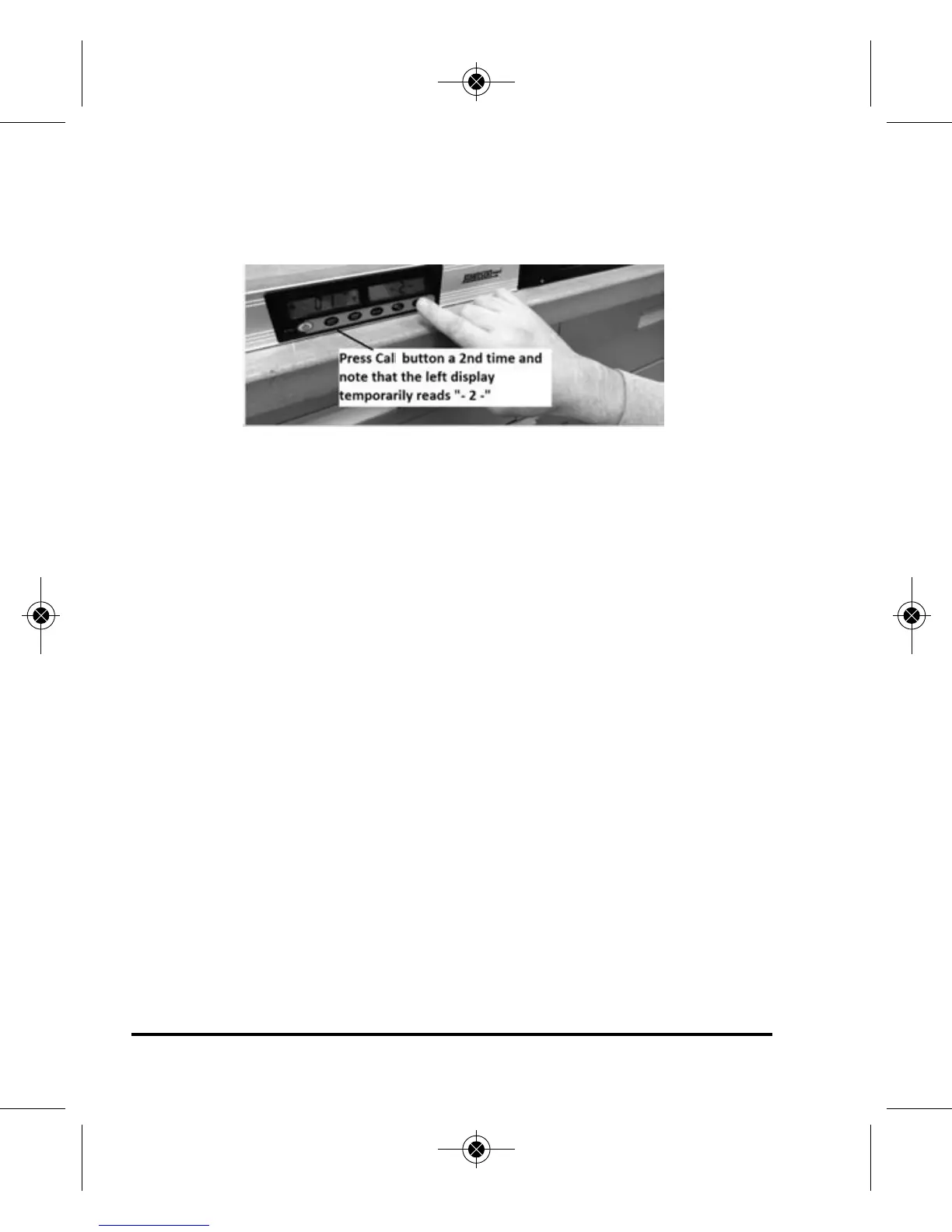
4. Press the Laser/Cal button again to display -2-.
After about 2 seconds, display should revert back to measuring
mode, displaying “180.0°”
5. The angle calibration is completed.
Verify calibration by closing angle arm.
Note that right display reads “0.0°”
1150i-English_Manuals 6/10/16 9:56 AM Page 14


 To Next Page