6 ©2016 Johnson Level & Tool - Rev. 3
6. Operating Instructions
Battery Installation
1. Make sure the instrument is turned off.
2. Open the battery cover. Take out the old batteries and put the
new batteries in, paying attention to the polarity.
3. Power on the instrument.
Note: Take out the batteries if the instrument is not going to be used
for a long time.
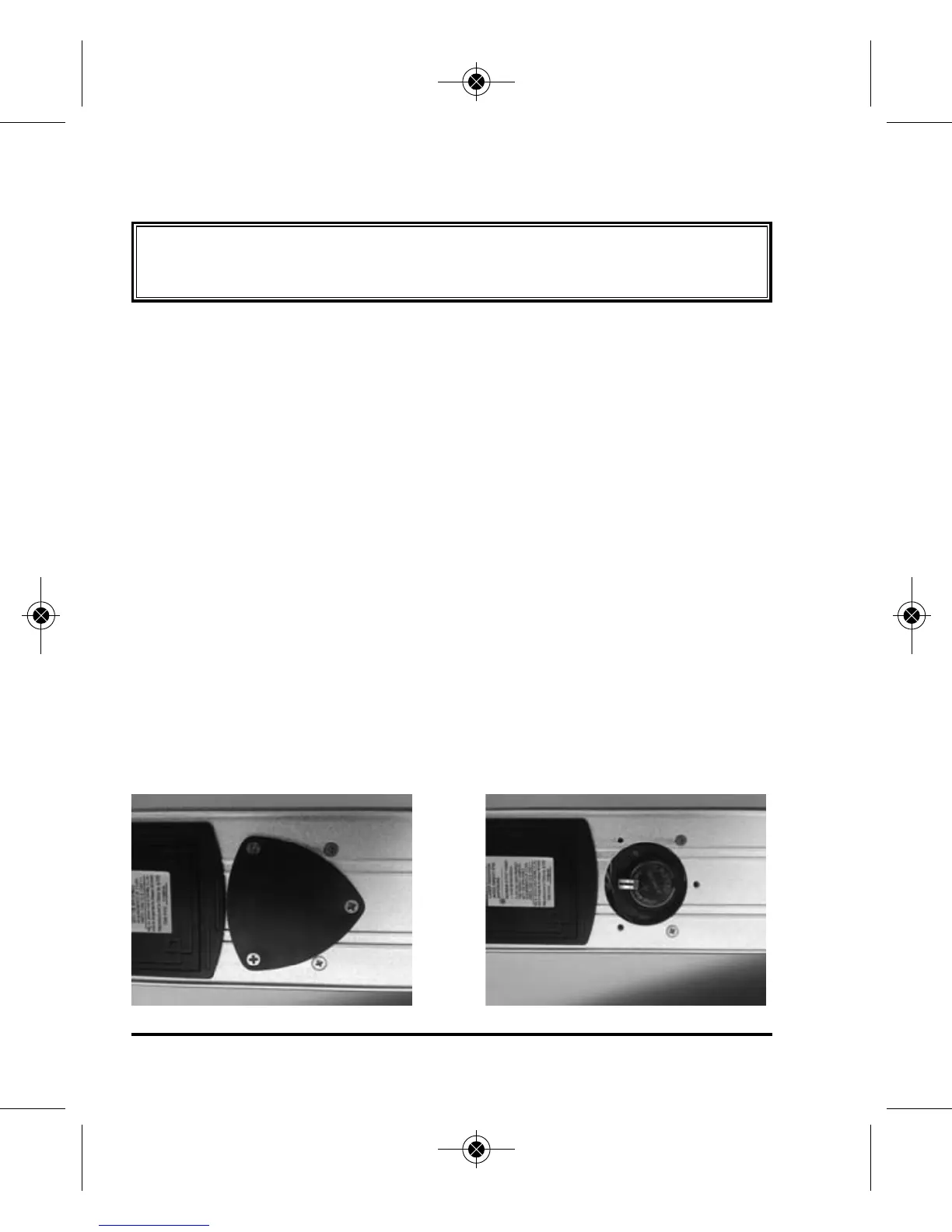
Replacement/Installation of Button Battery
1. If the angle LCD displays “Erro” it is necessary to replace the
button battery.
2. Remove the 3 screws on the button battery cover and open
battery compartment.
3. Replace the old battery with a new battery.
4. Put the battery cover back on.
5. Check angle calibration.
IMPORTANT: It is the responsibility of the user to verify the
calibration of the instrument before each use.
1150i-English_Manuals 6/10/16 9:56 AM Page 6


 To Next Page