CHAPTER 6:PARTS REPLACEMENT
6.5 Software Update
•
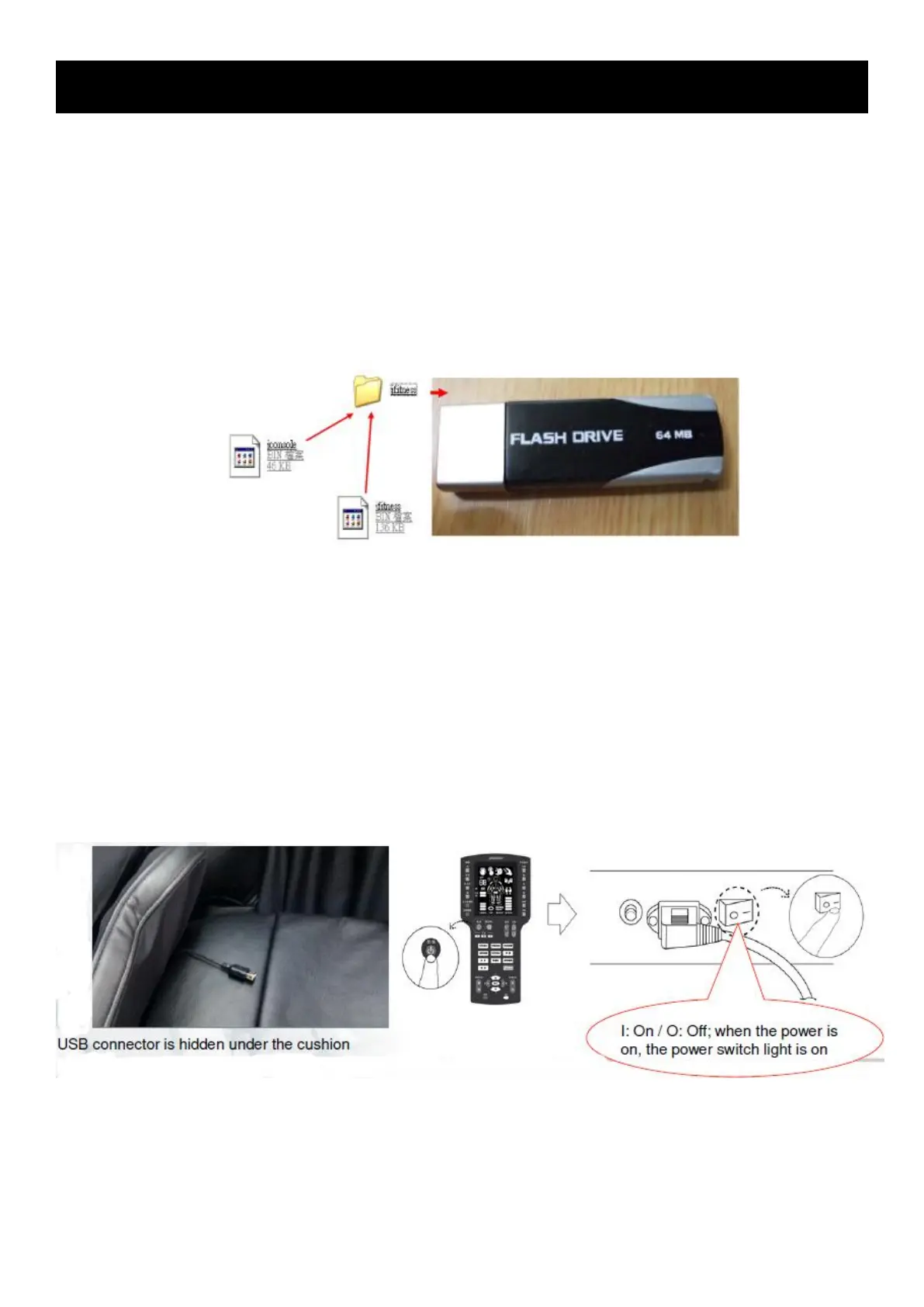
Prepare the flash drive and software
•
J6800 software includes 2 parts (all *.BIN files):
•
A. Manual controller application software jconsole.bin
•
B. Lower control panel application software jfitness.bin
•
It is recommended to install the software in the flash drive below 8GB to avoid that the
lower control panel cannot read the flash drive
•
It is recommended to store only the file folder jfitness in the flash drive to improve recording
success
Operation:
1) Enter the engineering mode PU (refer to 2-5 engineering mode:PU) to confirm that if the
software version needs update.
2) While the machine’s power is off, insert the flash drive with new software files to the USB
line.
3) Press "start/stop" key on the manual controller to turn on the machine power switch (press
the manual controller power switch continuously).
4) Then, you will see the pounding lamp is on. Press the power key continuously and then you
will see that the pounding lamp keeps flashing.
5) You will hear the relay’s motion sound 5 seconds after the pounding lamp stops flashing,
and the update is completed. Unplug the flash drive and test again by restarting the machine.



 To Next Page