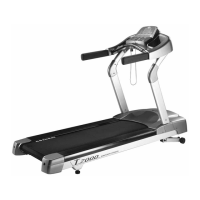
T7000 OWNER'S MANUAL T7000 OWNER'S MANUAL
18
19
JOHNSON COMMERCIAL TREADMILL
JOHNSON COMMERCIAL TREADMILL
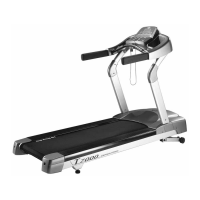
The workout tips on the Johnson T7000 are listed below.
1) CAUTION! Before beginning any fitness program, have your physician give you a
complete physical examination.
2) Begin working out, adapt the speed and incline level to meet your fitness goals.
3) Always attach the security clip to your clothing prior to working out.
4) Check that the unit is turned ON. The I/O switch is located at the front.
5) Answer setup prompts using the numeric keys or by pressing SPEED / INCLINE Ļ or
ń keys.
6) Hold onto the handrail with one hand while you press SPEED Ļ with the other hand.
Once you are comfortable with the walking or running speed, you can remove your
hands from the handrail.
7) The better position of feet to walk on the treadmill is where feet planted on the belt
to have your arms bent slightly and your hands grasped the heart rate sensors (as
illustrated). At the running speed, the feet stand on the point of the belt where the
hands at a natural swing are not able to touch the front handrail.
8) Do not attempt to grasp the sensors at speeds above 4.5 MPH, or 7.2 KPH. For these
speeds, the use of a heart rate chest strap is recommended.
9) Always incorporate a cool-down period into your workout.
Note:
Cool Down: Johnson Treadmill T7000 automatically initiates a 3-minute cool down once
you complete a program. A prompt appears, indicating that you are in cool down.
The Manager’s Custom Setting allows the club owner to customize the treadmill for your club.
To enter the Manager’s Custom Setting, press and hold down the "INCLINEĻ" and "SPEEDĻ"
keys. Continue to hold down the two keys until the MESSAGE CENTRE displays the words
“MANAGER MENU”. Use the INCLINE arrow keys to scroll through the list of settings. The
MESSAGE CENTRE will display, in turn, each of the custom settings. To select a displayed
option, press the ENTER key. The Manager’s Custom Setting is listed on the following page. To
change a setting, use the SPEED arrow keys or NUMERIC keys, and the press QUICK START.
“SETTING SAVED” will appear in the message centre confirming that the message has been
saved. To exit the setting setup without saving, press the RESET key within 5 seconds or the
system will jump out of the setting automatically if no any key is inputted after 5 seconds.
PART 6. MANAGER’s CUSTOM SETTING
• WORKOUT TIPS


 To Next Page