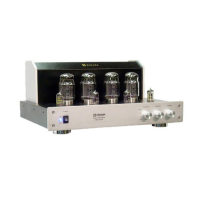
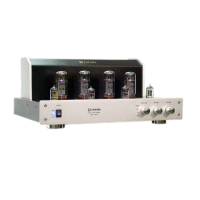
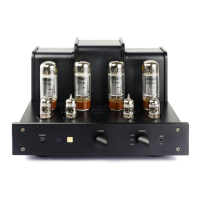
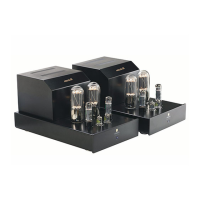
A quick and easy method to bias the amplifier, to make certain the tube is at the right bias point or to re-bias. For
this type of biasing only a small plastic handled flathead screwdriver is needed.
1. To start the process, turn the unit on with the volume knob turned to zero. No audio source should be playing
at this time.
2. Allow the unit to warm up for at least five minutes.
3. Starting at the tube V3, place the flathead end of the screwdriver in the bias adjustment pot and slowly turn the
bias pot counterclockwise until it cannot be turned any more. Please note that you should use light touch to turn
the bias pot and never force the bias pot. At this point the corresponding red LED should not be lit. Then turn the
bias pot clockwise slowly until the LED lights up. Stop turning the pot when the LED lights up. The tube is now
biased. Follow the same pattern with the rest of the tubes V4 thru V8. Replace the cover and the unit is ready for
use.
4. When you are playing the unit some of the LEDs may flicker on and off. This is not a sign that the tubes need to
be re-biased. It is the fluctuation of the current going thought the tube. If this flickering is distracting, turn the bias
pot a small fraction clockwise and the LED should stay on any time the amplifier is on or in use. Only when the
LED remains constantly off, then the tube needs to be re-biased. If you can no longer turn the bias pot clockwise,
then it is time to replace the tube. Please note that the process of re-biasing may not happen for over a year and
the need to replace a tube may take 4 to 8 years.
We have been questioned why we use the EZ-Biasing method instead of automatic biasing. Automatic biasing
has been a well-known design for over 40 years. It is a circuit in which a series of resistors is the core of the
design. However, it has significant negative impact on the performance of the unit. It will reduce power and it will
introduce distortion into the signal path. EZ-Biasing will not reduce power, nor will it introduce distortion since it
merely senses the level of current going through the bias path rather than trying to alter and control it. Although
EZ-Biasing requires a minimum effort, the dividends of power and sound performance are worth the investment.
Manual Biasing:
For those who enjoy the time-tested method of biasing the amplifier with a multi-meter, your amplifier can
accommodate your interest.
1. Unplug the AC power cord from the AC wall receptacle if you need to replace the tubes.
2. Remove the top cover.
3. After the tubes are replaced (See Replacing Vacuum Tubes), plug the AC power cord back into the AC wall
receptacle.
4. Remove all the audio input cables leading into your amplifier, that is the CD input cables, tape input cables, etc.
5. Make certain the left and right speakers and speaker cables are attached to the amplifier.
6. Adjust the bias levels to the lowest setting. This is accomplished by first turning the bias adjustment screw for
V3, V4, V7, and V8 counter-clockwise until the screws cannot turn any further. Please do not try to force the
screws. Only minimum pressure is required to adjust the screws.
7. Make sure the amplifier volume control is set to its lowest setting or turn the volume control counterclockwise
until you can no longer turn the volume control knob.
8. Turn the AC power switch to the "ON" position so that the power indicator LED light is lit.
9. Wait a minimum of 5 minutes for your amplifier unit to warm up before starting the biasing sequence.
8. Turn on the multimeter and set it to D.C.V. or D.C. Voltage. Then make sure the voltage setting is on the
millivolt range setting. The manual bias setting is 500 millivolts + 50 mV.
9. To bias the 6550 tube in the V3 socket, take the black, "-" or negative probe of your multimeter and insert the
probe end into the testing port slot that corresponds with the number "0" or the middle slot. Take the red, "+" or
positive probe of your multimeter and insert the end into the testing port slot that corresponds with the number "3".


 To Next Page
 Loading...