8
3.1.13 QUICK SEARCH
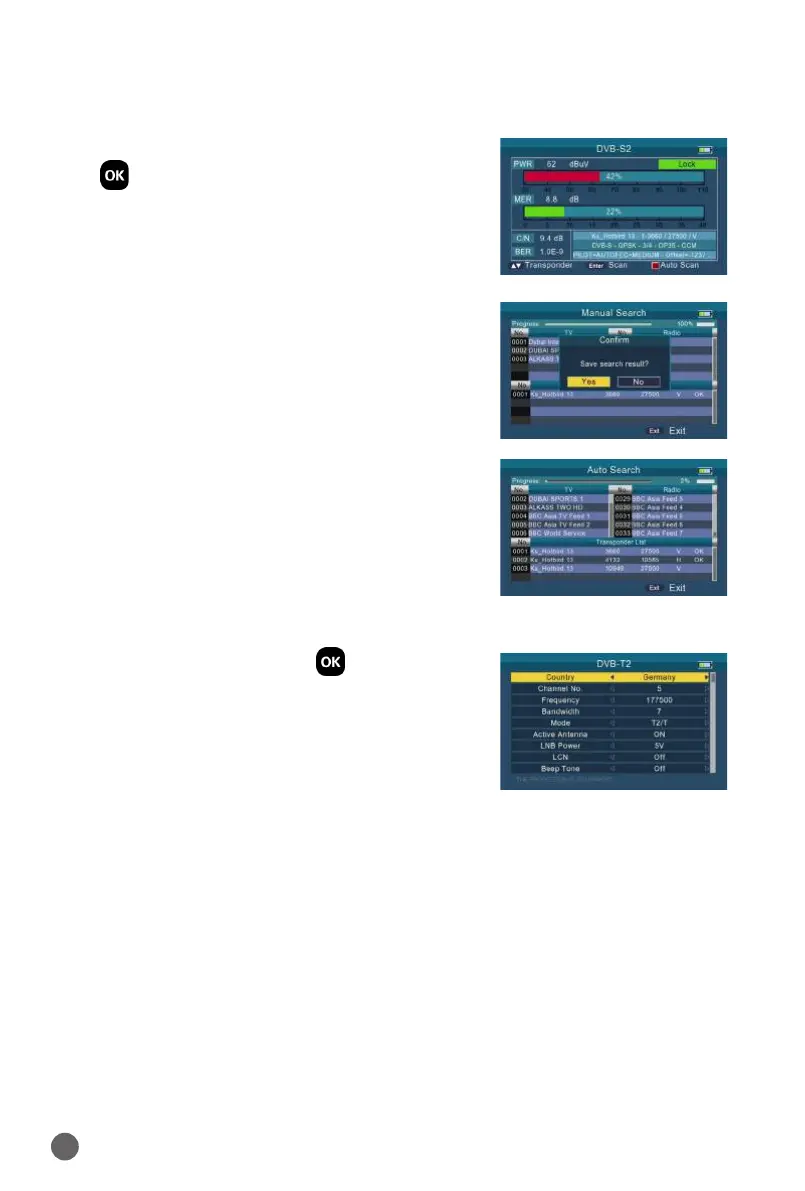
When parameters have been set done, press
OK into quick search. There will have some
signal information displayed on the screen.
Press
YZ
key to change transponder.
• Scan: Press the ENTER key to search the
current TP.
• Auto Scan: Press the red key to auto blind
search the current satellite.
3.2 DVB-T2
Select DVB-T2, then press OK into the Scan
Setup.
3.2.1 COUNTRY
Press
AB
key to change the default country.
3.2.2 CHANNEL NO
Press
AB
key to change the channel number.
3.2.3 FREQUENCY
Frequency of the current channel, input the value by using the number keys.
3.2.4 BANDWIDTH
Press
AB
key to change the bandwidth, we can select 5, 6, 7 or 8M.


 To Next Page