14
3.7 MULTIMEDIA
Will need to play the files in the USB and insert
it into the USB port.
Select a file and press OK to play it.
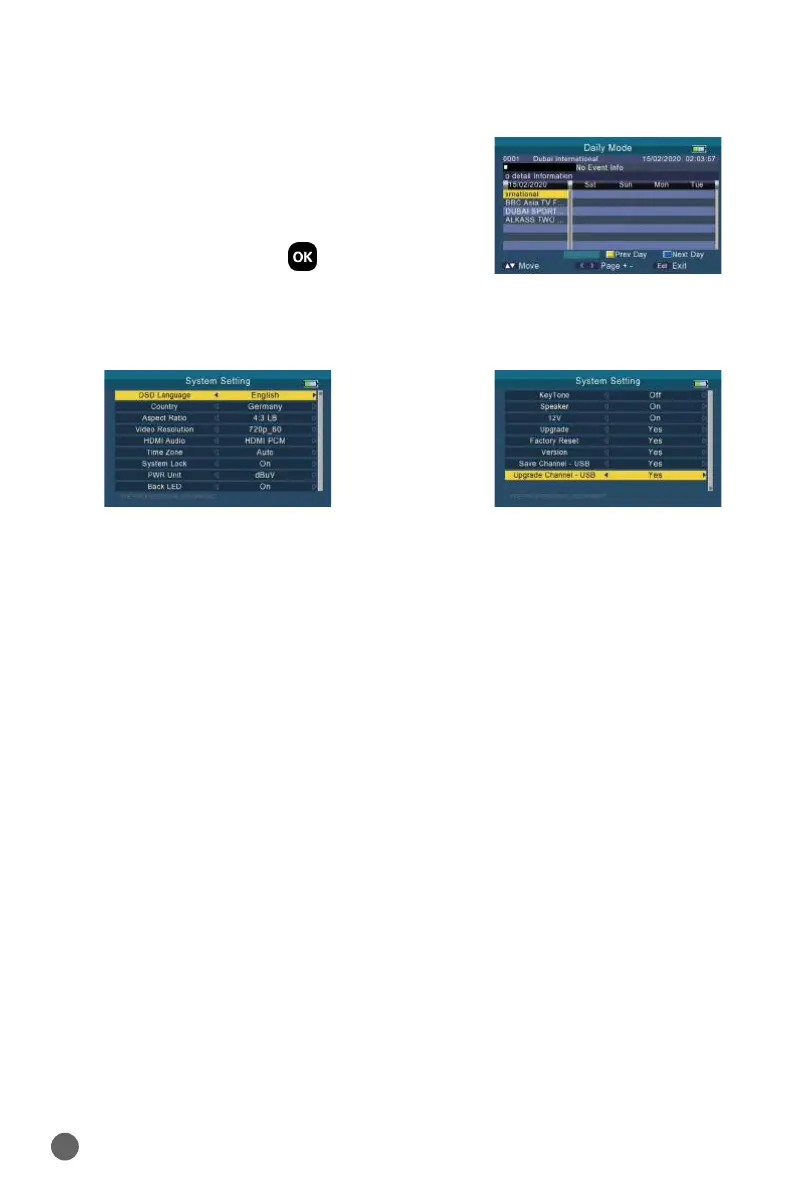
3.8 SYSTEM SETTING
• Language
Press
AB
key to change the OSD language, default is English.
• Country
Press
AB
key to change the country.
• Aspect Ratio
Press
AB
key to change the aspect ratio: 4:3 LB/4:3 PS/16:9/full screen.
• Video Resolution
Press
AB
key to change the video output resolution: 480p/576p/720p/
1080i/1080p.
• HDMI Audio
Press
AB
key to change the digital audio output format: PCM/RAW/MUTE.
• Time Zone
Press
AB
key to change the Time Zone.
• System Lock
Press
AB
key to switch system lock on/o.
• PWR Unit
Press
AB
key to change the PWR unit: dBm/dBuV/dBmV.
• Torch
Press
AB
key to switch torch on/o.
• Back LED
Press
AB
key to switch keyboard LED on/o.
• KeyTone


 To Next Page