99213_UM_TR710_D 11
General operation
There is a menu wheel on the right side of the display. The wheel has three diffe-
rent functions:
• Volume control.
• Squelch control.
• Maneuvering in menus and changing of values.
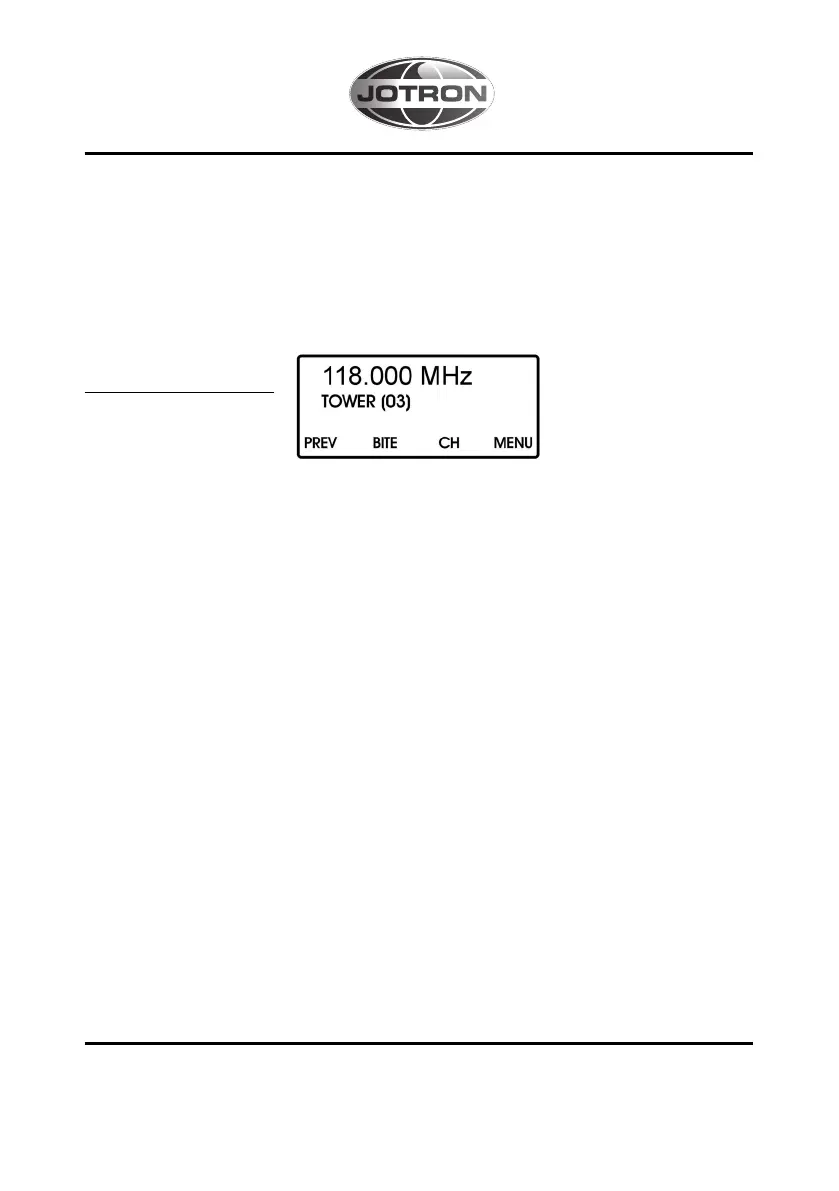
STANDARD SCREEN
This is the standard mode for the transceiver. In this mode the menu wheel auto-
matically adjust the volume and when it is operated the display gives a graphical
volume indication. The display returns to the standard screen after a break of more
than two seconds. A push on the menu wheel gives the squelch function and the
next push, or a break of more than three sec, will return to the volume function.
By pressing the function keys the user gets access to several functions and menus.
A flowchart of the menu is shown in appendix A.
When a menu is selected, the menu wheel changes its function to menu maneuve-
ring. When submenus are entered the wheel can be used to adjust the actual value.
The maneuvering in menus, and changing of values, can also be carried out by the
arrows (function keys). The display automatically returns to the standard screen
after a break of more than 30 seconds.
If the operator wants to adjust the volume or squelch when a menu is entered, one
push gives the volume function, the next gives the squelch function and the third
push gives the value adjustment.
Pressing the function key "ENTR" enters the actual menu, new values and settings
are also stored by pressing "ENTR".



 To Next Page