Ctra. NII Km 585.1 Abrera 08630 (Barcelona) España
e-mail: selecta@jpselecta.es - website: www.jpselecta.es
6.3
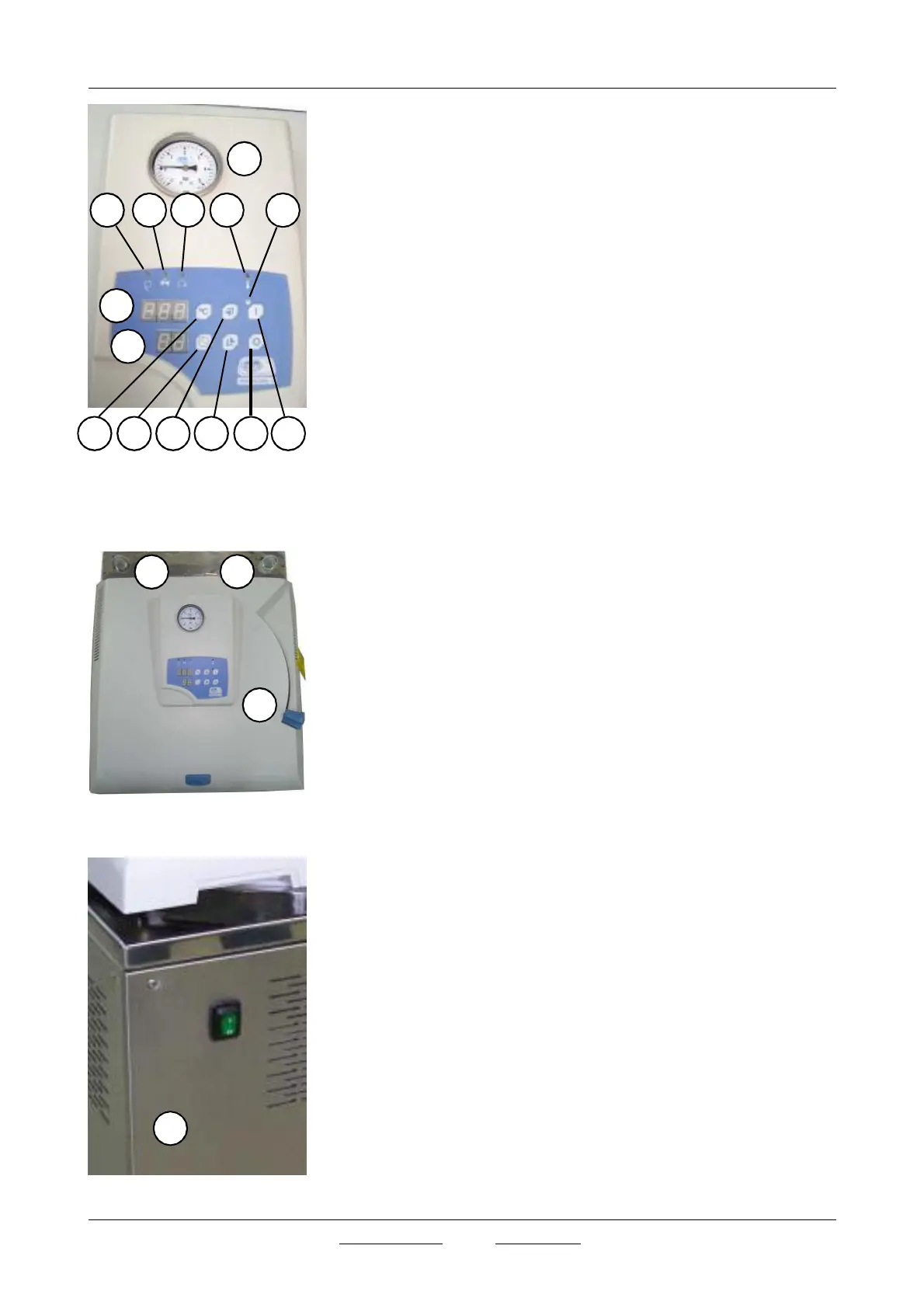
Control panel
1.
Pressure gauge
2.
Open lid indicator lamp
3.
Open valve indicator lamp
4.
End cycle indicator lamp
5.
Overtemp alarm indicator lamp
6.
Statement indicator lamp (see section 8.5 operation)
7.
Temperature and errors screen
8.
Time and pressure 0 screen
9.
Temperature set key
10.
Time set key
11.
Increase value key
12.
Decrease value key
13.
Stop key
14.
Starting up key
6.4
Elements position
15.
Emptying manual valve control
16.
Steam manual valve control
17.
Open lid handle
18.
Main switch



 To Next Page