− 99 −
Operating procedure
[Operator level]
Press communication mode switch 6 in the information screen.
[Maintenance personnel level]
Press communication mode switch 6 for approximately three seconds in the information screen.
ictograph on the left end of the communication screen is shown in reverse video.
Communication screen (Maintenance personnel level)
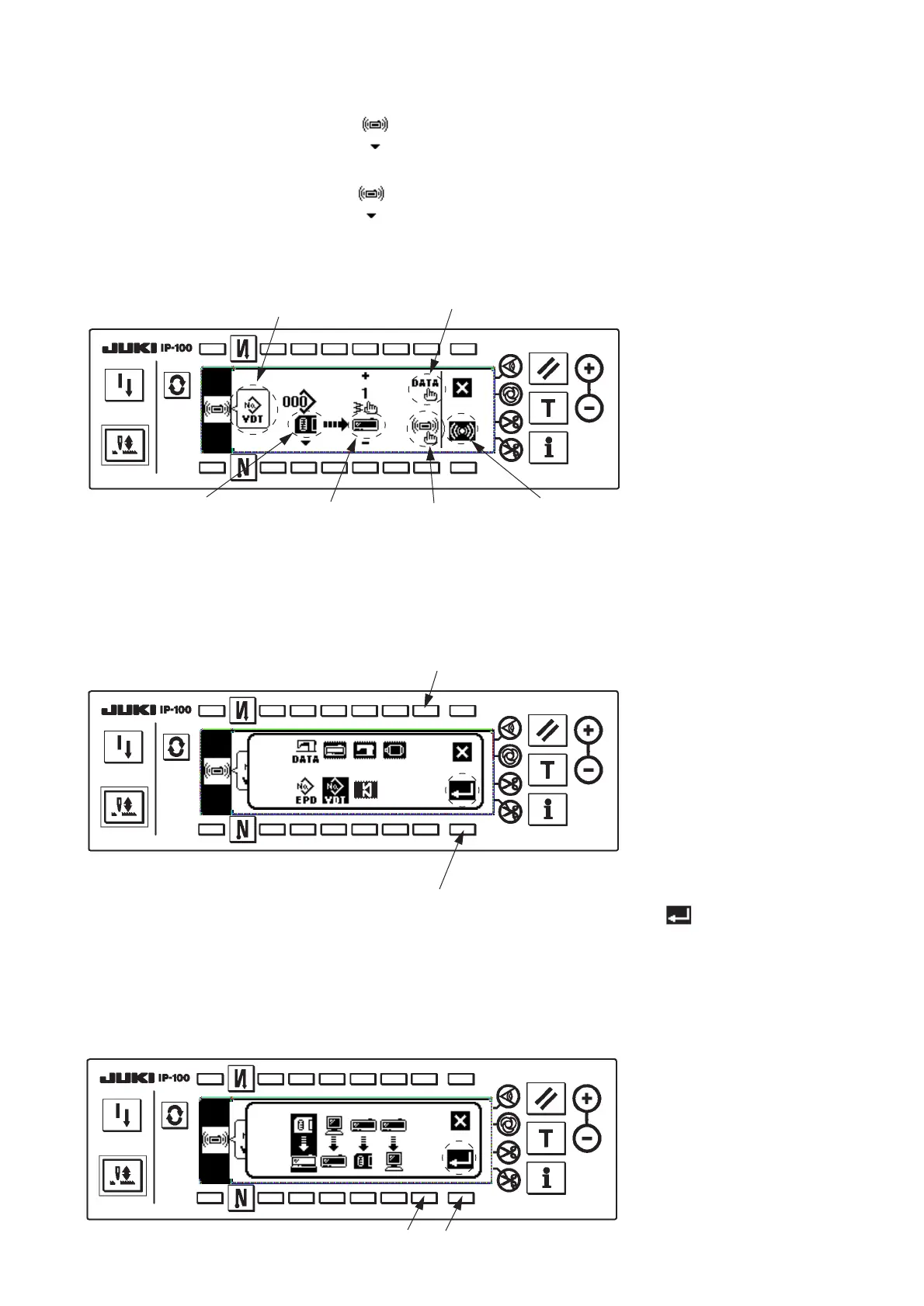
1. Communication setting
1 Data selection
Press data selection switch !4 in the communication screen.
Select the data to perform communication, and press set key switch 8 .
2 Communication method selection
Press communication method selection switch 7 in the communication screen.
Communication method selection screen
Kind of selected data
Data selection !4
Data communication
source 3
Data
communication
destination 5
Start of
communication 8
Communication
method selection 7
!4
8
Data selection screen
8
7












 To Next Page