− 108 −
4
3
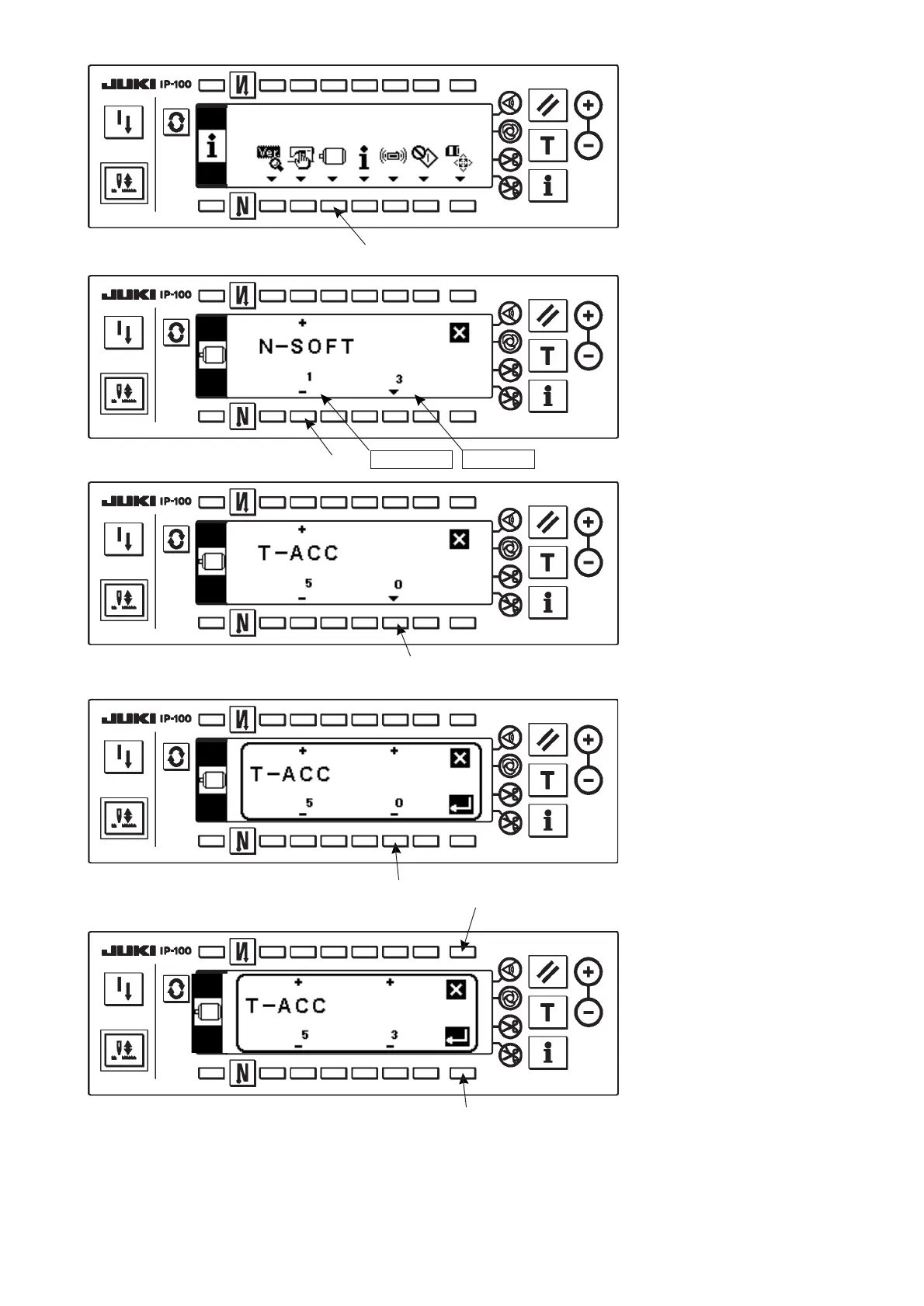
Setting No. Set value
6
!5
™Change set value with “+/–”
Key of switch 6.
The set value has been
changed from “0” to “3”.
™When this changed value is
acceptable, press switch 8.
When you desire to return
the value to the previous one,
press switch !5.
6
3) Press switch 4 for
approximately three
seconds.
4) This screen is the function
setting screen.
Change the setting No. with
“+/–” Key of switch 3.
For the details of setting
No., refer to 9. FUNCTION
SETTING LIST.
Example) Changing the
flicker reducing
function (Setting
No.
5)
Change the setting No. to “5”
with “+” Key of switch 3 in the
figure above.
™Press switch 6.
8












 To Next Page