− 72 −
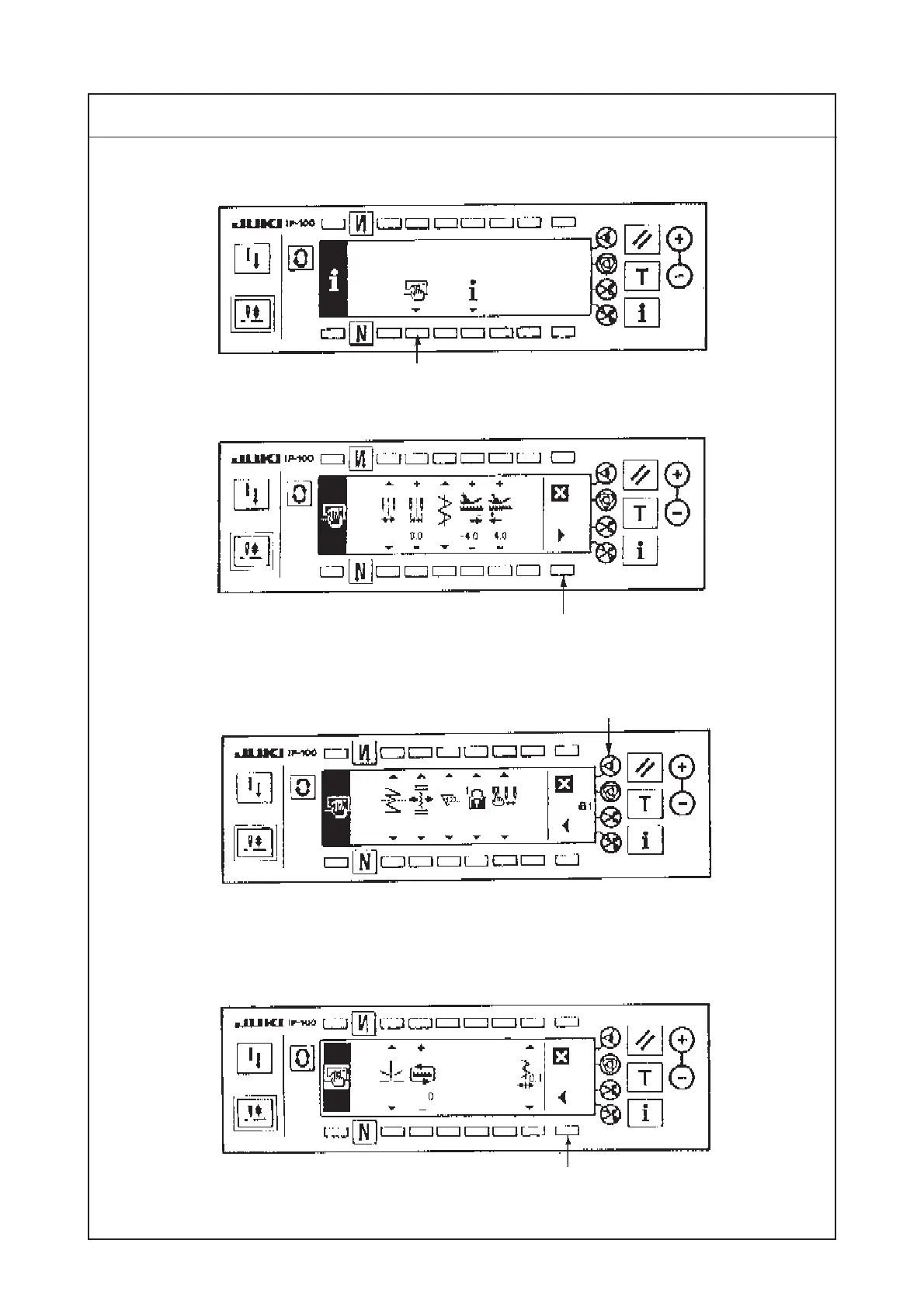
6) Press switch 6 to display the sewing common data screen.
7) Press switch 7 from the first screen of sewing common data setting to display the second screen.
8) Press switch 8 for approximately three seconds from the second screen of sewing common data
setting to change to the third screen.
9) Press switch 9 from the third screen of sewing common data setting to change to the reverse feed
control lever adjustment screen.
6
Procedures of disassembling/assembling
7
8
Information screen (Operator level)
9
The first screen of sewing common data setting
The second screen of sewing common data setting
The third screen of sewing common data setting




 To Next Page