− 35 −
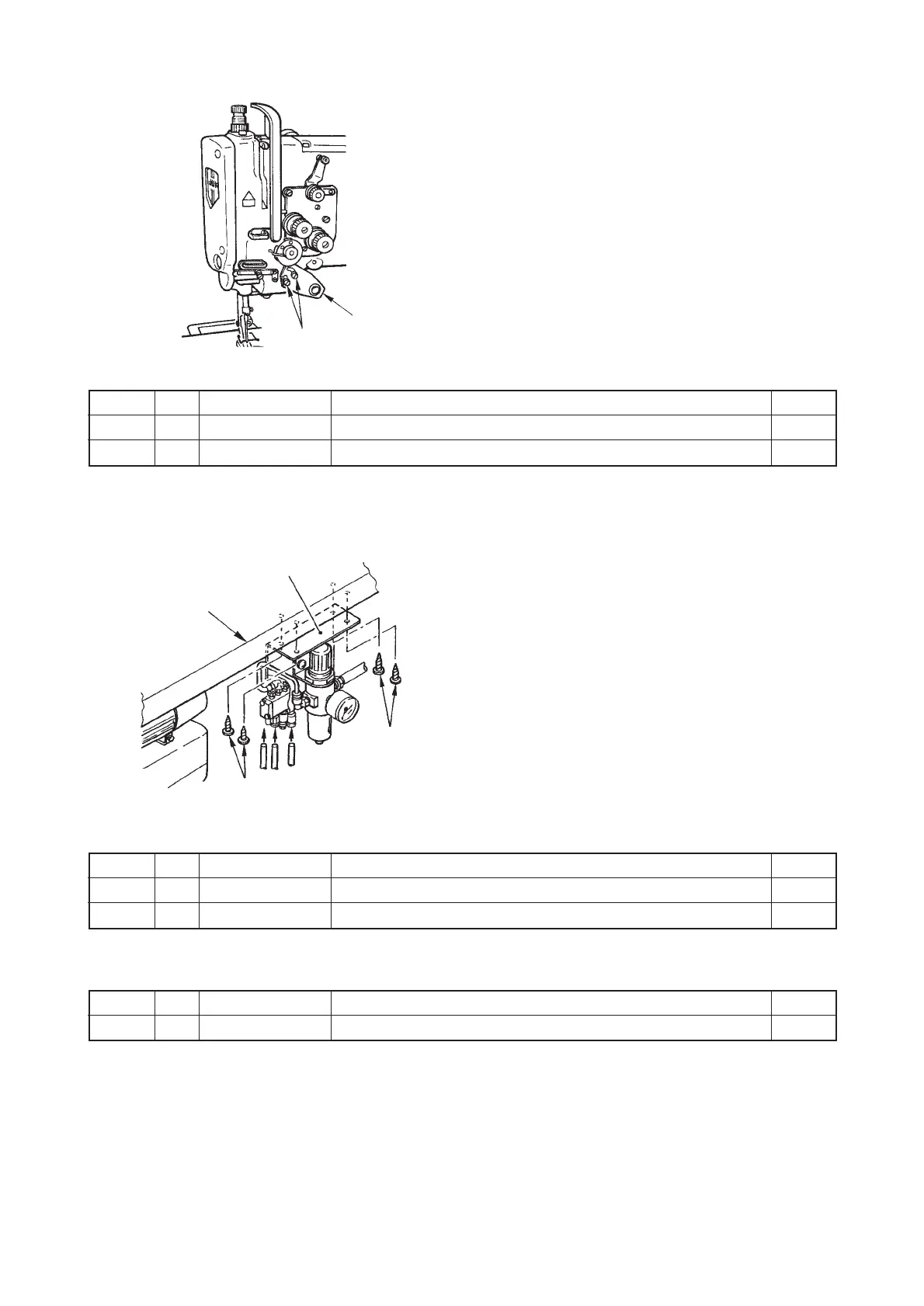
6) Installing the touch-back switch (List 4)
1. Install touch-back switch 1 with switch installing
plate setscrew 2 .
7) Installing the pneumatic components (In case of installing the touch-back switch only) (List 5)
1. Install pneumatic components (asm.) 1 onto the
table with setscrews 2.
2. Connect the air hose with pneumatic components
(asm.) 1.
1
2
1
2
Table
Part No.
21348859
SS7110840SP
No.
1
2
Note Name of part
Touch-back switch
Switch installing plate setscrew
Q’ty
1
2
Part No.
23105554
SK3482500SC
No.
1
2
Note Name of part
Pneumatic components (asm.)
Setscrew
Q’ty
1
4
Part No.
21348552
No.Note Name of part
Automatic reverse feed device set
Q’ty
1
◎ Installing parts list of touch-back switch (List 4)
◎ Installing parts list of pneumatic components (List 5)
™ Part No. of the automatic reverse feed device set
(Caution) This part No. is the set part No. of the parts from list 1 to list 5.
2



 To Next Page