Operating controls and functional elements
16
2.1
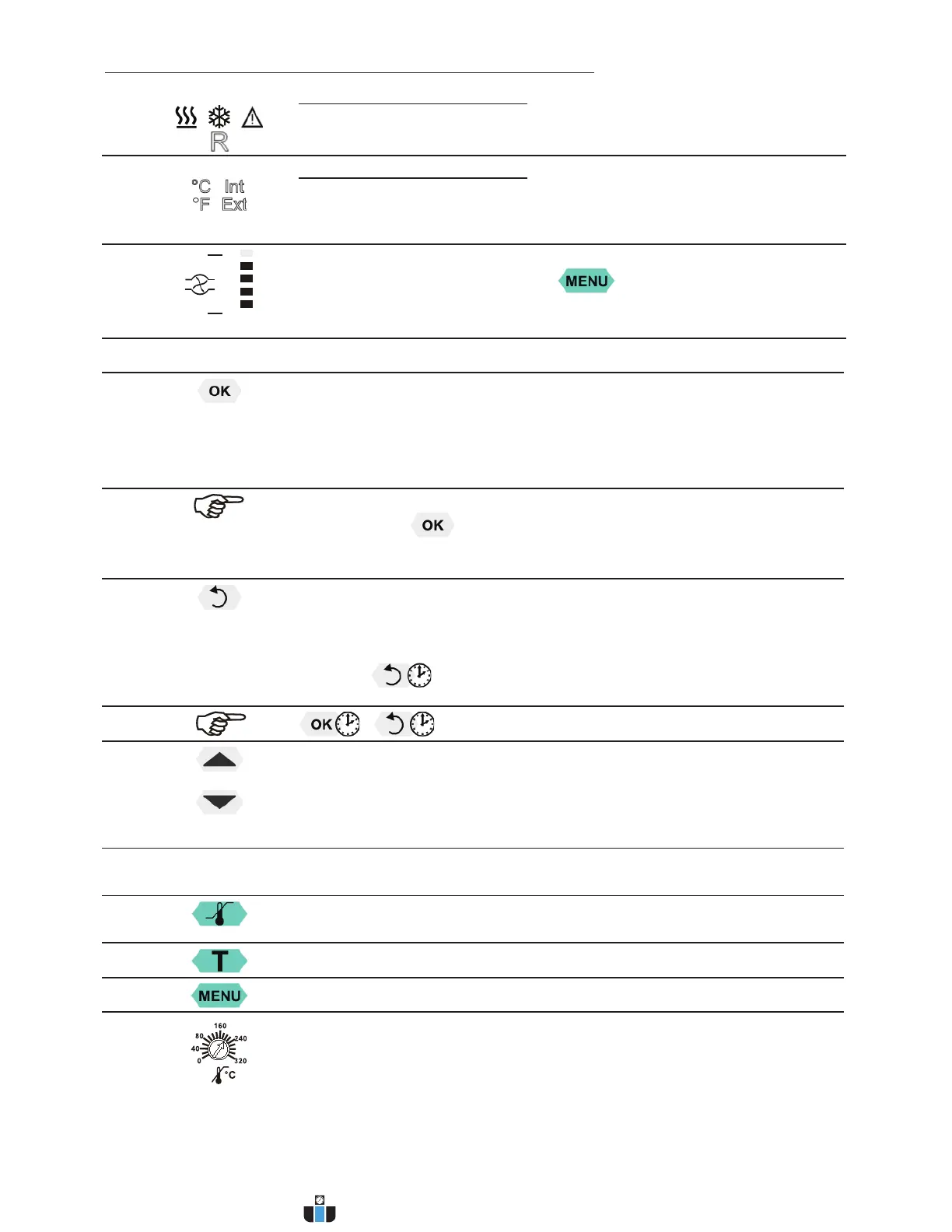
Control indicators in the header:
Heating / Cooling / Alarm /
Remote control
2.2
Control indicators in the header:
Temperature indication Internal or External actual value
Temperature indication in °C (°F not possible on this unit)
2.3
Display of set pump pressure stage
Four stages, can be set via the key
, under >MENU - PUMP<.
4
Navigation keys
4.1
1. Key: >OK< Start / Stop (pump / heater )
2. >OK< in the menu Menu item / select submenu for setting
Save set value
Save selected parameter
A beep signals the end of setting
After the actions Start, Stop and change from VFD Display to standard
display the key
is locked for a short time.
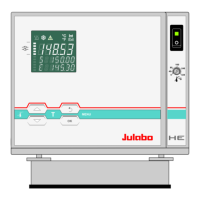
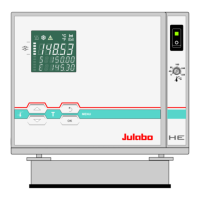
The above graph “front side” shows an example for standard display.
4.2
1. Key: >Return< Stop (pump / heater )
2. >Return< in the menu one menu level down
Correction function for parameters or values (prior to OK)
immediately back to standard display
- icon for „keep key pressed down“.
4.3
1. Key: >Up / Down <temperature – increase/decrease setpoint
Push key quickly for single steps,
Keep key pressed for fast change.
2. >Up/Down< in the menu selection of menu items / parameters
Menu keys
4.4
Key: start the menu > warning and safety values<
4.5 Key: start the menu >temperature setpoints<
4.6 Key: display of MENU structure
6
Adjustable excess temperature protection according to IEC 61010-2-010
www.calcert.com sales@calcert.com1.888.610.7664
0
5
10
15
20
25
30


 To Next Page