7 Configuration level
56
Service interval
(Setup)
oCAL
Number:
0…
9999000
Time (h):
0…999
Time (d):
0…999
Limit value for service counter
(when select. „Number“ in increm. of 1000)
0 = Service counter switched off
The service counter can be used to
monitor a binary signal in respect to
number (switch-on edge) or time (ON
state).
The service counter is started when
entering a value > 0. When the limit value is
exceeded, a signal is generated which can
be put out to a binary output.
The signal can only be acknowledged by
resetting the limit value to zero (service
counter switched off).
The counter value is saved every hour in
the EEPROM; the counter value saved last
is used to continue counting after a power
failure.
Special features on the device when
selecting "Number" (operation and display
on in the user level):
- Value range: 0…9999
(1 corresponds to 1000)
- Counter reading is displayed in Thousand
(1 corresponds to 1000); when the
counter value is below 1000, the display
shows 0.
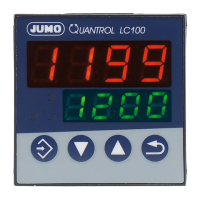
- Simultaneously press the + keys:
The complete counter value is displayed
on both displays for approx. 3s.
Example: Counter value 1234567;
upper display = 1234,
lower display = 567
Setting in the setup program
(-> Display/Operation/Service counter ->
Service counter)
Service type
(Setup)
Monitoring
number
Selection of the interval type
Setting in the setup program
(-> Display/Operation/Service counter ->
Service counter):
- Monitoring number (quantity)
- Monitoring time (h)
- Monitoring time (d)
Parameters Value/
Selection
Description



 To Next Page