9
3 Introduction
3.2 Description
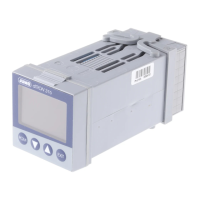
The DICON touch is a two-channel universal process and program controller that displays in-
formation on a vibrant screen. The device is easy to operate via a touchscreen.
Both control channels use the tried-and-tested JUMO control algorithm with two possible opti-
mization options. These enable a simple and highly-accurate startup. It also enables multiple
zone control, cascade control, or other complex control tasks.
The block diagram below illustrates the various different hardware options offered by the mod-
ular hardware concept. Four analog universal inputs and up to eight external inputs can record
a variety of physical measured values with high precision. The actuators can be controlled di-
rectly in the device with either an analog or digital setup. These can be expanded further
through external digital outputs. Interfaces such as Modbus (master/slave), PROFIBUS, or
Ethernet with Web server can be used for the communication with higher-order systems.
To ensure secure process operation, the device has a password-protected user administration
with individual assignment of rights for different levels or control commands. Screen masks for
controllers, program generators, recording, and for overview screens are ready-made and
available. An individual process screen can be created using the configuration software. Using
the extra-code recording function, important analog and digital process values can be saved so
that they are tamper-proof, so that they can be graphically visualized, and so that they can be
exported via interface or USB stick in a tamper-proof fashion to the PC.
The configuration software ensures that the process controller can be easily programmed, that
math or logical coherences can be described, and that customer-specific linearizations can be
created. In addition, tools for simulating external signals or control paths are included. These
tools can also record for the duration of the startup.
A comprehensive alarm and limit-value concept as well as a flexible digital signal administration
complete the "all-in-one" device.




 To Next Page