7
Warnings
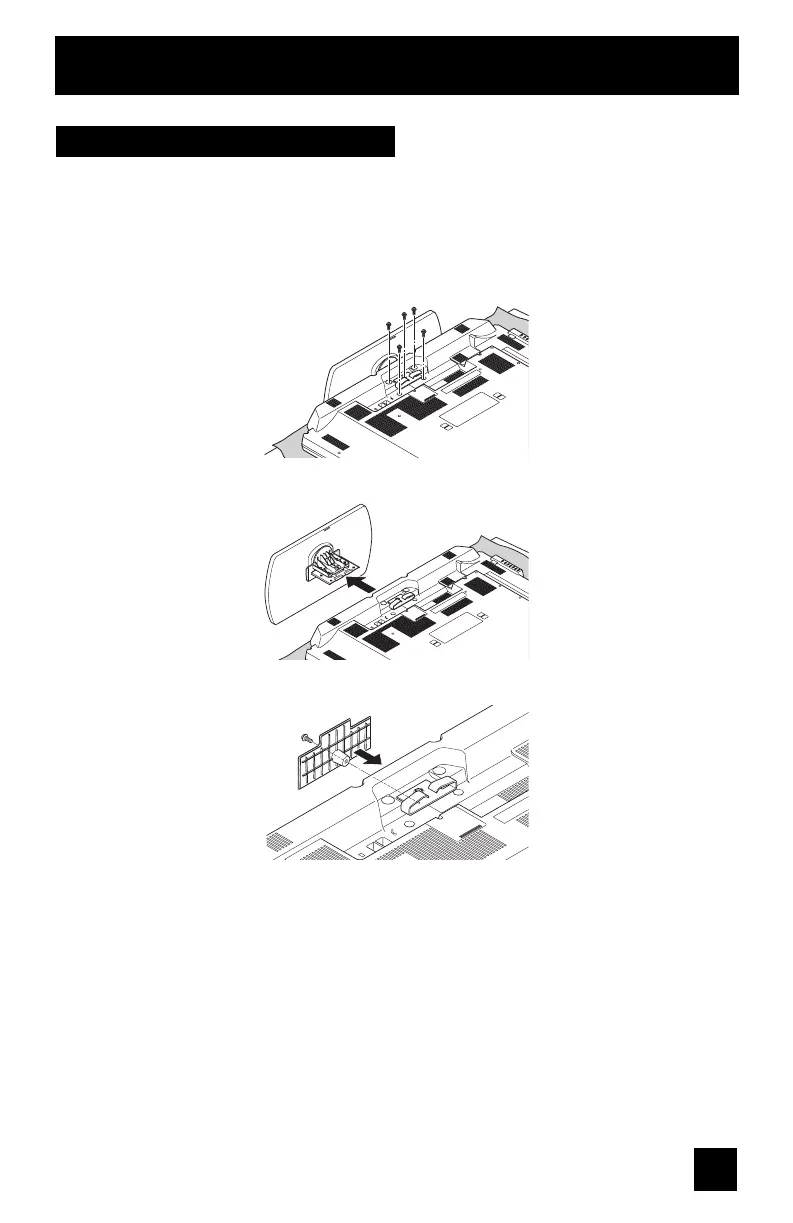
Disconnecting the stand
If you disconnect the stand, attach the bottom cover and the screw (supplied) into the hole.
1) Place the TV face down on a soft cloth on a table.
2) Remove the four screws from the back of the TV.
3) Pull out the stand from the TV.
4) Cover the hole with a bottom cover and tighten the screw.
Note:
• To re-install the stand, reverse the procedure from 4) to 1).


 To Next Page
 Loading...