Need help?
Do you have a question about the JVC AX-V5BK and is the answer not in the manual?
Details for customer use, including model and serial number recording.
Guidance on mains plug suitability, fuse replacement, and wiring for UK users.
Instructions for connecting mains lead wires according to color codes and safety standards.
Measures to prevent electrical shock, fire, and damage by avoiding cover removal or exposure to elements.
Clarifies the function of the main power switch versus the standby button for power consumption.
Information regarding the ability to control the amplifier's power using a remote device.
Details required clearances around the unit to maintain optimal airflow and prevent overheating.
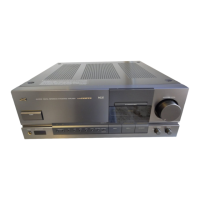
Identifies and describes the buttons and controls on the front panel of the amplifier.
Lists and describes the functions of buttons on the remote control unit.
Covers general installation, location, handling, and checking supplied accessories.
How to connect front speakers to the amplifier's front speaker terminals.
Instructions for connecting rear and center speakers to their respective terminals.
Details speaker impedance requirements for various connection configurations (front, center, rear).
How to connect a powered subwoofer using the SUBWOOFER OUT jack.
Guide to connecting turntables, CD players, tuners, VCRs, and cassette decks via RCA plugs.
Instructions for connecting TVs and VCRs to the amplifier's video input/output jacks.
How to connect JVC audio components for remote control via COMPU LINK-3 SYNCHRO jacks.
Steps for connecting the power cord, and the difference between POWER and STANDBY/ON switches.
Instructions for inserting batteries into the remote control and important precautions.
How to turn the amplifier on, off, and use standby mode via front panel or remote.
Guide to selecting audio and video sources using front panel controls or remote.
How to play audio from one source while viewing video from another.
How to choose between connected sets of front speakers (SPEAKERS 1 and 2).
Instructions for adjusting volume using the MASTER VOLUME knob or remote, and how to mute sound.
Guide to recording audio from any source to a cassette deck or VCR simultaneously.
How to connect headphones and listen to audio, including safety advice.
How to adjust the output balance between the left and right front speakers.
Activating the loudness function to boost bass at low listening volumes.
Setting the amplifier to turn off automatically after a specified time.
How to select the size of the center speaker (LARGE, SMALL, NO) for optimal surround.
How to store and recall customized sound settings for different sources.
Procedure to disable the One Touch Operation function.
How to choose and adjust various preset sound effect modes (MOVIE, SPORTS, MUSIC).
Explains the concept of surround sound, direct sound, and reflections in acoustic environments.
Details JVC's Hall Surround mode for reproducing concert hall acoustics.
Explains Dolby Pro Logic and Dolby 3ch Logic for reproducing movie soundtrack surround effects.
How to adjust rear speaker output level and delay time for Hall Surround mode.
Steps to select and configure Dolby Pro Logic and 3ch Logic surround modes.
Illustrations showing optimal speaker placement for Dolby Surround setups with center and rear speakers.
How to select Pro Logic or 3ch Logic surround modes and their indicators.
Setting the center mode (WIDE, NORMAL, PHANTOM, OFF) for Dolby Surround.
How to select sound sources processed with Dolby Surround for playback.
How to control JVC components using the amplifier's remote sensor.
Features for automatic source selection and power on/off synchronization with components.
Guide to performing synchronized recording between a cassette deck and CD player/turntable.
How to operate the tuner and CD player using the remote control buttons.
How to control VCRs and TVs using the amplifier's remote control.
A chart to help diagnose and solve common operational problems with the amplifier.
Detailed technical data for the amplifier's output power, frequency response, sensitivity, etc.
General information including power requirements, consumption, dimensions, and mass.
 General
| Frequency Response | 5 Hz - 100 kHz |
|---|---|
| Inputs | Phono, CD, Tuner, AUX, Tape 1, Tape 2 |
| Input sensitivity (Phono) | 2.5 mV |
| Input sensitivity (Line) | 150 mV |
| Input Sensitivity (CD) | 150 mV |
| Amplifier Type | Integrated |
| Outputs | Speaker A/B, Headphones, Tape Rec |
| Signal to noise ratio (Phono) | 80 dB |
| Speaker load impedance | 8 Ohms |


 To Next Page