13
Preparation
■ CAUTION
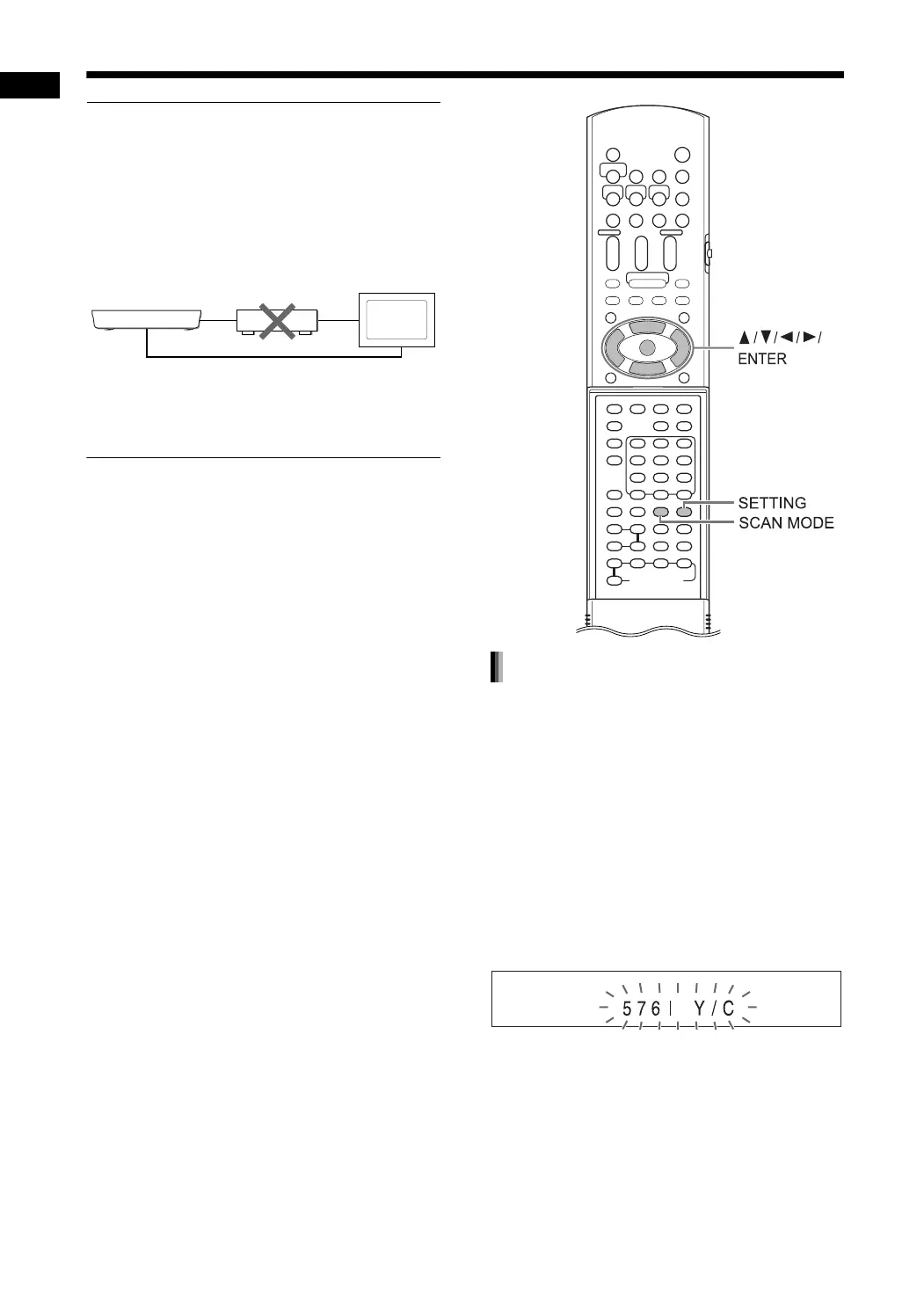
• Connect the main unit directly to a TV (or a mon-
itor) without routing through a video cassette
recorder (VCR). Otherwise picture distortion
may occur during playback. (Routing the con-
nection through a VCR, however, does not affect
the audio quality.)
• Connecting the main unit to a VCR-built-in-TV
may also cause picture distortion during play-
back.
To view an image on the TV screen, select the
video signal type correctly according to the TV
after connecting the main unit to the TV.
1 Turn on the main unit. (Refer to
“Connecting the power cable” on
page 16 and “Turning on the main
unit” on page 17.)
2 Hold down [SCAN MODE] for 2 or
more seconds.
• The current video signal type flashes.
Example:
Main unit
Direct connection
TV
(or monitor)
VCR
Selecting the video signal type
Preparation (continued) Do not turn on the power until you complete the connection.
DD-831[B]-03.fm Page 13 Monday, August 28, 2006 10:10 AM


 To Next Page