28
Basic operations of disc/file playback
NOTE
• You can also use the buttons on the main unit.
Repeatedly pressing [SOURCE] can select the
disc/file as the source, and pressing 3 starts
playback.
3 Press 5 , /, 2 or 3 to select a
group and track.
NOTE
• You can also use [GROUP/TITLE SKIP / ] to
select a group, and the number buttons, 4 or
¢ to select a track.
• JPEG files are continuously played back from
the selected file.
• Display time for a file in slide-show playback is
approximately 3 seconds.
• Press [ENTER] to view only the selected file.
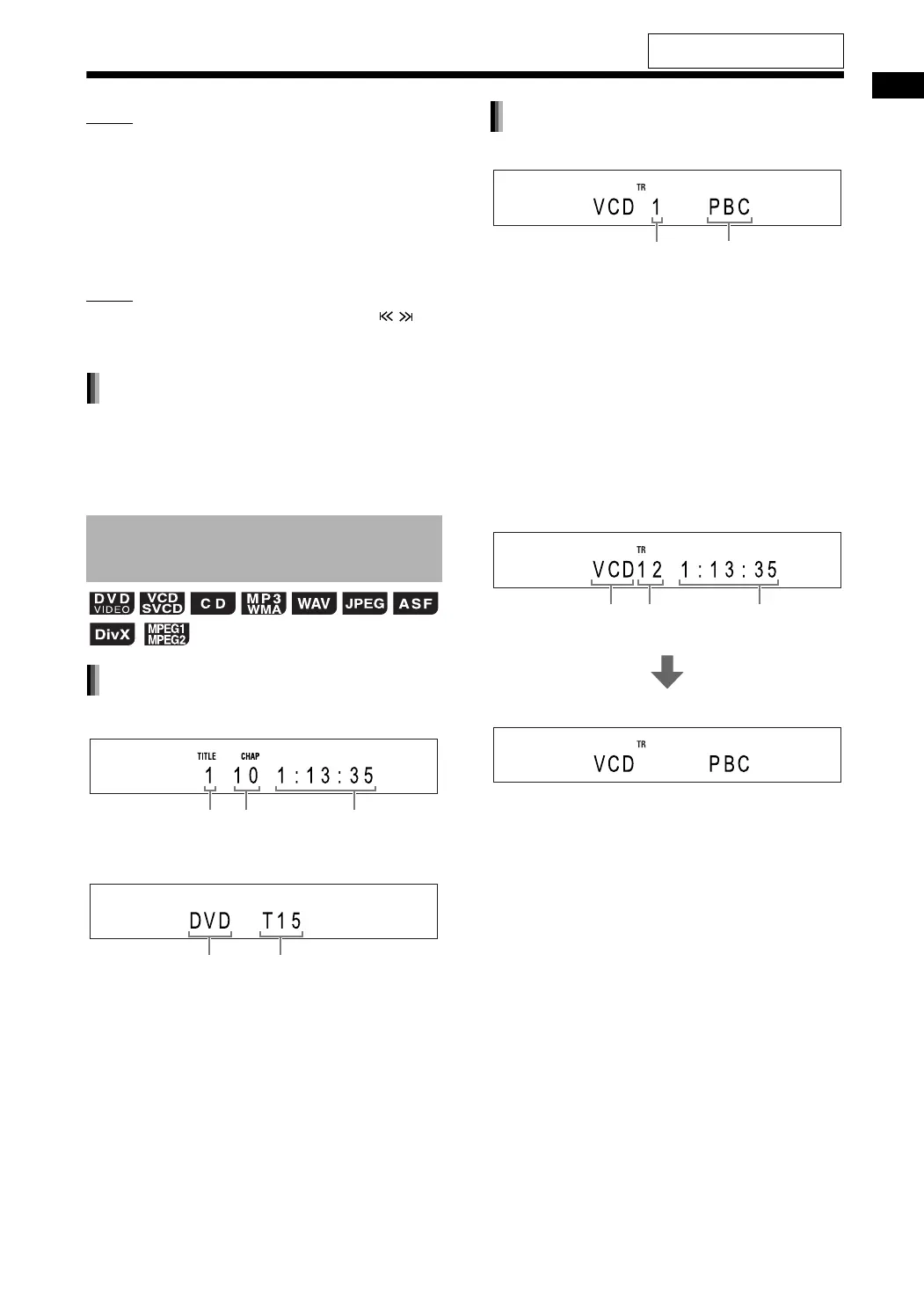
■ When a disc is played back
■ When a disc is stopped
■ When a disc is played back
• You can control the playback of a PBC compati-
ble disc using a menu screen.
• To cancel the PBC function, follow the instruc-
tions below.
- Specify the track number using the number
buttons when the disc is stopped.
- Specify the track number using 4 or ¢
when the disc is stopped, and then press
[DVD/CD 3].
• Press [RETURN] to go back to the upper layer
during PBC playback.
■ When a disc is stopped
(When the PBC function is activated)
Display window on the main
unit for disc/file types
Slide-show playback
DVD VIDEO
Chapter
number
Title number Elapsed
playback time
Disc type Total number of titles
VCD/SVCD
Track number
Playback control
Disc type Total number
of tracks
Total playback
time
For the locations of the remote
control buttons, refer to page 26.
DD-831[B]-06.fm Page 28 Thursday, August 24, 2006 1:48 PM


 To Next Page