EasyManua.ls Logo

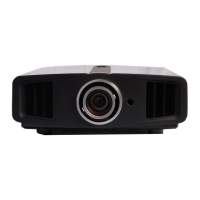
JVC DLA-HD550 - User Manual

JVC DLA-HD550
174 pages
Print Icon
To Next Page IconTo Next Page
Loading...
Getting Started
Preparation
Basic Operation
Troubleshooting
Settings
Others
0809TTH-AO-AO
© 2009 Victor Company of Japan, Limited
DLA-HD550
D-ILA PROJECTOR
PROYECTOR D-ILA
PROJECTEUR D-ILA
FOR SERVICING(Only in U.S.A)
TO OUR VALUED CUSTOMER
THANK YOU FOR PURCHASING THIS JVC PRODUCT.
WE WANT TO HELP YOU ACHINEVE A PERFECT EXPERINCE.
NEED HELP ON HOW TO HOOK UP?
NEED ASSISTANCE ON HOW TO OPERATE?
NEED TO LOCATE A JVC SERVICE CENTER?
LIKE TO PURCHACE ACCESSORIES?
IS HERE TO HELP!
TOLL FREE: 1(800)252-5722
http://www.jvc.com
Remember to retain your Bill of Sale for Warranty Service.
DO not attempt to service the product yourself
Caution
To prevent electrical shock,do not open the cabinet.
There are no user serviceable parts inside.
Please refer to qualified service personnel for repairs.
DLA-HD550
For Customer use :
Enter below the serial No. which is
located on the side of the cabinet.
Retain this information for future
reference.
Model No. DLA-HD550
Serial No.
Instrucción para el cliente :
Introduzca a continuación el nº de
serie que aparece en la parte
inferior lateral de la caja. Conserve
esta información como referencia
para uso ulterior.
Modelo Nº DLA-HD550
Nº de serie
Pour utilisation par le client :
Entrer ci-dessous le de série qui
est situé sous le boîtier. Garder
cette information comme référence
pour le futur.
N° de modèle DLA-HD550
N° de série
DLA-HD550
D-ILA PROJECTOR
INSTRUCTIONS
ENGLISH FRANÇAIS ESPAÑOL/CASTELLANO
PROJECTEUR D-ILA
MANUEL D’INSTRUCTIONS
PROYECTOR D-ILA
MANUAL DE INSTRUCCIONES
PC007280999-1

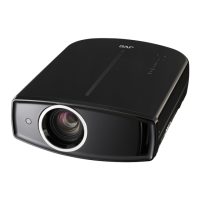
Table of Contents

Questions and Answers

  • R
    Ronald GarciaSep 2, 2025
    Why does my JVC Projector suddenly stop after a few minutes?
    • J
      Jason CampbellSep 2, 2025
      If your JVC Projector abruptly stops after a few minutes, it might be due to blocked air inlets and exhaust vents. Remove the power plug when the unit is in standby mode and clear any obstructions. Then, reinsert the plug. Also, check if the filter is dirty and clean it.
  • J
    Johnathan DanielsAug 31, 2025
    What to do if video image does not appear on JVC DLA-HD550?
    • S
      smithbobbyAug 31, 2025
      If the video image is not appearing on your JVC Projector, ensure that the correct external input is selected and the AV device is properly connected, turned on, and outputting the correct signals. Also, verify that the input terminal settings ('COMP.' and 'HDMI') are correctly configured in the setting menu according to the input signal. Finally, check if the video image is temporarily hidden and press the [HIDE] button to display it again.
  • B
    brittanystevensonAug 29, 2025
    Why is the projected image from my JVC DLA-HD550 Projector dark?
    • A
      Andrew PerezAug 30, 2025
      If the projected image from your JVC Projector appears dark, check the lamp time on the information menu. If the lamp is near exhaustion, prepare a new lamp unit or replace it as soon as possible.
  • C
    Carmen AndersonAug 28, 2025
    Why is the video image on my JVC DLA-HD550 Projector fuzzy?
    • B
      Barry WilliamsAug 28, 2025
      If the projected image from your JVC Projector is fuzzy, adjust the focus. Also, ensure the unit is set at the correct distance from the screen.
  • B
    Blake SantiagoAug 27, 2025
    What to do if JVC DLA-HD550 stops abruptly after a few minutes?
    • K
      Kathryn LeeAug 27, 2025
      If your JVC Projector unit works when turned on but stops abruptly after a few minutes, the air inlets and exhaust vent might be blocked. Remove the power plug when the unit is in standby mode and remove any blocking objects, then re-insert the plug. Also, the filter may be dirty, so clean the filter.
  • L
    lori61Aug 25, 2025
    How to resolve color issues on JVC Projector?
    • C
      Cynthia RodriguezAug 25, 2025
      If the color on your JVC Projector does not appear correctly or looks strange, adjust the 'Color' and 'Tint' settings in the setting menu.
  • G
    Gerald BuchananAug 22, 2025
    Why is my JVC Projector image dark?
    • M
      Mr. Philip MarshallAug 22, 2025
      If the projected image on your JVC Projector is dark, the lamp might be near exhaustion. Check the lamp time on the information menu and prepare to replace the lamp unit as soon as possible.

Summary

Safety Precautions

Important Safeguards

General safety rules for electrical products to prevent shock or fire hazards.

Controls and Features Overview

Projector Unit Controls (Front, Sides, Rear)

Details controls and features located on the projector's front, left, rear, top, and right sides.

Remote Control Operation

Explains the functions of each button on the remote control for operating the projector.

Operating the Projector

Projecting Image Basics (Focus, Size, Position)

Steps to power on, select input, and adjust focus, size, and position.

Settings Menu

Structure of the Settings Menu

Overview of menu categories like Picture Adjust, Input Signal, Installation, Display Setup, Function.

Picture Adjustment Options

Detailed settings for picture modes, color, contrast, brightness, gamma, etc.

Troubleshooting

Common Problems and Solutions

Addresses issues like power loss, no image, or unit stopping abruptly.

Lamp Replacement and Resetting Time

Procedures for replacing the projector lamp and resetting the lamp timer.

JVC DLA-HD550 Specifications

General IconGeneral
Projection technologyDLP
Contrast ratio (typical)-
Lamp typeUHP
Lamp power200 W
Light source typeLamp
Service life of light source3000 h
Focal length range21.4 - 42.8 mm
Full HDYes
Headphone outputs1
Serial interface typeRS-232
Dimensions (WxDxH)365 x 478 x 167 mm
Noise level19 dB
Power consumption (standby)0.7 W
Power consumption (typical)310 W
Market positioningHome cinema
Weight and Dimensions IconWeight and Dimensions
Weight11200 g

Related product manuals