Adjusting the Projector Screen
Adjusting the Lens According to the Projection Position
1
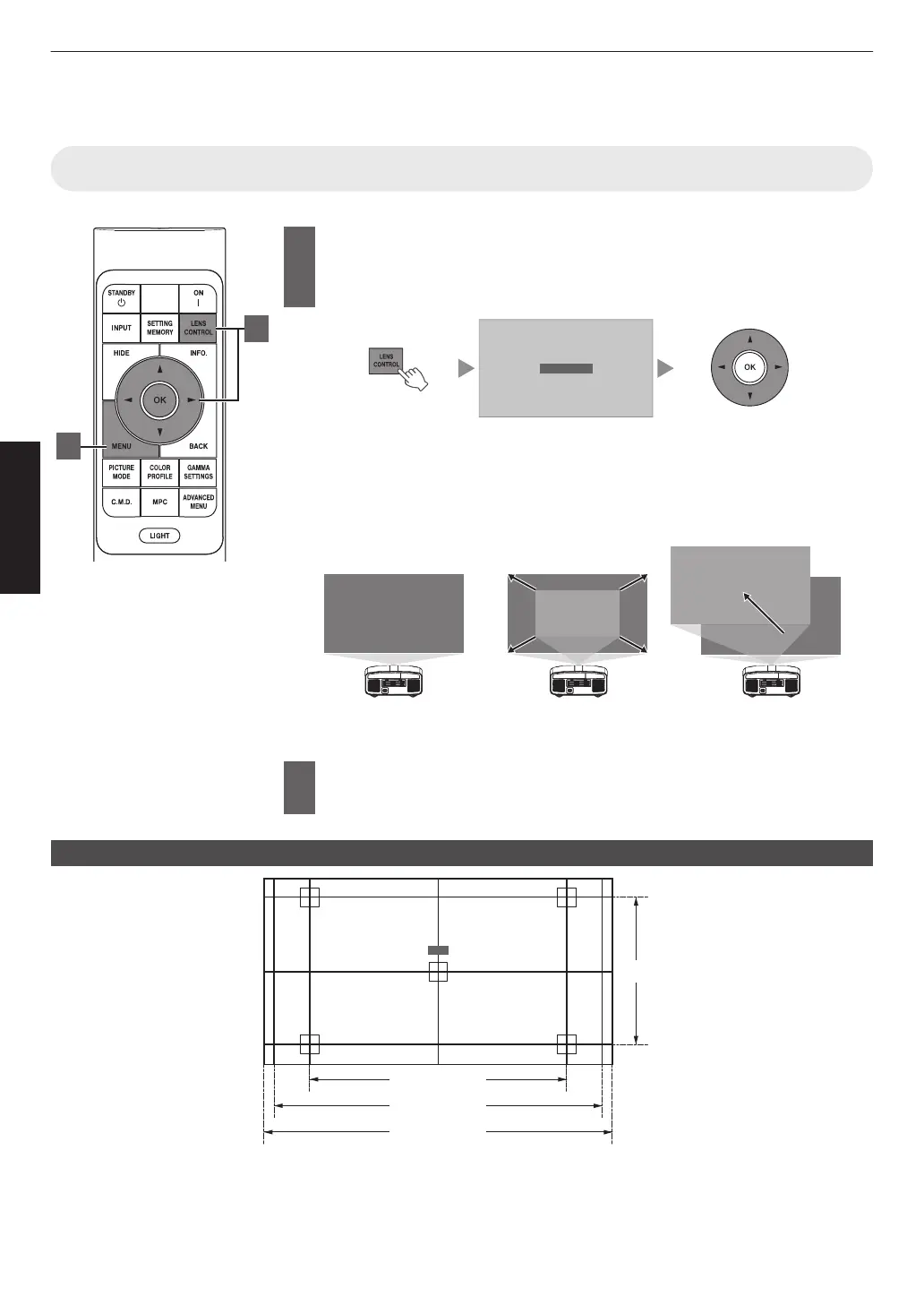
Press the [LENS CONTROL] button, and use the [JKH I]
keys
to
adjust Focus, Zoom (screen size), and Shift (screen
position)
0
Pressing the
[LENS CONTROL] or [OK] button each time switches the mode
in the following sequence: “Focus” " “Zoom” " “Shift” " “Focus”...
0
Operation of the lens control feature is disabled when the lens lock is set to
“On”. (P.
61)
0
For more detailed information, please refer to “Lens Control”P. 61.
Shift (Screen Position)
Ad
ustment
Zoom (Screen Size)
Ad
ustment
ABCD
ABCD
ABCD
Focus Adjustment
2
Press the [MENU] button once, or the [BACK] twice, to end
adjustment
Adjustment Pattern Displayed on the Adjustment Screen
2.35:1
1.33:1 (4:3)
Focus
1.78:1 (16:9)
1.89:1 (17:9)
Adjust the display according to the viewing angle of the respective aspect ratios for the adjustment patterns.
* This is not displayed when “Image Pattern” is configured to “Off”.
24
Operate



 To Next Page
 Loading...








