Whole Adjust (Pixel) Operation Procedure
For making general adjustments to slight color fringing in the horizontal/vertical directions of the video image.
A
Set “Adjust Area” to “Whole”
B
Select “Adjust Color” and “Adjust Pattern Color”
C
Select “Adjust (Pixel)”, and press the [OK] button
0
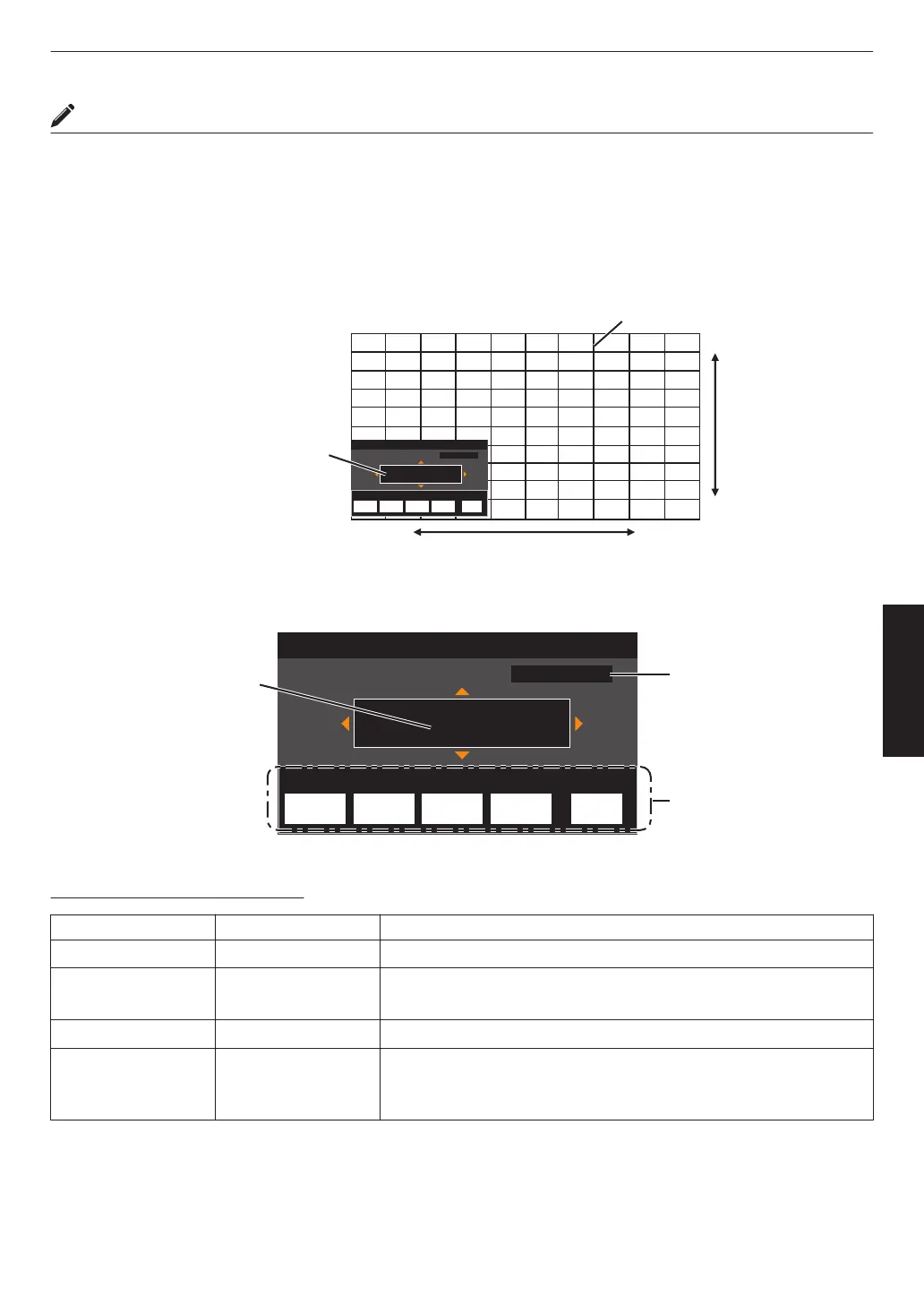
The Adjustment mode is activated, and the selected adjustment pattern and Adjustment (Pixel) window are
displayed.
Adj.AreaPat.Col.Pixel/FineAdj.Col.
H 0
V 0
Red
Pixel Adjust
Back
Whole Adjust (Pixel)
BACK
ADVANCED
MENU
GAMMA
SETTINGS
C.M.D.
PICTURE
MODE
V (Vertical)
H (Horizontal)
Adjustment (Pixel) Window
Adjustment Pattern
D
Use the [JKH I] keys to move and adjust the vertical and horizontal pixels of the entire zone
0
The adjustment setting appears at the center of the Adjustment (Pixel) window.
Adj.AreaPat.Col.Pixel/FineAdj.Col.
H 0
V 0
Red
Pixel Adjust
Back
Whole Adjust (Pixel)
BACK
ADVANCED
MENU
GAMMA
SETTINGS
C.M.D.
PICTURE
MODE
Remote Control
Operation Guide
Color for
Adjustment
Pixel Adjustment Setting
E
After adjustment is complete, press the [BACK] button twice to exit the Adjustment mode
Remote Control Operation Guide
Button Name Function Description of Operation
[PICTURE MODE] Adj.Col. Changes “Adjust Color”.
[C.M.D.] Pixel/Fine Switches between “Adjust (Pixel)” and “Adjust (Fine)”.
0
Switches to “Adjust (Pixel)” when “Adjust Area” is set to “Zone”.
[GAMMA SETTINGS] Pat.Col. Changes “Adjust Pattern Color”.
[ADVANCED MENU] Adj.Area Switches “Adjust Area”.
0
A zone cursor appears on the adjustment pattern when the “Zone”
setting is selected.
63
Adjust/Set



 To Next Page
 Loading...








