EasyManua.ls Logo

JVC DLA-RS10 - Page 29

JVC DLA-RS10
179 pages
Print Icon
To Next Page IconTo Next Page
To Previous Page IconTo Previous Page
Loading...
ENGLISH
29
Getting Started
Preparation
Basic Operation
Troubleshooting
Settings
Others
MENU
2
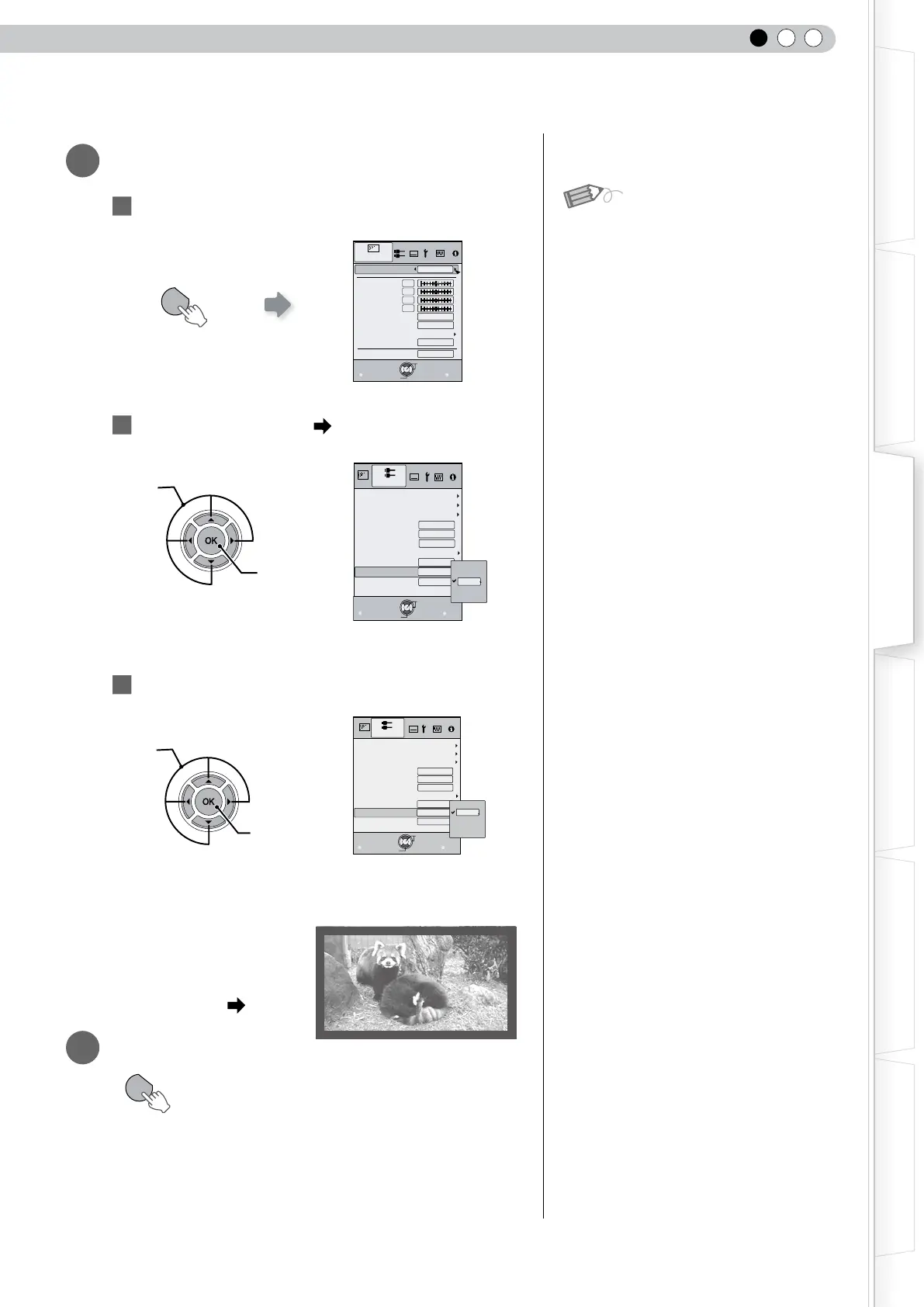
Mask the image
1
Display the setting menu
2
Select Input Signal Mask
3
Set a mask value
Example:
When the Mask value is
changed from Off 5%
3
To end
MENU
Exit
BACK
Back
Select
Operate
0
0
0
0
6500K
2
Normal
Picture Mode
Contrast
Brightness
Color
Tint
Color Temp.
Gamma
Advanced
Lens Aperture
Picture Adjust
Natural
Reset
Video/S-Video
COMP.
AspectVideo
AspectComputer)
V-stretch
Picture Position
Over scan
Film Mode
Exit
MENU
BACK
Back
Select
Operate
HDMI
16:9
Auto
Auto
Off
Off
Mask
Off
5%
Off
2.5%
Input Signal
自动
Exit
MENU
BACK
Back
Select
Operate
Off
Off
5%
16:9
Video/S-Video
COMP.
AspectVideo
AspectComputer)
V-stretch
Picture Position
Over scan
Film Mode
HDMI
Auto
Auto
Mask
5%
2.5%
Off
Input Signal
Masking is available only when high
denition images are input.
MENU
Select
Confirm
Select
Confirm
MEMO

Table of Contents

Other manuals for JVC DLA-RS10

Related product manuals