EasyManua.ls Logo

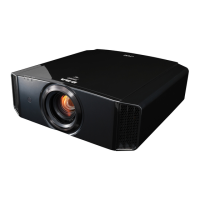
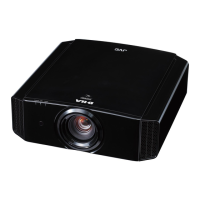
JVC DLA-X5000 - User Manual

JVC DLA-X5000
80 pages
Print Icon
To Next Page IconTo Next Page
Loading...
.
D-ILA
PROJECTOR
DLA-X9000
DLA-X7000
DLA-X5000
.
.
http://manual3.jvckenwood.com/projector/mobile/global/
The Mobile User Guide can be viewed on mobile internet devices including
smartphones and tablets.
Mobile User Guide
.
Pour utilisation par le client :
Entrerci-dessous le N°de série qui
est situé sous le boîtier. Garder
cetteinformation comme référence
pour le futur.
Instrucción para el cliente :
Introduzca a continuación el nº de
serie que aparece en la parte
inferior lateral de la caja. Conserve
esta información como referencia
para uso ulterior.
For Customer use :
Enter below the serial No. which is
located on the side of the cabinet.
Retain this information for future
reference.
DLA-X9000 / DLA-X7000 /
DLA-X5000
Model No.
Serial No.
DLA-X9000 / DLA-X7000 /
DLA-X5
000
N° de modèle
N° de série
DLA-X9000 / DLA-X7000 /
DLA-X5000
Modelo Nº
Nº de serie
Not suitable for household room illumination.
INSTRUCTIONS
B5A-1144-06
Getting Started Set up Operate Adjust/Set Maintenance Troubleshooting Others

Table of Contents

Questions and Answers

JVC DLA-X5000 Specifications

General IconGeneral
BrandJVC
ModelDLA-X5000
CategoryProjector
LanguageEnglish

Summary

Getting Started

Safety Precautions

Important safety precautions for operating the projector, including warnings and cautions.

Important Safeguards

Essential safety rules for installation, use, and service of the projector.

Safe Operation Practices

Guidelines for safe operation, including eye safety and handling of the light source lamp.

Power Connection

Instructions for connecting the power cord for different regions.

Set up

Installing the Projector

Precautions and guidelines for installing the projector correctly.

Precautions during Mounting

Safety measures and procedures for securing the projector, including ceiling mounting.

Adjusting the Projector Position

How to adjust the elevation angle and image position using lens shift.

Connecting via HDMI Cable

Steps for connecting the projector using an HDMI cable to various devices.

Operate

Turning On and Selecting Image

Steps to turn on the projector and select the image source.

Turning Off the Projector

Procedures for safely turning off the projector and its cool-down mode.

Adjusting Projector Screen

How to adjust focus, zoom, and shift the image using the lens control.

Installing 3 D Synchro Emitter

Steps to connect the 3D Synchro Emitter for viewing 3D movies.

Viewing and Adjusting 3 D Movies

How to select 3D format and adjust parallax and crosstalk for 3D viewing.

Adjust;Set

Setting the Picture Mode

How to select different picture modes to adjust image quality based on content.

Setting the Color Profile

How to fine-tune image quality by setting the color profile according to picture mode.

Color Profile Settings for X9000;X7000

Detailed list of color profiles available for Picture Modes on specific models.

Adjusting Color Management

How to adjust specific colors (hue, saturation, brightness) for preferred color settings.

Adjusting Movies for Expressiveness (MPC)

How to enhance movie expressiveness using Multiple Pixel Control (MPC) settings.

Maintenance

Lamp Replacement Procedure

Step-by-step guide on how to safely replace the projector's lamp unit.

Cleaning and Replacing the Filter

Instructions for cleaning or replacing the projector's air filter to ensure proper operation.

Troubleshooting

Power Supply and Shutdown Issues

Checks and actions for issues related to power supply and automatic power shutdown.

Video Image Display Problems

Troubleshooting steps for when the video image does not appear or 3D images are not displayed.

Related product manuals