EasyManua.ls Logo

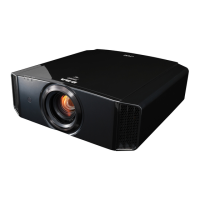
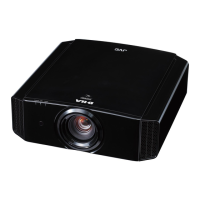
JVC DLA-X9900BE - User Manual

JVC DLA-X9900BE
84 pages
Print Icon
To Next Page IconTo Next Page
Loading...
.
D-ILA
PROJECTOR
DLA-X9900BE
DLA-X7900BE/WE
DLA-X5900BE/WE
.
SETTING MEMORY
MODE 1 MODE 2 MODE 3
ANAMO.
HDR
C.M.D.
COLOR
PROFILE
GAMMA
SETTINGS
PICTURE
MODE
.
http://manual3.jvckenwood.com/projector/mobile/global/
The Mobile User Guide can be viewed on mobile internet devices including
smartphones and tablets.
Mobile User Guide
.
Pour utilisation par le client :
Entrerci-dessous le N°de série qui
est situé sous le boîtier. Garder
cetteinformation comme référence
pour le futur.
Instrucción para el cliente :
Introduzca a continuación el nº de serie
que aparece en la parte inferior lateral
de la caja. Conserve esta información
como referencia para uso ulterior.
For Customer use :
Enter below the serial No. which is
located on the side of the cabinet.
Retain this information for future
reference.
DLA-X9900BE / DLA-X7900BE /
DLA-X7900WE / DLA-X5900BE /
DLA-X5900WE
Model No.
Serial No.
DLA-X9900BE / DLA-X7900BE /
DLA-X7900WE / DLA-X5900BE /
DLA-X5900WE
N° de modèle
N° de série
DLA-X9900BE / DLA-X7900BE /
DLA-X7900WE / DLA-X5900BE /
DLA-X5900WE
Modelo Nº
Nº de serie
Not suitable for household room illumination.
INSTRUCTIONS
B5A-2360-25
Getting Started
Set up Operate Adjust/Set Maintenance
Troubleshooting
Others

Table of Contents

Questions and Answers

  • J
    jjohnsonAug 18, 2025
    Why does the video image not appear on my JVC DLA-X9900BE Projector?
    • U
      uwilliamsAug 19, 2025
      If the video image doesn't appear on your JVC Projector, consider these potential causes: * Ensure the correct external input is selected. * Verify that the AV device or PC is powered on and playing video. * Confirm that the AV device or PC is properly connected. * Check that the correct signals are being output from the AV device or PC. * Use an HDMI-certified high-speed cable, especially for 4K video signals (a certified Premium High Speed HDMI Cable is recommended). * If using an intermediate device (AV amplifier, divider, etc.), change the power-on sequence, ensuring each device's signal output is stable before turning on the next. * For older source devices, adjust the resolution setting or try connecting to the HDMI2 terminal and set “HDMI2 EDID” to “B.”
  • M
    Matthew DeanAug 21, 2025
    Why does my JVC DLA-X9900BE Projector power shut down automatically?
    • C
      Carolyn BanksAug 21, 2025
      Your JVC Projector might be shutting down automatically due to several reasons: * Check if “ECO Mode” is enabled and set it to “Off.” * Verify if “Off Timer” is configured and set it to “Off.” * Ensure that the air inlets and exhaust vent are not blocked; leave proper clearance around the unit. * Inspect the filter and clean it if it's dirty.
  • S
    susan91Aug 23, 2025
    What to do if the JVC Projector remote control does not work?
    • L
      laurensalinasAug 23, 2025
      If your JVC Projector's remote control isn't working, consider these points: * Make sure the batteries are correctly loaded, matching the polarities. * Replace the batteries with new ones if they are exhausted. * Remove any objects obstructing the path between the remote control and the remote sensor. * Hold the remote control closer to the sensor during use. * If using IR (infrared) 3D Glasses and a 3D Synchro Emitter, adjust the emitter's orientation to avoid signal interference.
  • J
    jonathan35Aug 26, 2025
    How to troubleshoot power not supplied to JVC Projector?
    • F
      fodomAug 26, 2025
      If your JVC Projector is not receiving power: * Ensure the power cord is firmly inserted. * If in Standby mode, remove the power plug, properly close the lamp cover, and then re-insert the plug. * If the lamp is in Cool-down mode, wait for it to exit before turning the power on again.
  • A
    amy84Aug 27, 2025
    Why is the projected image from my JVC DLA-X9900BE dark?
    • H
      haleywalshAug 27, 2025
      If the projected image from your JVC Projector is dark: * Check the lamp time in the “Information” menu to see if the lamp is near exhaustion. If so, prepare or replace it as soon as possible. * Ensure the aperture is not closed. Set “Lens Aperture” to “Auto 1” or “Auto 2”, or set it to “Manual” and open the aperture manually. * Verify that “Lamp Power” is not set to “Low.” If it is, set it to “High.”
  • D
    Dustin BrooksAug 30, 2025
    Why is there noise coming from my JVC DLA-X9900BE Projector?
    • A
      Amy WallaceAug 30, 2025
      Noise from your JVC Projector can be due to: * A blocked exhaust vent or the unit being near a heater or air-conditioner. Check the installation condition; high surrounding temperatures increase fan speed. * Viewing 3D video images, which automatically sets “Lamp Power” to “High,” increasing fan noise. If bothered, set “Lamp Power” to “Low.”
  • S
    Sarah MullinsSep 1, 2025
    How to fix a fuzzy video image on JVC Projector?
    • T
      Timothy MillerSep 1, 2025
      To fix a fuzzy video image on your JVC Projector: * Adjust the focus. * Ensure the unit is set at the correct distance from the screen.
  • J
    Jeremy HarrisonSep 6, 2025
    Why are the colors unnatural on my JVC DLA-X9900BE Projector?
    • J
      Julie VargasSep 6, 2025
      If the colors on your JVC Projector appear unnatural: * Ensure the color space of the input signal is correctly set, matching the projector setting. * Adjust “Color” and “Tint” accordingly. * Make sure the AV device or PC is properly connected.
  • B
    bowmandeborahSep 8, 2025
    Why does the video image flicker on my JVC DLA-X9900BE?
    • A
      angel31Sep 8, 2025
      If the video image on your JVC Projector flickers: * If you see horizontally-extended, overlapping video images, set “3D Format” to “Auto.” * If viewing under fluorescent light, this may cause interference with the 3D glasses. Try viewing with the fluorescent light turned off. * If “Lens Aperture” is set to “Auto 1” or “Auto 2”, set it to “Manual.”
  • K
    Karen CarterSep 12, 2025
    What causes a 3D video image to look unnatural on JVC DLA-X9900BE Projector?
    • D
      deckergregorySep 12, 2025
      An unnatural 3D video image on your JVC Projector can be caused by: * Overlapping video images, which indicate the crosstalk phenomenon. Adjust “Crosstalk Cancel” accordingly. * Drastic changes in brightness, also due to the crosstalk phenomenon. Set Lamp Power to “High.”

JVC DLA-X9900BE Specifications

General IconGeneral
Resolution3840 x 2160 (4K)
Brightness2200 lumens
Zoom Ratio2.0x
HDR SupportYes
3DYes
Projection SystemD-ILA
Light SourceUltra High Pressure Mercury Lamp
Input TerminalsHDMI x 2, RS-232C, LAN, Trigger, USB

Related product manuals