EasyManua.ls Logo

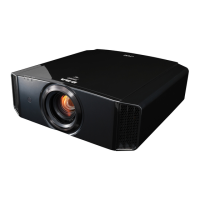
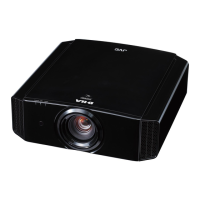
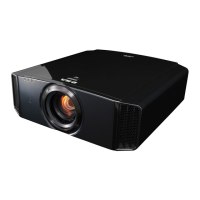
JVC DLA-X9000 - User Manual

JVC DLA-X9000
80 pages
Print Icon
To Next Page IconTo Next Page
Loading...
.
D-ILA
PROJECTOR
DLA-X9000
DLA-X7000
DLA-X5000
.
.
http://manual3.jvckenwood.com/projector/mobile/global/
The Mobile User Guide can be viewed on mobile internet devices including
smartphones and tablets.
Mobile User Guide
.
Pour utilisation par le client :
Entrerci-dessous le N°de série qui
est situé sous le boîtier. Garder
cetteinformation comme référence
pour le futur.
Instrucción para el cliente :
Introduzca a continuación el nº de
serie que aparece en la parte
inferior lateral de la caja. Conserve
esta información como referencia
para uso ulterior.
For Customer use :
Enter below the serial No. which is
located on the side of the cabinet.
Retain this information for future
reference.
DLA-X9000 / DLA-X7000 /
DLA-X5000
Model No.
Serial No.
DLA-X9000 / DLA-X7000 /
DLA-X5
000
N° de modèle
N° de série
DLA-X9000 / DLA-X7000 /
DLA-X5000
Modelo Nº
Nº de serie
Not suitable for household room illumination.
INSTRUCTIONS
B5A-1144-06
Getting Started Set up Operate Adjust/Set Maintenance Troubleshooting Others

Table of Contents

Questions and Answers

  • E
    Erin BraunAug 18, 2025
    Why does my JVC Projector power shut down automatically?
    • M
      Michael AllenAug 18, 2025
      Your JVC Projector might be shutting down automatically because the “ECO Mode” or “Off Timer” is enabled. Try setting both “ECO Mode” and “Off Timer” to “Off.” Also, ensure that the air inlets and exhaust vent are not blocked; leave proper clearance when installing the unit. A dirty filter can also cause this issue, so clean the filter.
  • S
    Stephen MarshallAug 20, 2025
    What to do if my JVC DLA-X9000 remote control does not work?
    • J
      John MurphyAug 21, 2025
      If your JVC Projector remote control isn't working, first ensure the batteries are correctly loaded, matching the polarities. If that doesn't work, replace the batteries with new ones. Also, make sure there isn't anything obstructing the path between the remote and the projector's sensor, and that you're not too far away from the unit. If you are using IR (infrared) 3D GLASSES and 3D SYNCHRO EMITTER, try adjusting the orientation of the 3D SYNCHRO EMITTER to avoid signal interference.
  • L
    Lisa CookeAug 23, 2025
    How to fix if the video image does not appear on my JVC DLA-X9000 Projector?
    • V
      Vincent WongAug 23, 2025
      If the video image does not appear on your JVC Projector, ensure that the correct external input is selected. Verify that the AV device is turned on, playing video, and properly connected. Also, confirm that the correct signals are being output from the AV device and that you are using an HDMI-certified high-speed cable that is as short as possible. If using an intermediate device, change the sequence of turning on the source device, intermediate device, and the projector, ensuring signal output is stable before turning on the next device. For an old source device, change the resolution setting or connect to the HDMI2 terminal and set “HDMI2 EDID” to “B.”
  • R
    Richard GordonAug 26, 2025
    Why is my JVC Projector projected image dark?
    • M
      Michael VazquezAug 26, 2025
      If the projected image on your JVC Projector is dark, check the lamp time in the “Information” menu to see if the lamp is near exhaustion; if so, prepare a new lamp unit or replace it as soon as possible. Also, ensure that the lens aperture is not closed by setting “Lens Aperture” to “Auto 1” or “Auto 2”, or manually opening the aperture. Finally, check if “Lamp Power” is set to “Low” and change it to “High.”
  • M
    Marilyn PerryAug 27, 2025
    How to resolve a fuzzy video image on my JVC DLA-X9000 Projector?
    • A
      Alex WillisAug 27, 2025
      To resolve a fuzzy video image on your JVC Projector, first adjust the focus. If the image is still fuzzy, ensure that the unit is set at a correct distance from the screen.
  • N
    Nicole WigginsAug 29, 2025
    What causes unnatural colors on my JVC Projector and how to fix it?
    • C
      Caitlin McbrideAug 30, 2025
      Unnatural colors on your JVC Projector can occur if the color space of the input signal is not correctly set. Ensure that the “Color Space” for “Input Signal” is correctly set. Also, adjust “Color” and “Tint” accordingly. Finally, verify that the AV device is properly connected.
  • E
    esmithSep 1, 2025
    What to do if my JVC Projector is not supplying power?
    • J
      Jeffery BurnettSep 1, 2025
      If your JVC Projector is not receiving power, first ensure that the power cord is firmly inserted. If the unit is in Standby mode, remove the power plug and properly close the lamp cover before reinserting the plug. Also, check if the lamp is in Cool-down mode; after exiting this mode, turn the power on again.
  • P
    patricksmithSep 3, 2025
    Why does my JVC DLA-X9000 Projector video image flicker?
    • D
      Deanna BurkeSep 3, 2025
      Video image flickering on your JVC Projector can be due to several reasons. If you see horizontally-extended, overlapping video images, set “3D Format” to “Auto.” If viewing under fluorescent light, turn it off. If 'Lens Aperture' is set to 'Auto 1' or 'Auto 2', set it to “Manual.”
  • W
    William LoganSep 6, 2025
    What causes noise from my JVC Projector?
    • S
      stephanie84Sep 6, 2025
      Noise from your JVC Projector can be caused by a blocked exhaust vent or use near a heater or air conditioner. Check the installation condition of the projector; high surrounding temperatures increase the fan speed for protection, leading to louder operation. If viewing 3D video images, “Lamp Power” is automatically set to “High,” increasing fan noise; set it to “Low” if the sound bothers you.
  • M
    Monica HayesSep 8, 2025
    What causes missing video images on my JVC Projector?
    • C
      Cody BanksSep 8, 2025
      Missing video images on your JVC Projector can be due to a configured screen mask. Set “Mask” to “Off.” Also, the display position might be misaligned; alter the “Picture Position” value so that the entire image appears on the screen.

JVC DLA-X9000 Specifications

General IconGeneral
3DYes
HDMI Inputs2
Resolution3840 x 2160 (4K)
Brightness2000 lm
Lens ShiftVertical: ±80%, Horizontal: ±34%
HDR CompatibilityHDR10
Input ConnectorsHDMI x2, RS-232C, LAN, Trigger
Display TechnologyD-ILA
Light SourceLamp
Zoom2x Optical Zoom

Related product manuals