EasyManua.ls Logo

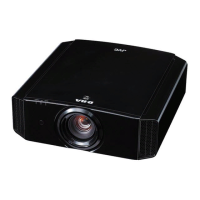
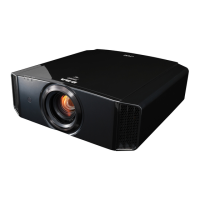
JVC DLA-X5900BE - User Manual

JVC DLA-X5900BE
84 pages
Print Icon
To Next Page IconTo Next Page
Loading...
.
D-ILA
PROJECTOR
DLA-X9900BE
DLA-X7900BE/WE
DLA-X5900BE/WE
.
SETTING MEMORY
MODE 1 MODE 2 MODE 3
ANAMO.
HDR
C.M.D.
COLOR
PROFILE
GAMMA
SETTINGS
PICTURE
MODE
.
http://manual3.jvckenwood.com/projector/mobile/global/
The Mobile User Guide can be viewed on mobile internet devices including
smartphones and tablets.
Mobile User Guide
.
Pour utilisation par le client :
Entrerci-dessous le N°de série qui
est situé sous le boîtier. Garder
cetteinformation comme référence
pour le futur.
Instrucción para el cliente :
Introduzca a continuación el nº de serie
que aparece en la parte inferior lateral
de la caja. Conserve esta información
como referencia para uso ulterior.
For Customer use :
Enter below the serial No. which is
located on the side of the cabinet.
Retain this information for future
reference.
DLA-X9900BE / DLA-X7900BE /
DLA-X7900WE / DLA-X5900BE /
DLA-X5900WE
Model No.
Serial No.
DLA-X9900BE / DLA-X7900BE /
DLA-X7900WE / DLA-X5900BE /
DLA-X5900WE
N° de modèle
N° de série
DLA-X9900BE / DLA-X7900BE /
DLA-X7900WE / DLA-X5900BE /
DLA-X5900WE
Modelo Nº
Nº de serie
Not suitable for household room illumination.
INSTRUCTIONS
B5A-2360-25
Getting Started
Set up Operate Adjust/Set Maintenance
Troubleshooting
Others

Table of Contents

Questions and Answers

  • J
    Jeffrey NelsonAug 18, 2025
    Why does the video image not appear on my JVC DLA-X5900BE Projector?
    • D
      Deborah PerryAug 18, 2025
      If the video image doesn't appear on your JVC Projector, consider these potential causes: * Ensure the correct external input is selected. * Verify that the AV device or PC is powered on and playing video. * Confirm that the AV device or PC is properly connected. * Check that the correct signals are being output from the AV device or PC. * Use an HDMI-certified high-speed cable, especially for 4K video signals (a certified Premium High Speed HDMI Cable is recommended). * If using an intermediate device (AV amplifier, divider, etc.), change the power-on sequence, ensuring each device's signal output is stable before turning on the next. * For older source devices, adjust the resolution setting or try connecting to the HDMI2 terminal and set “HDMI2 EDID” to “B.”
  • J
    Jessica WelchAug 20, 2025
    Why does my JVC DLA-X5900BE power shut down automatically?
    • S
      Stephanie HodgesAug 20, 2025
      Your JVC Projector might be shutting down automatically due to several reasons: * Check if “ECO Mode” is enabled and set it to “Off.” * Verify if “Off Timer” is configured and set it to “Off.” * Ensure that the air inlets and exhaust vent are not blocked; leave proper clearance around the unit. * Inspect the filter and clean it if it's dirty.
  • N
    Nicholas WilliamsAug 23, 2025
    What to do if the JVC DLA-X5900BE Projector remote control does not work?
    • B
      brent04Aug 23, 2025
      If your JVC Projector's remote control isn't working, consider these points: * Make sure the batteries are correctly loaded, matching the polarities. * Replace the batteries with new ones if they are exhausted. * Remove any objects obstructing the path between the remote control and the remote sensor. * Hold the remote control closer to the sensor during use. * If using IR (infrared) 3D Glasses and a 3D Synchro Emitter, adjust the emitter's orientation to avoid signal interference.
  • G
    gene62Aug 26, 2025
    How to troubleshoot power not supplied to JVC DLA-X5900BE Projector?
    • J
      John GibsonAug 26, 2025
      If your JVC Projector is not receiving power: * Ensure the power cord is firmly inserted. * If in Standby mode, remove the power plug, properly close the lamp cover, and then re-insert the plug. * If the lamp is in Cool-down mode, wait for it to exit before turning the power on again.
  • C
    Corey ThompsonAug 27, 2025
    Why is the projected image from my JVC Projector dark?
    • N
      Nicholas WarrenAug 27, 2025
      If the projected image from your JVC Projector is dark: * Check the lamp time in the “Information” menu to see if the lamp is near exhaustion. If so, prepare or replace it as soon as possible. * Ensure the aperture is not closed. Set “Lens Aperture” to “Auto 1” or “Auto 2”, or set it to “Manual” and open the aperture manually. * Verify that “Lamp Power” is not set to “Low.” If it is, set it to “High.”
  • D
    Daniel OliverAug 30, 2025
    Why is there noise coming from my JVC DLA-X5900BE Projector?
    • M
      Michael LloydAug 30, 2025
      Noise from your JVC Projector can be due to: * A blocked exhaust vent or the unit being near a heater or air-conditioner. Check the installation condition; high surrounding temperatures increase fan speed. * Viewing 3D video images, which automatically sets “Lamp Power” to “High,” increasing fan noise. If bothered, set “Lamp Power” to “Low.”
  • R
    Ronald DavenportSep 1, 2025
    How to fix a fuzzy video image on JVC DLA-X5900BE?
    • C
      Cameron GraySep 1, 2025
      To fix a fuzzy video image on your JVC Projector: * Adjust the focus. * Ensure the unit is set at the correct distance from the screen.
  • A
    Ariel NunezSep 5, 2025
    Why are the colors unnatural on my JVC Projector?
    • S
      Stephanie MannSep 6, 2025
      If the colors on your JVC Projector appear unnatural: * Ensure the color space of the input signal is correctly set, matching the projector setting. * Adjust “Color” and “Tint” accordingly. * Make sure the AV device or PC is properly connected.
  • T
    Timothy HallSep 8, 2025
    Why does the video image flicker on my JVC Projector?
    • F
      fholtSep 8, 2025
      If the video image on your JVC Projector flickers: * If you see horizontally-extended, overlapping video images, set “3D Format” to “Auto.” * If viewing under fluorescent light, this may cause interference with the 3D glasses. Try viewing with the fluorescent light turned off. * If “Lens Aperture” is set to “Auto 1” or “Auto 2”, set it to “Manual.”
  • J
    Justin DavisSep 10, 2025
    What causes a 3D video image to look unnatural on JVC DLA-X5900BE?
    • M
      Mark PearsonSep 10, 2025
      An unnatural 3D video image on your JVC Projector can be caused by: * Overlapping video images, which indicate the crosstalk phenomenon. Adjust “Crosstalk Cancel” accordingly. * Drastic changes in brightness, also due to the crosstalk phenomenon. Set Lamp Power to “High.”

Summary

Getting Started

Safety Precautions

Important warnings and precautions for safe operation and handling of the projector.

Important Safeguards

Comprehensive safety rules for installation, use, and servicing of the projector.

Power Connection

Instructions for connecting the projector to a power source, including regional variations.

Controls and Features

Main Unit Front Controls

Identification and function of controls on the front of the projector.

Main Unit Bottom Controls

Identification and function of controls on the bottom of the projector.

Main Unit Rear Connections and Operation Panel

Overview of input/output terminals and the operation panel on the rear.

Input Terminal Connections

Detailed explanation of various input terminals for connectivity.

Remote Control Overview

Explanation of the remote control buttons and their functions.

Setup and Installation

Projector Installation Basics

General guidelines for projector placement, ventilation, and high altitude operation.

Projector Mounting Procedures

Instructions for securely mounting the projector, including ceiling mounts.

Adjusting Projector Position and Image

Adjusting projector height, angle, and image position using lens shift.

Connecting Sources via HDMI and AV

Connecting external devices using HDMI cables and AV amplifiers.

Trigger Terminal and Power Connection

Connecting trigger devices and the projector's power cord.

Operation

Turning the Projector On and Off

Steps for powering the projector on, selecting inputs, and turning it off.

Adjusting the Projected Image

Fine-tuning lens focus, zoom, and screen position for optimal display.

3 D Viewing Setup and Emitter Installation

Installing the 3D Synchro Emitter and preparing for 3D viewing.

Adjustments and Settings

Setting the Picture Mode

Selecting image quality presets for different types of video content.

Gamma Adjustment for Image Output

Adjusting gamma settings to control image brightness and contrast.

Gamma Adjustment for HDR Content

Explains gamma curves and adjustments specifically for HDR content.

Maintenance

Replacing the Projector Lamp

Step-by-step guide for safely replacing the projector lamp unit.

Resetting the Lamp Time

Resetting the lamp usage timer after replacement.

Troubleshooting

Power and Shutdown Issues

Addressing problems related to power not being supplied or automatic shutdowns.

Video Image Display Problems

Troubleshooting issues with no video image, incorrect signals, or cable problems.

Other Information

Product Specifications

Technical details and specifications of the projector model.

JVC DLA-X5900BE Specifications

General IconGeneral
BrandJVC
ModelDLA-X5900BE
CategoryProjector
LanguageEnglish

Related product manuals