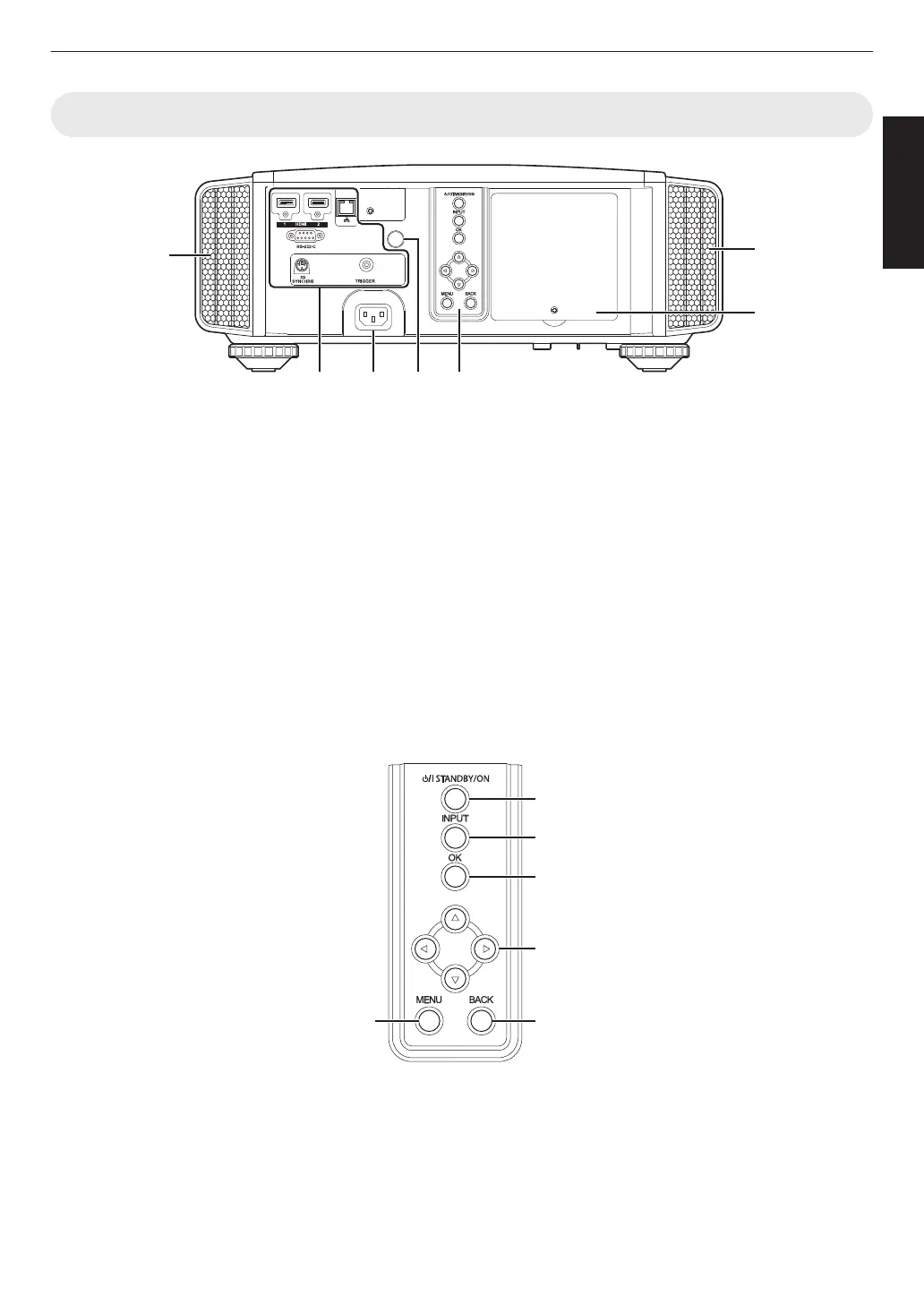
Main Unit - Rear
.
I
Input terminals
In addition to the video input terminal, there are also
other connection terminals for devices such as
controllers and optional equipment.
Please see
“Main Unit - Input Terminals”P. 12 for
more details about the terminals.
J
Lamp cover
When replacing the light source lamp, remove this
cover.
K
Operation panel
For more details, please refer to the “Operation
panel” in the diagram below.
L
Remote Sensor (rear)
Please
aim the remote control at this area when using
it.
* There is also a remote sensor at the front.
M
Power input terminal
Connect the supplied power cord to this terminal.
Operation panel
.
[MENU]: Displays the menu
[BACK]: Returns to the previous menu
[JKH I] keys: Selects an item
[OK]: Confirms a selection
[INPUT]: Switches the input
A [STANDBY/ON]: Turns “on”/“off” the
power
11
Getting Started



 To Next Page