ENGLISH
51
Getting Started
Preparation
Basic Operation
Troubleshooting
Settings
Others
Cleaning and Replacing the Filter
CAUTION
Pull the power plug from the power
outlet.
MEMO
dirty to be cleaned
In extremely soiled cases, using a neutral detergent is recommended.
Put on rubber gloves when using a neutral detergent.
before reinstalling. Otherwise electric shock or malfunctions may occur.
soft and may be damaged.
will dirty the internal parts of the unit
and cause shadows on the video
image.
is dirty in the internal parts, consult
your authorized dealer.
Inner Filter Part No.:
Replacement Filter:
the appearance is black
PB006560999 (Inner Filter)
1
2
3
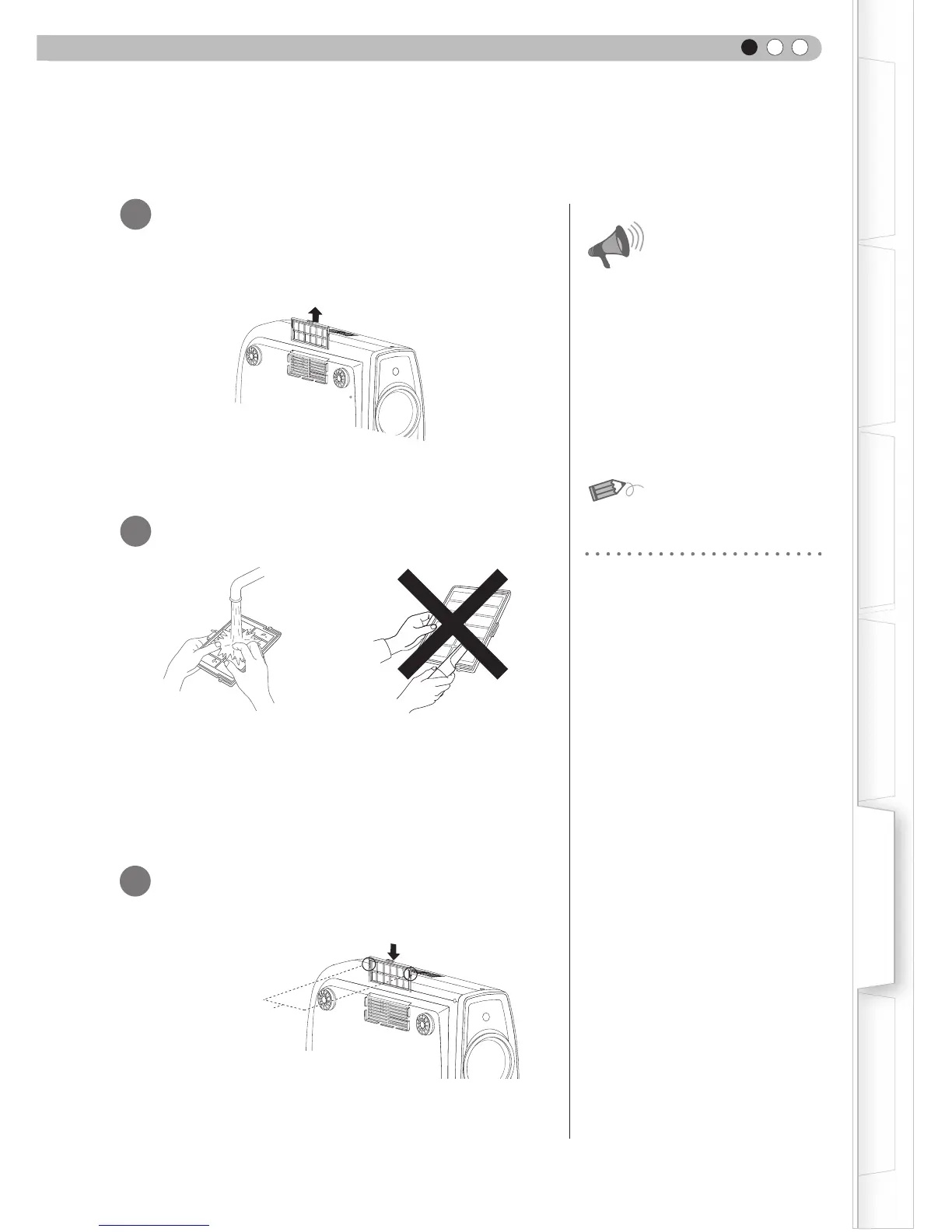
Lift up while pushing the claw
Check that the left
and right claws are
locked onto the unit



 To Next Page
 Loading...








