2
Preparation
16
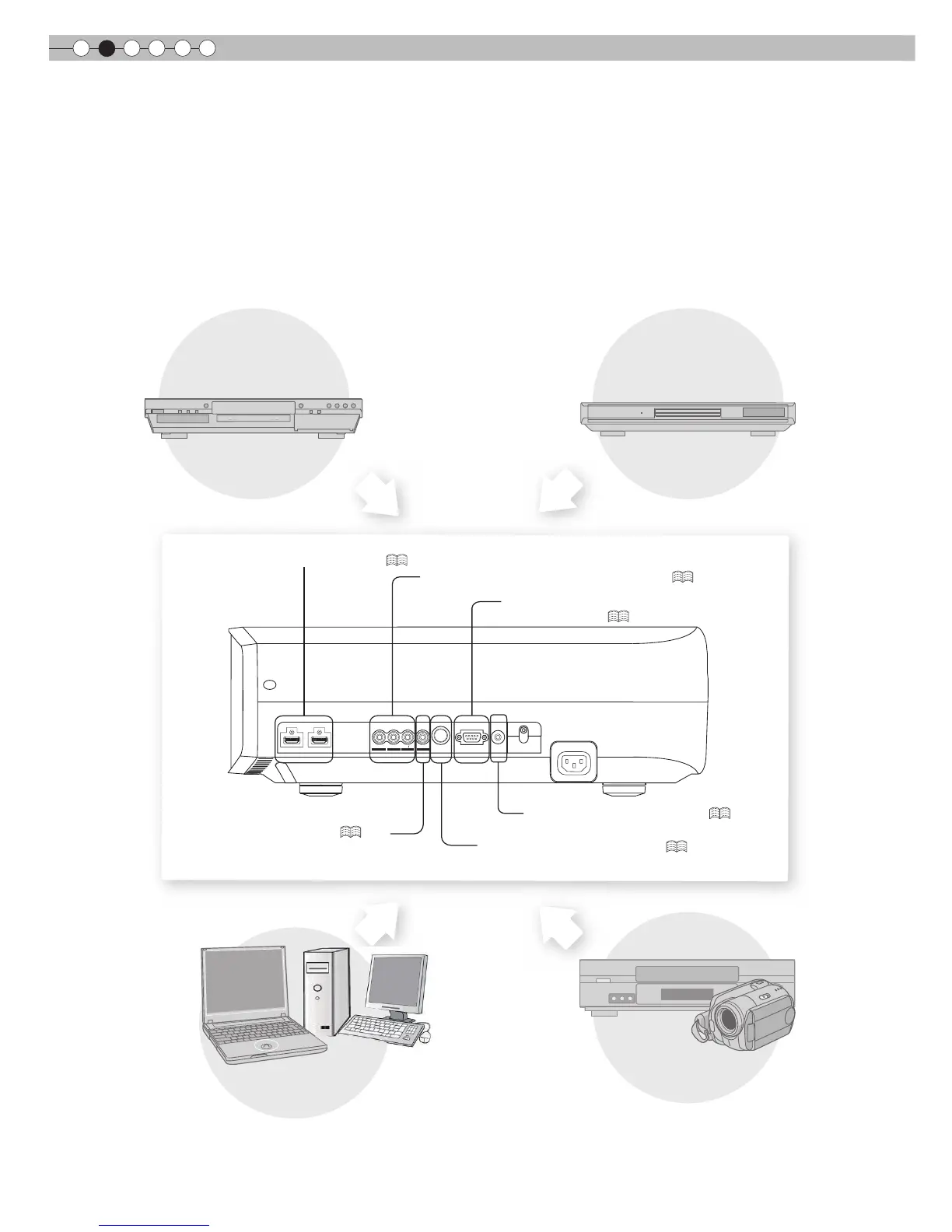
Selecting Connecting Devices
Do not turn on the power until connection is complete.
The connection procedures differ according to the device used. For details, refer to the instruction manual of the device to be
connected.
from the connected device.
The images may not be displayed depending on the devices and cables to be connected.
For HDMI cable (sold separately), only use one that is HDMI-approved.
It may not be possible to connect to this unit depending on the dimension of the connector cover of the cables to be
connected.
G B R
SYNC
S-VIDEO
VIDEO
RS-232C
TRIGGER
HDMI 1
HDMI 2
Y
C
B/PB
CR/
PR
To connect via HDMI terminal (
P18
)
To connect RS-232C terminal
(external control) (
P52
)
To connect via component video terminals (
P17
)
To connect via video terminal (
P17
)
To connect via S-video terminal (
P17
)
BD/DVD Recorder
BD/DVD Player
PC
VCR and camcorder
To connect via Trigger terminal (
P20
)



 To Next Page
 Loading...








