JVC DILA projector Firmware Update Instructions
Page 2 of 6
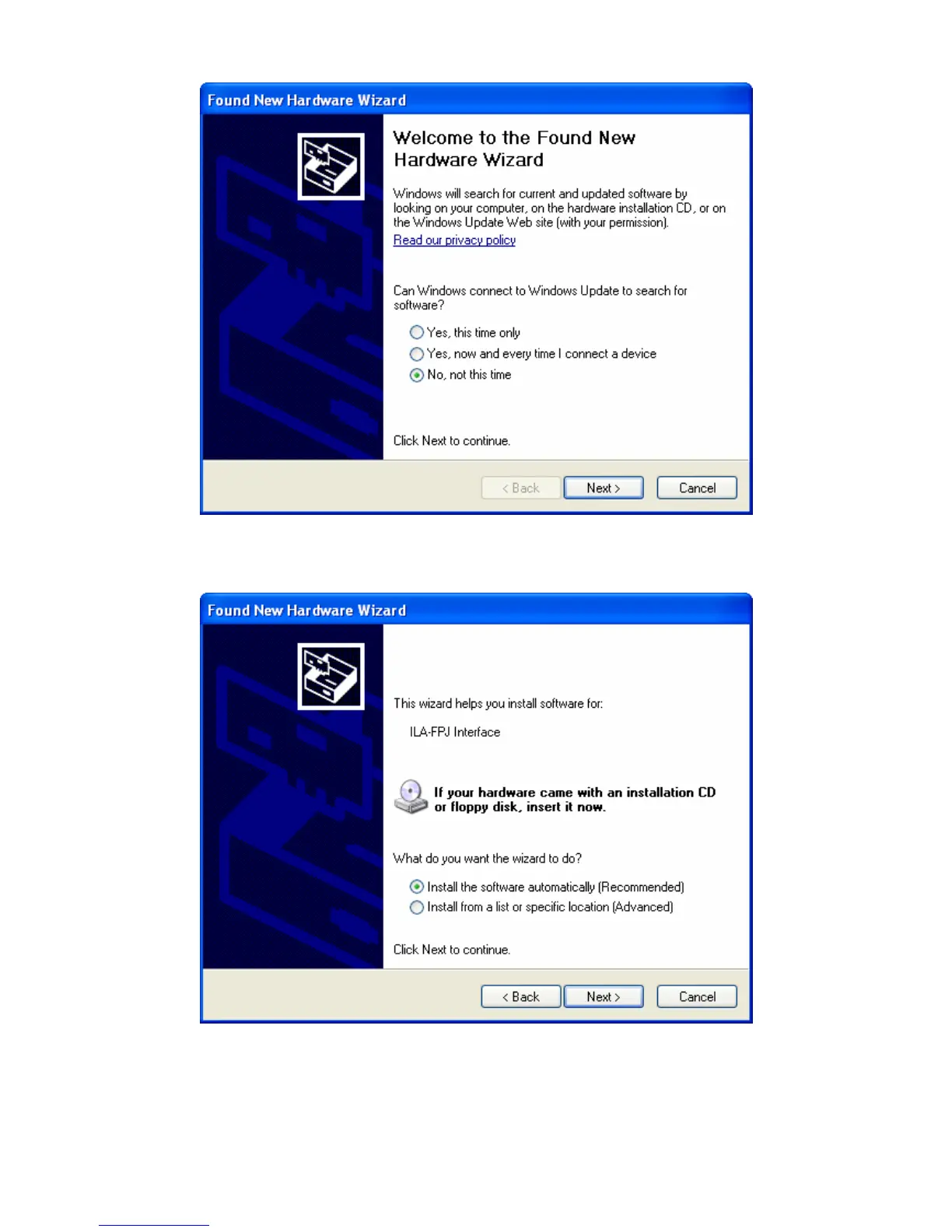
In the first Wizard screen, in response to the question “Can
Windows connect to Windows Update to search for software?”
choose “No, Not this time”, and then click “Next”
In the second Wizard screen, in response to the question “What do
you want the wizard to do?” choose “Install the software
automatically (Recommended)”, and then click “Next”.



 To Next Page
 Loading...