EasyManua.ls Logo

JVC DT-E17L4G - User Manual

JVC DT-E17L4G
32 pages
Print Icon
To Next Page IconTo Next Page
Loading...
LCT2673-001A
For Customer Use:
Enter below the Serial No. which is located
on the rear of the cabinet. Retain this
information for future reference.
Model No.
Serial No.
: DT-E21L4 / DT-E17L4G
:
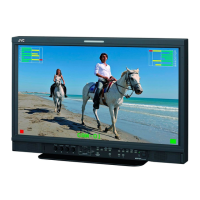
MULTI FORMAT LCD MONITOR
INSTRUCTIONS
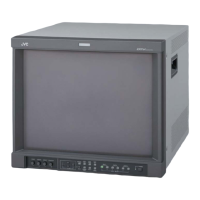
The illustration of the monitor is of DT-E21L4.
DT-E21L4
DT-E17L4G
®
DTE21L417L4GEN1.indb1 12.2.244:00:57PM

Other manuals for JVC DT-E17L4G

Questions and Answers

  • A
    Amy BrownSep 12, 2025
    How do I correct the picture position and size on my JVC Monitor?
    • T
      tcainSep 12, 2025
      To adjust the picture position and size on your JVC Monitor, try the following: Check if the 1:1 setting is appropriate. Review the “Manual Aspect” and “SD4:3 Size” settings in the Aspect menu. Confirm that the input signal format is acceptable for the monitor. Finally, adjust the picture size (H Size/V Size) or position (H Position/V Position) in the “Size/ Position Adjust” menu.
  • R
    Ryan FrankSep 14, 2025
    What to do if buttons on JVC DT-E17L4G Monitor do not work?
    • R
      Ronald MartinSep 14, 2025
      If the buttons on your JVC Monitor aren't working, first check if “Control Lock” in the Set-Up Menu is set to “Off.” Also, if the items are controlled by an external system, disable the external control, as the buttons cannot be used for those items.

JVC DT-E17L4G Specifications

General IconGeneral
Screen Size17 inch
Resolution1280 x 1024
Aspect Ratio5:4
Brightness250 cd/m²
Contrast Ratio1000:1
Response Time5 ms
Panel TypeLCD
Input ConnectorsDVI-D
Power Consumption35 W

Related product manuals