21
EN
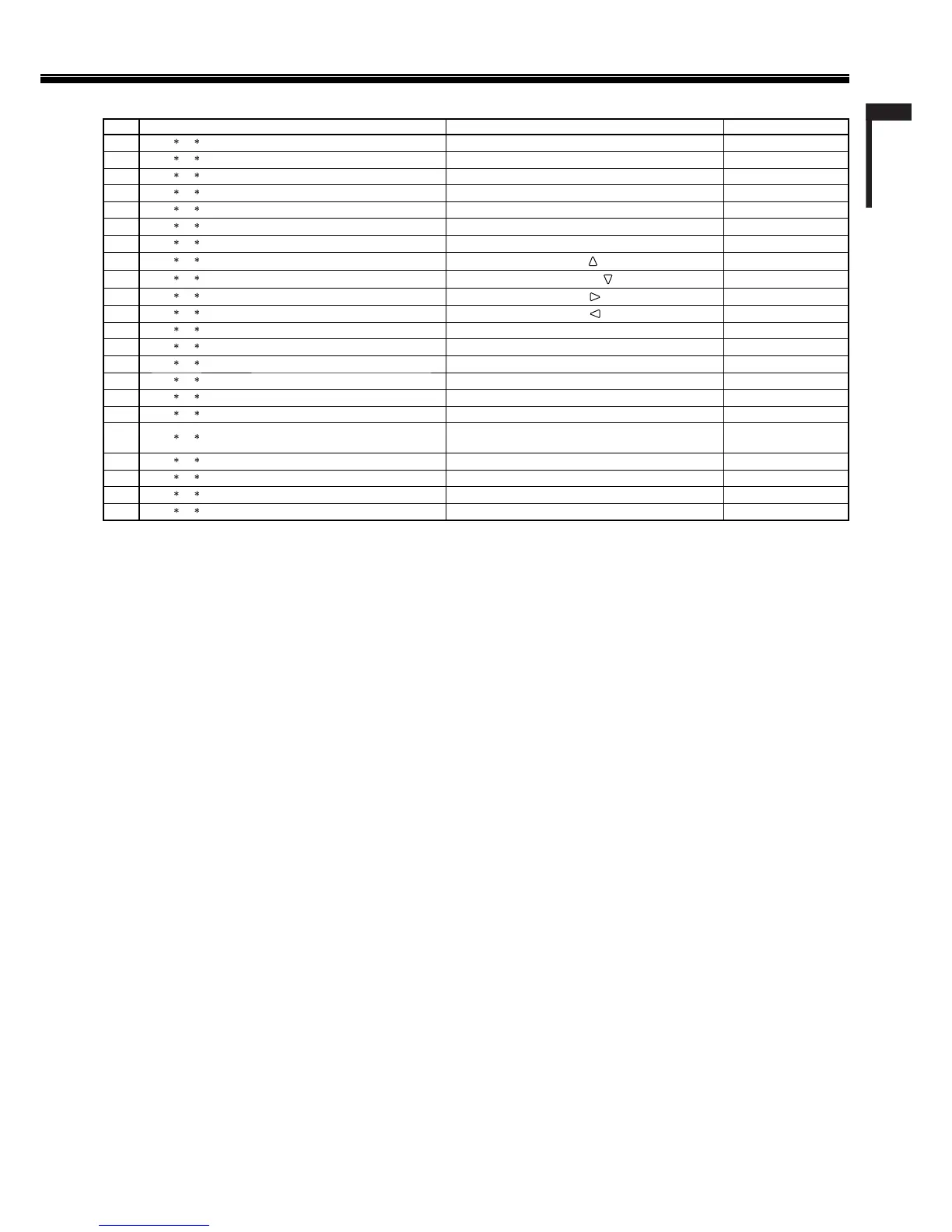
<Basic command list>
No. Commands Functions Data
1 !
*
1
B C N 1 Cr Starts communication (connection) No data
2 !
*
1
B C N 0 Cr Terminates communication (termination) No data
3 !
*
1
BIDSETxx*
2
Cr Assigns the control ID 01 – 99
4 !
*
1
B I D R E T Cr Initializes the control ID No data
5 !
*
1
BIDDSPxx*
2
Cr Displays/hides the ID 00: Hide, 01: Display
6 !
*
1
B I DCHK xx*
2
Cr Flashes/hides the selected ID No. of the monitor 00: Hide, 01: Display
7 !
*
1
B M E N U Cr Displays the MAIN MENU/Quits the menu operation No data
8 !
*
1
BUPCr
Moves the cursor upward ( )
No data
9 !
*
1
BDOWNCr
Moves the cursor downward ( )
No data
10 !
*
1
BADJRCr
Makes setting/adjustment ( )
No data
11 !
*
1
BADJ LCr
Makes setting/adjustment ( )
No data
12 !
*
1
B S E T U P Cr Displays the SET-UP MENU No data
13 !
*
1
B P W 1 Cr Turns on the monitor No data
14 !
*
1
B P W 0 Cr Turns off the monitor (on standby) No data
15 !
*
1
B I N A Cr Selects “SDI 1” input No data
16 !
*
1
B I N B Cr Selects “SDI 2” input No data
17 !
*
1
B I N C Cr Selects “DVI” input No data
18 !
*
1
BINECr
Selects “VIDEO 1”(DT-R24L4D)/
“VIDEO”(DT-R17L4D) input
No data
19 !
*
1
B I N F Cr Selects “VIDEO 2” input*
3
No data
20 !
*
1
B D I S P Cr Displays the status*
4
No data
21 !
*
1
BAMUTExx*
2
Cr Turns muting on/off 00: Off, 01: On
22 !
*
1
BASPxx*
2
Cr Changes the aspect ratio 00: 4:3, 01: 16:9
“Cr” is 0Dh.
The commands for starting communication (connection) (No. 1), terminating communication (termination) (No. 2), and turning on the monitor
(No. 13) can be used while the monitor is off (on standby).
*1
Enter the monitor’s ID for “ **.” The initial setting of the monitor’s ID is “00.” When connecting several monitors, “00” is a command for
controlling all monitors at once.
*2
Enter the appropriate data to “xx.”
*3
DT-R24L4D only
*4
Displays the information shown when the INPUT SELECT button currently lit is pressed (☞ “On the Status Display” on page 11).
•
•



 To Next Page
 Loading...