Caution :
0
When “FACE PRIORITY AE/AF” is set to “ON”, the following settings will
change.
- If “SCENE SELECT” is set to “SPOTLIGHT”, it will be switched to “OFF”.
- If “FOCUS” is set to “MANUAL”, it will be switched to “AUTO”.
- If “BACKLIGHT COMP.” is set to “ON”, it will be switched to “OFF”.
0
When the following settings are made, “FACE PRIORITY AE/AF” will
switch to “OFF”.
- When “SCENE SELECT” is set to “SPOTLIGHT”
- When “FOCUS” is set to “MANUAL”
- When “BACKLIGHT COMP.” is set to “ON”
Memo :
0
The camera is able to detect up to 16 faces.
0
Some faces may not be detected depending on the shooting environment.
0
If appropriate results cannot be obtained, record with “FACE PRIORITY
AE/AF” set to “OFF”.
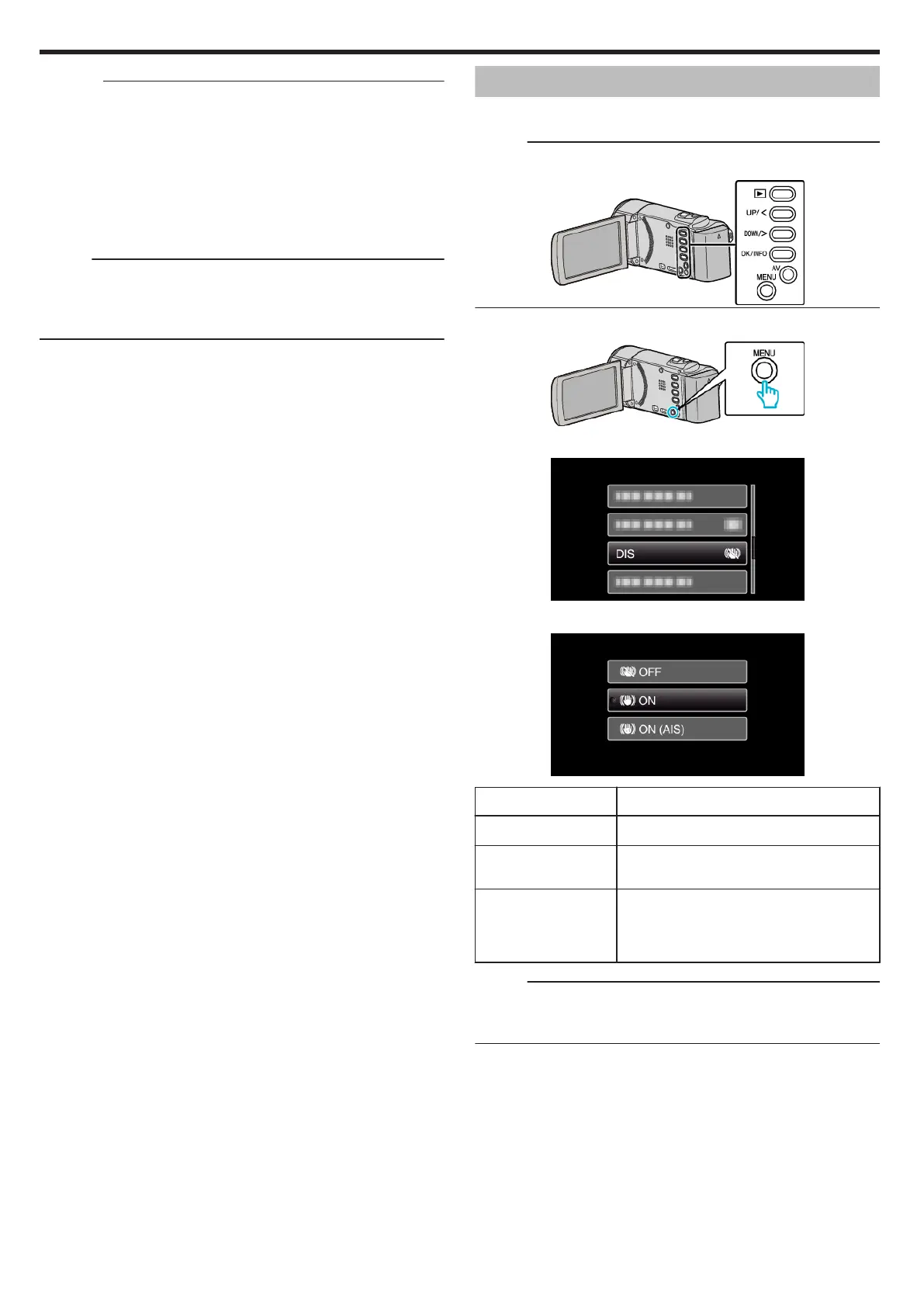
Reducing Camera Shake
When the image stabilizer is set, camera shake during video recording can
be effectively reduced.
Memo :
To select/move cursor towards up/left or down/right, press the button UP/<
or DOWN/>.
.
1
Press MENU.
.
2
Select “DIS” (image stabilizer) and press OK.
.
3
Select “ON” or “ON (AIS)” to activate the image stabilizer and press OK.
.
Display Setting
b OFF
Deactivates image stabilizer.
a ON
Reduces camera shake under normal shooting
conditions.
c ON (AIS)
Reduces camera shake more effectively when
shooting bright scenes on the wide angle end.
Only on the wide angle end (approx. 5x).
(A video mode only)
Memo :
0
It is recommended to set the image stabilizer to “OFF” when shooting a
subject of little movement with the unit on a tripod.
0
Complete stabilization may not be possible if camera shake is excessive.
Recording
30













 To Next Page