EasyManua.ls Logo

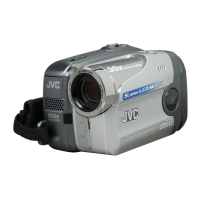
JVC GR-DA20EK - User Manual

JVC GR-DA20EK
40 pages
Print Icon
To Next Page IconTo Next Page
Loading...
GR-DA20EK
LYT1780-001A
EN
ENGLISH
Dear Customer,
Thank you for purchasing this
digital video camera. Before use,
please read the safety information
and precautions contained in
pages, 2 6 to ensure safe use
of this product.
INSTRUCTIONS
DIGITAL VIDEO CAMERA
GR-DA20EK.book Page 1 Thursday, August 2, 2007 12:08 PM

Questions and Answers

  • E
    Erin BrownAug 7, 2025
    Why POWER/CHARGE lamp on JVC GR-DA20EK Camcorder does not light during charging?
    • A
      Amanda WatkinsAug 7, 2025
      If the POWER/CHARGE lamp on your JVC Camcorder doesn't light during charging, it might be due to extremely high or low temperatures. It's best to charge the battery in a place where the temperature is between 10°C and 35°C to protect it. Also, ensure the battery pack is firmly attached. Detach it and re-attach it to make sure.
  • K
    Kristin BaxterAug 11, 2025
    What to do if the tape is moving, but there is no picture on JVC GR-DA20EK Camcorder?
    • J
      Jacob TaylorAug 11, 2025
      If the tape is moving but there's no picture on your JVC Camcorder, make sure your TV is set to the correct mode for video playback. Your TV needs to be set to VIDEO mode. Also, check that the cassette holder cover is closed.
  • R
    Robert SalazarAug 16, 2025
    How to fix recording cannot be performed on JVC GR-DA20EK Camcorder?
    • Y
      ybellAug 16, 2025
      If your JVC Camcorder isn't recording, check the tape's erase protection tab. If it's set to “SAVE”, set it to “REC”. If “TAPE END” appears, replace the cassette. Also, make sure the cassette holder cover is closed.
  • J
    Jeremiah LinAug 20, 2025
    Why the focus does not adjust automatically on JVC Camcorder?
    • D
      David CollinsAug 20, 2025
      If your JVC Camcorder's focus isn't adjusting automatically, it could be because the focus is set to Manual mode. Switch it to Auto mode. Also, check if the lens is dirty or has condensation. If so, clean the lens.
  • J
    jose60Aug 25, 2025
    What to do if images on the LCD monitor appear dark or whitish on JVC GR-DA20EK Camcorder?
    • E
      Evelyn LopezAug 25, 2025
      If images on the LCD monitor of your JVC Camcorder appear dark or whitish, try adjusting the brightness and angle of the LCD monitor. This can happen in low-temperature environments due to the LCD monitor's characteristics.
  • R
    Renee RamosAug 28, 2025
    Why the image looks like the shutter speed is too slow on JVC GR-DA20EK?
    • S
      Sarah RodriguezAug 28, 2025
      If the image on your JVC Camcorder looks like the shutter speed is too slow, it might be because “GAIN UP” is set to “AUTO” when shooting in the dark. To make the lighting look more natural, set “GAIN UP” to “AGC” or “OFF”.
  • G
    George RogersSep 1, 2025
    Why picture does not appear on the LCD monitor of JVC Camcorder?
    • J
      James GonzalezSep 1, 2025
      If you don't see a picture on the LCD monitor of your JVC Camcorder, the brightness setting might be too dark. Try adjusting the brightness of the LCD monitor.

JVC GR-DA20EK Specifications

General IconGeneral
Recording MediumMiniDV
Digital Zoom700x
LCD Screen Size2.5 inches
Video FormatDV
Audio FormatPCM
ViewfinderColor
Still Image Resolution640 x 480
TypeMiniDV
Image Sensor1/6-inch CCD
InterfaceIEEE 1394 (FireWire), USB

Related product manuals