32
1
ACTIVATE FADE IN OR WIPE IN
Press RECORDING START/STOP to start
recording, and the Fade In or Wipe In occurs
automatically.
2
ACTIVATE FADE OUT OR WIPE OUT
When you want to stop recording the scene,
press RECORDING START/STOP. Before the
camcorder enters the RECORD/STANDBY
mode, the Fade Out or Wipe Out occurs
automatically.
NOTE:
You can extend the length of a fade or wipe by
pressing and holding the RECORDING START/
STOP button.
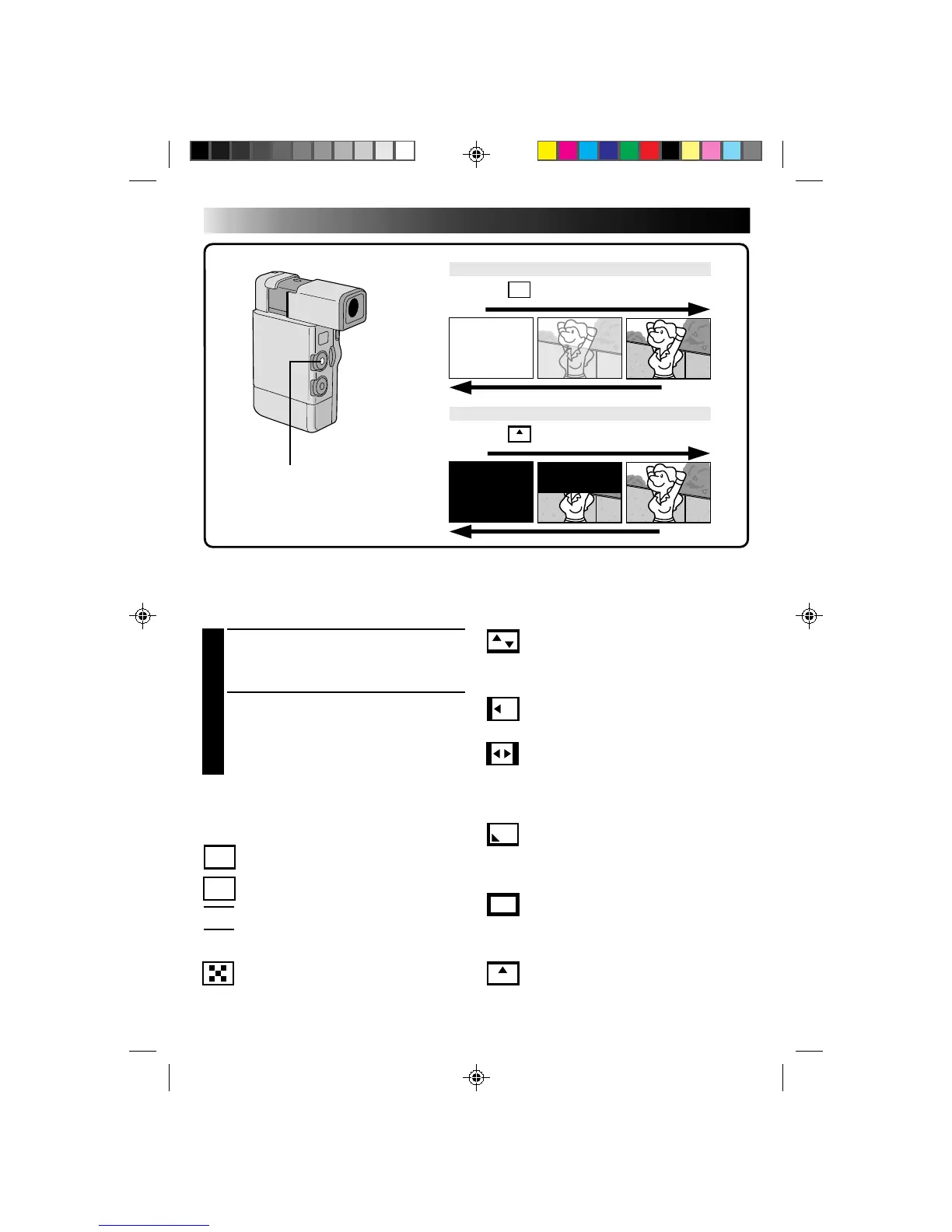
Fades and Wipes
A scene gradually appears on a black or white screen (Fade In/Wipe In), or disappears, leaving a black or
white screen (Fade Out/Wipe Out). Select Fade or Wipe at the Fader/Wipe Menu (Z pg. 31).
WHITE FADER:
Fade in or out with a white screen.
BLACK FADER:
Fade in or out with a black screen.
BLACK & WHITE FADER:
Fade in to a color screen from a black and
white screen, or fade out from color to
black and white.
MOSAIC FADER:
Fade in or out with a full-screen mosaic
effect.
W
H
W
H
B
K
B/W
RECORDING
START/STOP BUTTON
FADE
WIPE
EXAMPLE WHITE FADER
Wipe In
SHUTTER WIPE:
Wipe in toward the center of a black screen
from the top and bottom, or wipe out from
the center toward the top and bottom,
leaving a black screen.
SLIDE WIPE:
Wipe in from right to left, or wipe out from
left to right.
DOOR WIPE:
Wipe in as the two halves of a black screen
open to the left and right, revealing the
scene, or wipe out and the black screen
reappears from left and right to cover the
scene.
CORNER WIPE:
Wipe in on a black screen from the upper
right to the lower left corner, or wipe out
from lower left to upper right, leaving a
black screen.
WINDOW WIPE:
The scene starts in the center of a black
screen and wipes in toward the corners, or
comes in from the corners, gradually wiping
out to the center.
SCROLL WIPE:
The scene wipes in from the bottom to the top
of a black screen, or wipes out from top to
bottom, leaving a black screen.
Fade In
EXAMPLE SCROLL WIPE
Fade Out
Wipe Out
RECORDING
Advanced Features (Cont.)



 To Next Page