50
4
END ZOOM
Press and hold W until magnification returns to
normal. Or, press STOP and then press PLAY.
NOTES:
●
Zoom can also be used during slow-motion and
normal playback.
●
If the Video Echo effect (
Z
pg. 37) is selected,
pressing the ZOOM Buttons only cancels the
Video Echo effect.
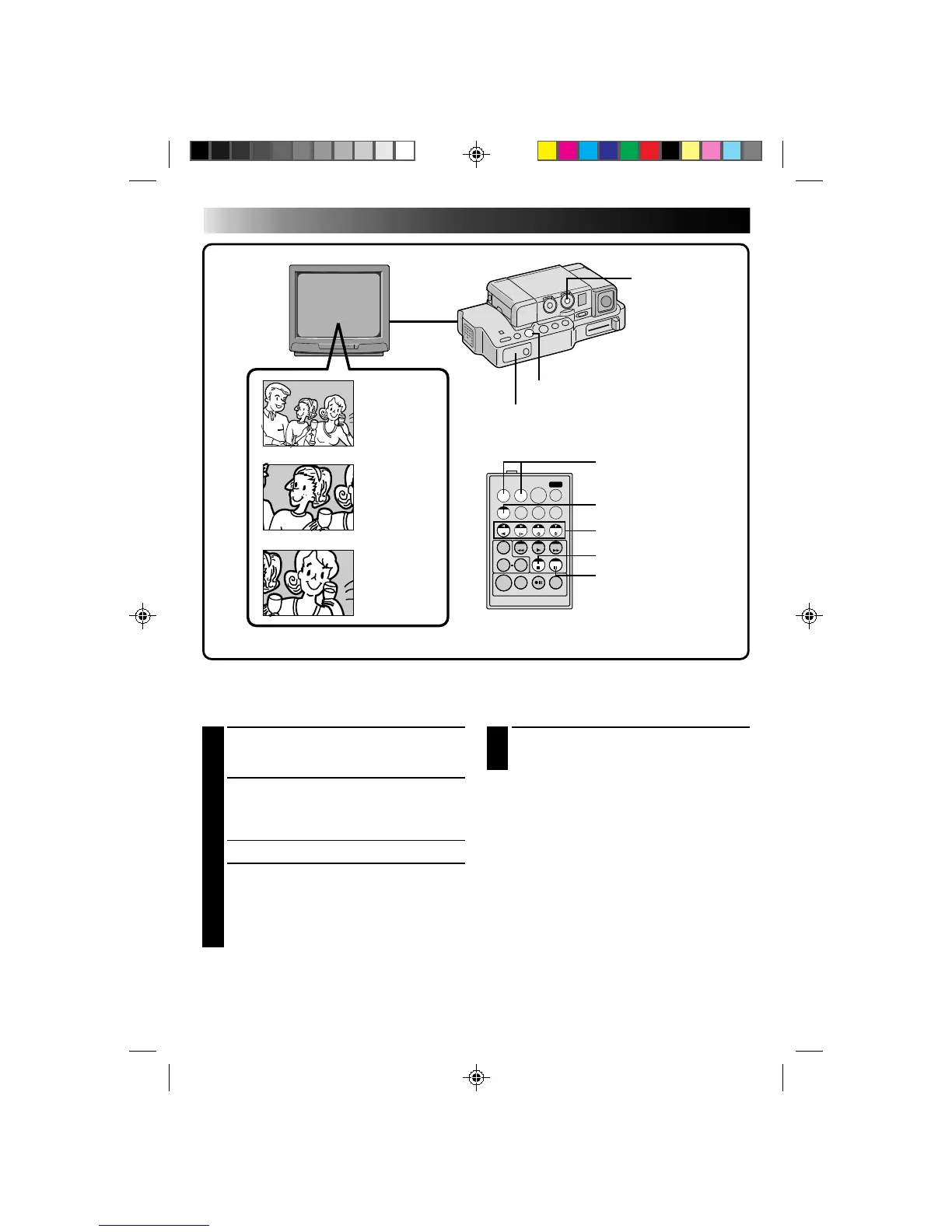
1
FIND ‘ZOOM’ SCENE
Press PLAY to start playback, then press PAUSE
when you find the scene you want to magnify.
2
ACTIVATE ZOOM
Press ZOOM on the remote control. Make sure
the remote control is pointed at the Docking
Station’s sensor.
•Pressing T zooms in.
3
LOCATE PORTION OF MAGNIFIED
SCENE
You can move the image on screen around to
find a particular portion of the picture. While
holding down SHIFT, press § (LEFT),
© (RIGHT), ¶ (UP) and Ä (DOWN).
Playback Zoom
The recorded pictures can be magnified up to 10x at any time during playback.
PLAYBACK
Advanced Features
TW
Normal
playback
POWER DIAL
Press T
Press © (RIGHT)
to move image
REMOTE SENSOR
PLAY BUTTON
ZOOM BUTTONS
SHIFT BUTTON
LEFT/RIGHT/UP/
DOWN BUTTONS
STOP BUTTON
PAUSE BUTTON
RM-V708U (provided)



 To Next Page