56
TW
1
2
3
4
5
6
7
8
T I ME CODE
015: 55
TOTAL
009 : 02
00: 25~02: 05
07: 18~08 : 31
03: 33~05: 53
09:30~13:15
15: 55~
~
~
~
P
B/W
P
IN
W
H
OUT
OFF
OFF
:
9
PREPARE SOURCE TAPE
Rewind the tape in the camcorder to the
beginning of the scene you want to edit and
press PAUSE.
10
ENGAGE VCR'S RECORD-PAUSE
MODE
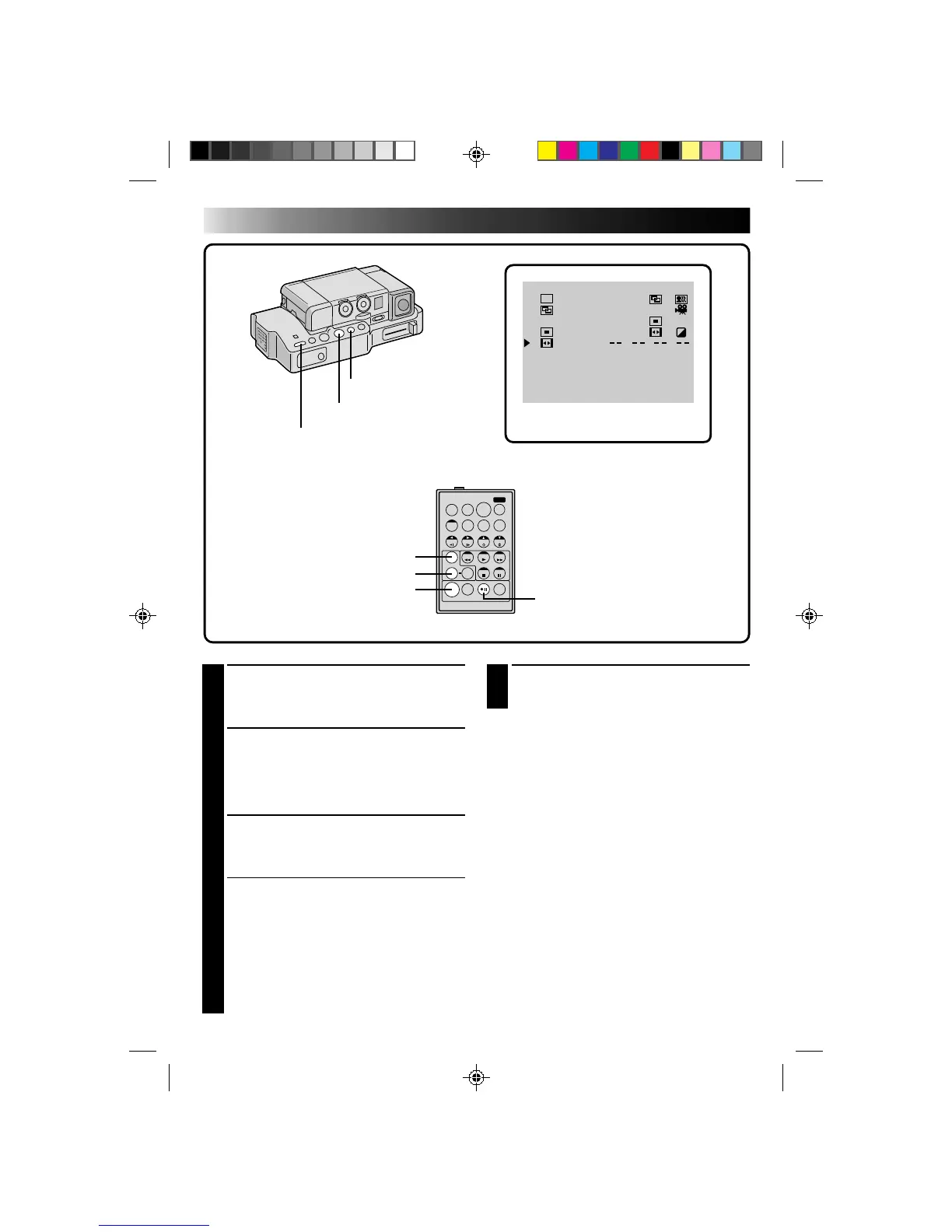
Point the remote control toward the VCR's
infrared sensor and press VCR RECORD/
STANDBY, or manually engage the VCR's
Record-Pause mode.
11
START EDITING
Press EDIT on the Docking Station. Editing
proceeds as programmed, right through to the
end of the last registered scene.
•If you selected a Fade/Wipe effect, it is active
between selected scenes during dubbing.
•If you selected a P.AE/Effect, it is active
during scenes while dubbing.
•When dubbing is complete, the camcorder
enters the PAUSE mode, and the recorder
enters its RECORD/STANDBY mode.
•If you don’t register an Edit-Out point, the
tape will be dubbed all the way to the end
automatically.
12
STOP EDITING
Engage the STOP modes for the camcorder and
the recorder.
NOTES:
●
During dubbing, make sure the remote control is
pointed at the recorder’s sensor, and that the path
between the two is unobstructed.
●
If, during dubbing, you press a button on the
camcorder, its RECORD/STANDBY mode is
automatically engaged.
REW BUTTON
R.A.EDIT PROGRAM SCREEN
VCR RECORD/
STANDBY BUTTON
EDIT BUTTON
STOP BUTTON
FADE/WIPE BUTTON
EFFECT BUTTON
EDIT IN/OUT BUTTON
EDITING (Cont.)
RM-V708U
(provided)



 To Next Page