74 EN
1
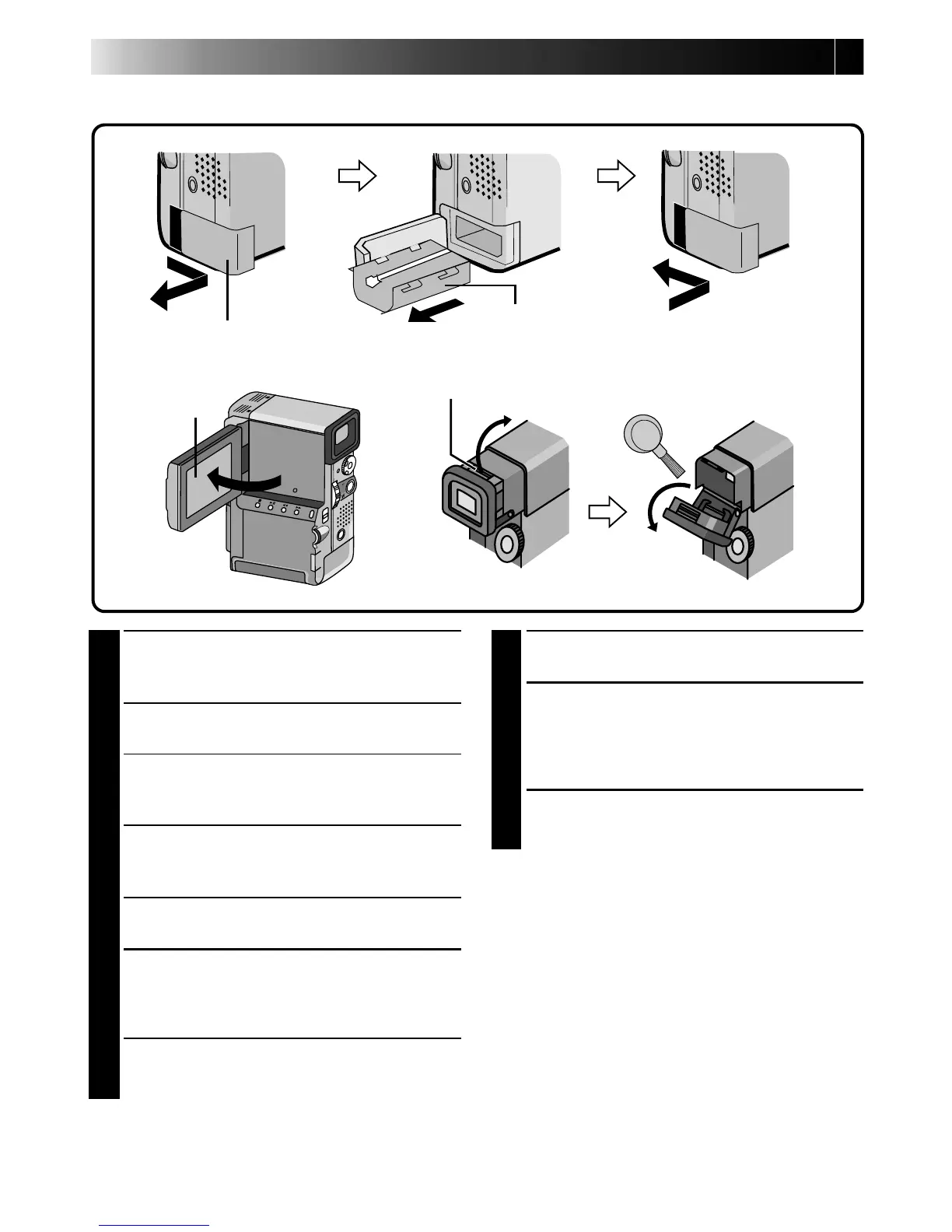
REMOVE POWER SUPPLY
Remove the battery pack or disconnect the AC
Power Adapter/Charger.
2
CLEAN EXTERIOR
Wipe gently with a soft cloth.
•Put cloth in diluted mild soap and wring it
well to wipe off heavy dirt. Then wipe again
with a dry cloth.
3
CLEAN LENS
Blow it with a blower brush, then wipe gently
with lens cleaning paper.
4
PULL OUT VIEWFINDER
Pull out the viewfinder fully.
5
CLEAN VIEWFINDER
Use a small screwdriver to lift the viewfinder
eject knob up and clean the viewfinder with a
lens blower or a soft cloth.
6
PUSH VIEWFINDER BACK IN
Return the viewfinder eject knob to its original
position and push the viewfinder back in.
AFTER USE
7
OPEN LCD MONITOR
Open the LCD monitor fully.
8
CLEAN LCD MONITOR
With soft cloth, gently wipe the LCD monitor
in a semicircular pattern. Avoid using too
much pressure as this will smear the monitor
screen, making it much more difficult to clean.
9
CLOSE LCD MONITOR
NOTES:
●
Avoid using strong cleaning agents such as
benzine or alcohol. This may damage the unit's
body or cause malfunction.
●
When using a cleaner or chemically treated cloth
refer to the cautions of each product.
Cleaning The Camcorder
Battery cover
LCD monitor
Viewfinder eject knob
Battery pack



 To Next Page