EN 75
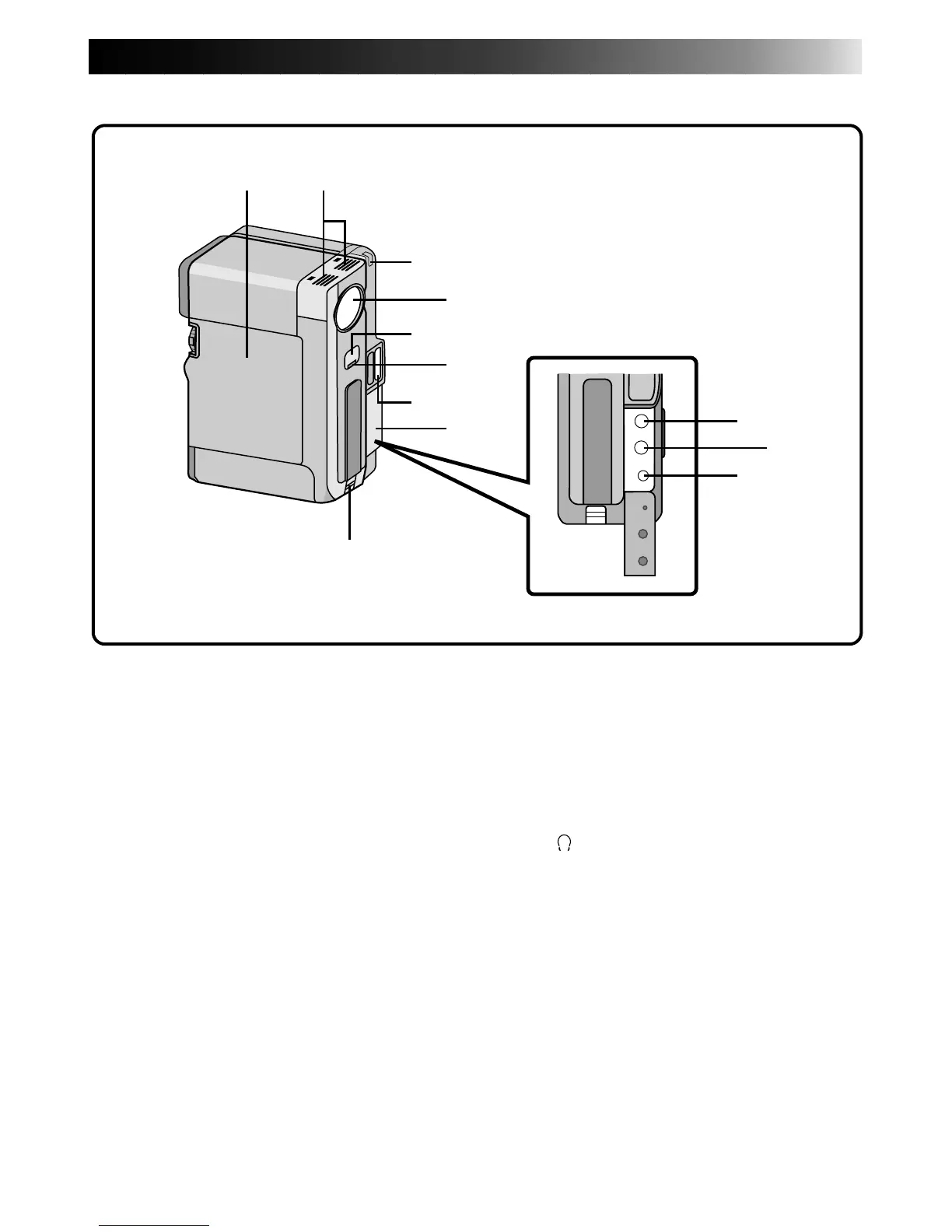
1 2
4
3
6
8
0
!
@
7
5
9
CONTROLS, INDICATIONS AND CONNECTORS
Camcorder
8 Jack cover (Z pg. 56)
Pull this out to detach.
9 Hand strap eyelet (Z pg. 16)
Slide the strap through the eyelet.
0 External microphone input jack (MIC)
(Stereo) (
Z pg. 67)
An optional microphone can be connected.
! Video/audio output jack or headphones
jack (
/AV-OUT) (Z pg. 56, 67)
The provided VIDEO/AUDIO cable (ø3.5) can
be connected to a television etc. Using optional
headphones, you can listen to the sound.
However, headphones equipped with volume
control cannot be used.
@ DC input jack (DC-IN) (Z pg. 12)
The DC cord of an AC Power Adapter or Power
Pack can be connected.
1 Cassette cover (Z pg. 14)
Cassette is loaded inside the cover.
2 Stereo microphone (Z pg. 67)
For use when recording or audio dubbing.
3 White balance sensor
Adjusts the color reproduction. Take care not to
cover the sensor with your hand while shooting.
4 Lens cover
Opens when the viewfinder is pulled out or the
LCD monitor is opened fully.
5 Remote sensor (Z pg. 52)
Receives the signal from the remote control.
When using the remote control, point it at the
remote sensor.
6 Tally lamp
Lights during recording.
7 Flash (built-in sensor) (Z pg. 28)
During Snapshot recording, this senses the
brightness and flashes in a dark environments
with insufficient light. Take care not to cover the
sensor with your hand while shooting.



 To Next Page