EN21
P
L
A
Y
O
F
F
VIDEO PLAYBACK
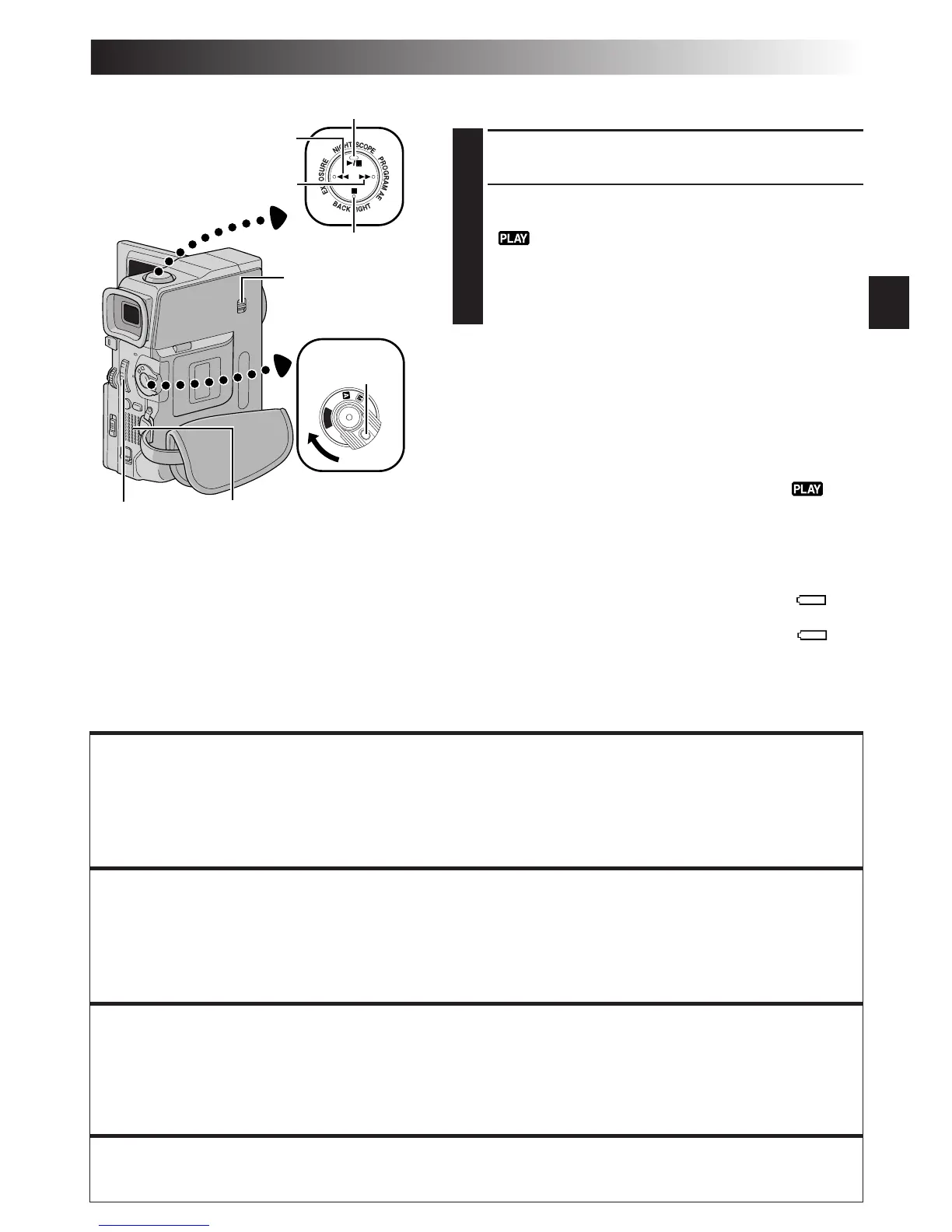
Power Switch
Rewind Button (2)
Fast-Forward Button (3)
Play/Pause Button (4/6)
Stop Button (5)
Normal Playback
1
Load a tape ( pg. 12).
2
Set the VIDEO/DSC Switch to “VIDEO” (GR-
DVX88/DVX77 only), then set the Power Switch to
“ ” while pressing down the Lock Button
located on the switch. To start playback, press 4/6.
•To stop playback, press 5.
•Press 2 to rewind, or 3 to fast-forward the
tape during Stop mode.
To Control The Speaker Volume . . .
.... slide the Power Zoom Lever (Speaker Volume
Control) (VOL.) towards “+” to turn up the volume,
or towards “–” to turn down the volume.
NOTES:
●
If Stop mode continues for 5 minutes when power is supplied
from a battery, the camcorder shuts off automatically. To turn
on again, set the Power Switch to “OFF”, then to “ ”.
●
The playback picture can be viewed in the LCD monitor,
viewfinder or on a connected TV (
pg. 22, 23).
●
You can also view the playback picture on the LCD monitor
with it flipped over and pushed against the camera body.
●
LCD monitor/viewfinder indications:
•
When power is supplied from a battery: the “ ”
battery pack remaining power indicator is displayed.
When power is supplied from an AC outlet: “ ”
does not appear.
•
During Stop mode, none of the indications are displayed.
●
When a cable is connected to the AV connector, the
sound is not heard from the speaker.
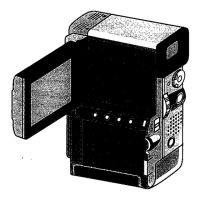
Power Zoom
Lever (Speaker
Volume Control)
(VOL.)
Speaker
Lock Button
Still Playback:
Pauses during playback.
1) Press 4/6 during playback.
2) To resume normal playback, press 4/6 again.
●
If still playback continues for more than about 3 minutes, the camcorder’s Stop mode is automatically
engaged. After 5 minutes in the Stop mode, the camcorder’s power is automatically turned off.
●
When
4/6
is pressed, the image may not pause immediately while the camcorder stabilises the still image.
Shuttle Search:
Allows high-speed search in either direction.
1) Press 3 for forward or 2 for reverse search during playback.
2) To resume normal playback, press 4/6.
●
During playback, press and hold
2
or
3
. The search continues as long as you hold the button.
Once you release it, normal playback resumes.
●
A slight mosaic effect appears on screen during Shuttle Search. This is not a malfunction.
Frame-By-Frame Playback: Allows frame-by-frame search.
1) Engage Still Playback.
2) Rotate MENU Wheel towards “+” for forward Frame-By-Frame Playback, or towards “–” for reverse
Frame-By-Frame Playback during Still Playback.
To resume normal playback, press 4/6.
●
You can also use the provided remote control for Frame-By-Frame Playback (
pg. 64).
Slow-Motion Playback, Playback Zoom and Playback Special Effects
Available only with the remote control (provided) ( pg. 64, 65).
VIDEO/DSC Switch
(GR-DVX88/DVX77
only)



 To Next Page