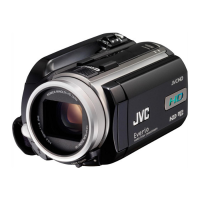
Front
.
A SNAPSHOT (Still Image Recording) Button
0
Takes a still image.
B Zoom/Volume Lever
0
During shooting: Adjusts the shooting range.
0
During playback (index screen): Moves to the next or previous page.
0
During video playback: Adjusts the volume.
C Lens Cover
0
Do not touch the lens and lens cover.
0
Do not cover the lens with your fingers during recording.
D Light (GZ-EX355)
0
Turn on the light when shooting in dark places.
“LIGHT (GZ-EX355)” (A p. 208)
E Stereo Microphone
0
Do not cover the microphone with your fingers during video recording.
Rear
.
A DC Connector
0
Connects to an AC adapter to charge the battery.
B ACCESS (Access) Lamp
0
Lights up/blinks during recording or playback.
Do not remove the battery pack, AC adapter, or SD card.
C POWER/CHARGE (Power/Charge) Lamp
0
Lights up: Power "ON"
0
Blinks: Charging in progress
0
Goes out: Charging finished
D START/STOP (Video Recording) Button
0
Starts/stops video recording.
E Strap Lock
F Grip Belt
0
Pass your hand through the grip belt to hold this unit firmly.
“Grip Adjustment” (A p. 14)
G Lens Cover Switch
0
Opens and closes the lens cover.
Names of Parts
226








 To Next Page