EasyManua.ls Logo

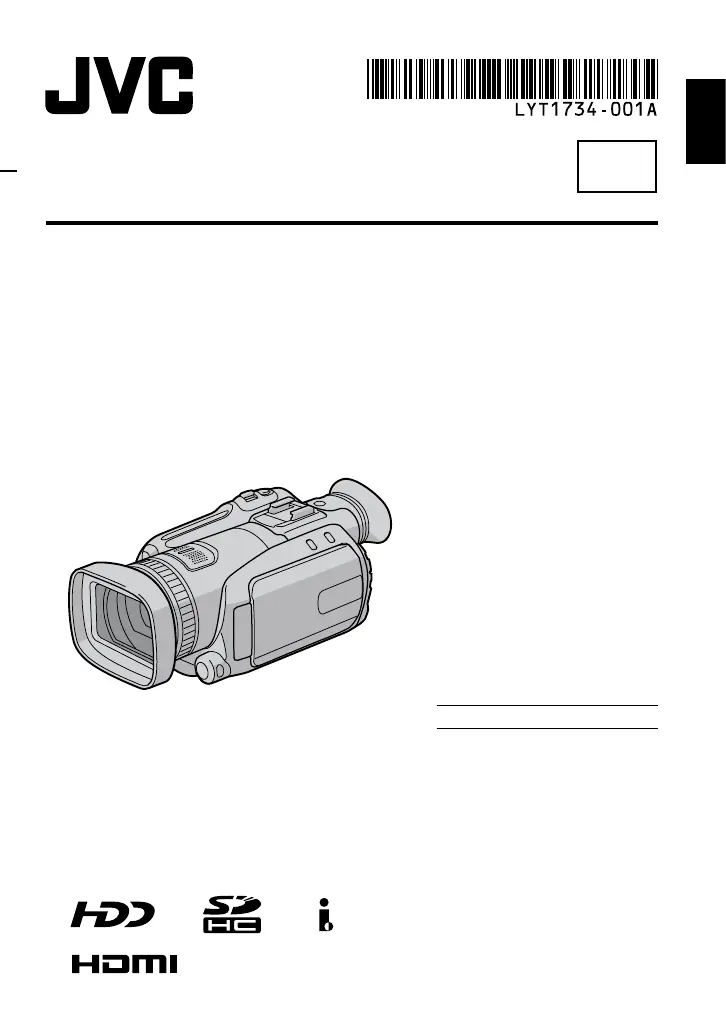
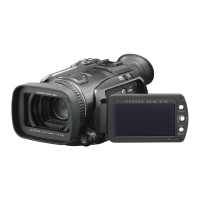
JVC Everio GZ-HD7 - User Manual

JVC Everio GZ-HD7
84 pages
Print Icon
To Next Page IconTo Next Page
Loading...
EN
HD HARD DISK CAMCORDER
GZ-HD7U
Dear Customer
Thank you for purchasing
this hard disk camera. Before
use, please read the safety
information and precautions
contained in pages 4 and 5 to
ensure safe use of this product.
For Future Reference:
Enter the Model No. (located on
the bottom of the camera) and
Serial No. (located on the battery
pack mount of the camera)
below.
Model No.
Serial No.
INSTRUCTIONS
ENGLISH

Table of Contents

Other manuals for JVC Everio GZ-HD7

Questions and Answers

  • S
    Stephanie BrandtAug 16, 2025
    What to do if my JVC Everio GZ-HD7 Camcorder has no power?
    • H
      henrykyleAug 16, 2025
      If your JVC Camcorder isn't getting power, try these steps: First, ensure the AC adapter is securely connected. If that doesn't work, detach and re-attach the battery pack firmly. Finally, if the issue persists, replace the battery with a fully charged one.
  • N
    nzunigaAug 19, 2025
    Why is there no display on my JVC Everio GZ-HD7 Camcorder?
    • J
      Jennifer GriffithAug 19, 2025
      If no display appears on your JVC Camcorder, remember that the camera turns off automatically after 5 minutes of inactivity to save power. If you're using the battery, switch the power/mode to OFF, then back to STANDBY/ON. If using the AC adapter, try zooming. Also, adjust the brightness of the LCD monitor or viewfinder. If using the viewfinder and the LCD monitor is open, either close the LCD monitor or set the [PRIORITY SETTING] to [FINDER].
  • B
    Barbara MeyerAug 22, 2025
    What to do if my JVC Everio GZ-HD7 Camcorder turns off by itself?
    • S
      Scott MarquezAug 22, 2025
      If your JVC Camcorder is turning off accidentally, move to a location free from vibration or excessive noise. The drop detection function may be activated; set the power/mode switch to OFF and then to STANDBY/ON again. To disable this function, set [DROP DETECTION] to [OFF].
  • L
    Lisa HayesAug 26, 2025
    Why does my JVC Camcorder battery drain so fast?
    • H
      hgonzalesAug 26, 2025
      If your JVC Camcorder's battery life is extremely short even after a full charge, ensure you're using the camera within appropriate operating temperatures. If the problem continues, the battery is likely worn out and needs replacement. Consider purchasing a new battery.
  • M
    Mark NorrisAug 28, 2025
    What to do if my JVC Everio GZ-HD7 Camcorder won't record?
    • A
      Amanda WhiteAug 28, 2025
      If your JVC Camcorder isn't recording, check if the recording medium is full. If it is, delete unnecessary files or replace the SD card. Also, make sure you've selected the correct recording medium.
  • D
    David AcevedoAug 31, 2025
    Why are images on my JVC Everio GZ-HD7 LCD dark?
    • H
      hallchristopherAug 31, 2025
      If images on your JVC Camcorder's LCD monitor appear dark or whitish, try adjusting the brightness and angle of the LCD monitor.
  • D
    david71Sep 3, 2025
    Why is playback not working on my JVC Camcorder?
    • T
      Travis FernandezSep 3, 2025
      If playback isn't working on your JVC Camcorder, ensure that you have selected the correct recording medium. If you are trying to watch the images on a TV, verify that the TV's input mode or channel is correctly set for video playback.
  • M
    Marie Boyer MDSep 6, 2025
    Why is my JVC Everio GZ-HD7 Camcorder slow?
    • A
      april51Sep 7, 2025
      If your JVC Camcorder is slow after powering on or changing modes, it could be due to a large number of still images (approximately 1,000 or more) stored on the recording medium. Try copying these files to other devices and then deleting them from the recording medium.
  • D
    davilawilliamSep 9, 2025
    Why is the battery display inaccurate on my JVC Everio GZ-HD7?
    • D
      David HoustonSep 9, 2025
      If the displayed amount of remaining battery power on your JVC Camcorder differs from the actual operating time, fully charge the battery and then let it run down completely. If the problem continues, the battery is likely worn out and needs to be replaced.
  • L
    Laura AguilarSep 12, 2025
    Why is my JVC Everio GZ-HD7 Camcorder continuous shooting slow?
    • J
      Justin KnappSep 12, 2025
      The continuous shooting speed of your JVC Camcorder may decrease when you repeatedly take continuous shots, when using certain recording media, or under certain recording conditions.

Summary

Safety Precautions

Electrical Safety and Fire Prevention

Warnings about electric shock, fire hazards, and moisture protection.

Battery Handling and Safety

Guidelines for safe use, charging, and disposal of lithium batteries.

Initial Setup and Settings

Charging the Battery Pack

Step-by-step guide on charging the camera's battery pack.

Recording Operations

Video Recording Basics

Procedure for starting and stopping video recording.

Still Image Recording Basics

Procedure for capturing still images with the camera.

Manual Recording Modes

How to use manual settings like AE, aperture, and focus.

Playback Operations

File Management

Deleting and Protecting Files

Steps for deleting, protecting, and managing files on the media.

Copying Files

DVD Burner Backup Procedures

How to back up files to DVD discs using a compatible burner.

PC Operation: Windows

System Requirements and Software Installation

PC requirements and steps for installing backup software.

Connecting Camera and File Backup

Guides for connecting the camera and performing file backups.

PC Operation: Macintosh

Changing Menu Settings

Troubleshooting

Common Problems and Solutions

Lists common issues and their resolutions, including camera reset.

Warning Indications

Key Warning Indications

Explains common visual and audible warnings from the camera.

Cautions and Precautions

JVC Everio GZ-HD7 Specifications

General IconGeneral
BrandJVC
ModelEverio GZ-HD7
CategoryCamcorder
LanguageEnglish

Related product manuals